Help Center
How can we help?
Short guides with a video for each, on a computer or your phone.
Getting started
Sign in, run a search and read your report.
-
 Sign in to your accountSign in with your phone number and a one-time code, with Google, or with a passkey. No password to remember.
Video · 0:55
-
 Look up a phone numberCheck a number from your account and get the person’s name, address, phone details and FICO® Score 4.
Video · 0:39
-
 Read your reportWhat each part of a report means: the FICO® Score 4, what’s holding it back, the credit profile and debt by type.
Video · 0:49
Reports & credits
Buy more reports, unlock the full history and download reports.
-
 Download, print or save a report as a PDFSave any report from your account as a PDF, in light or dark, to print or keep.
Video · 0:34
-
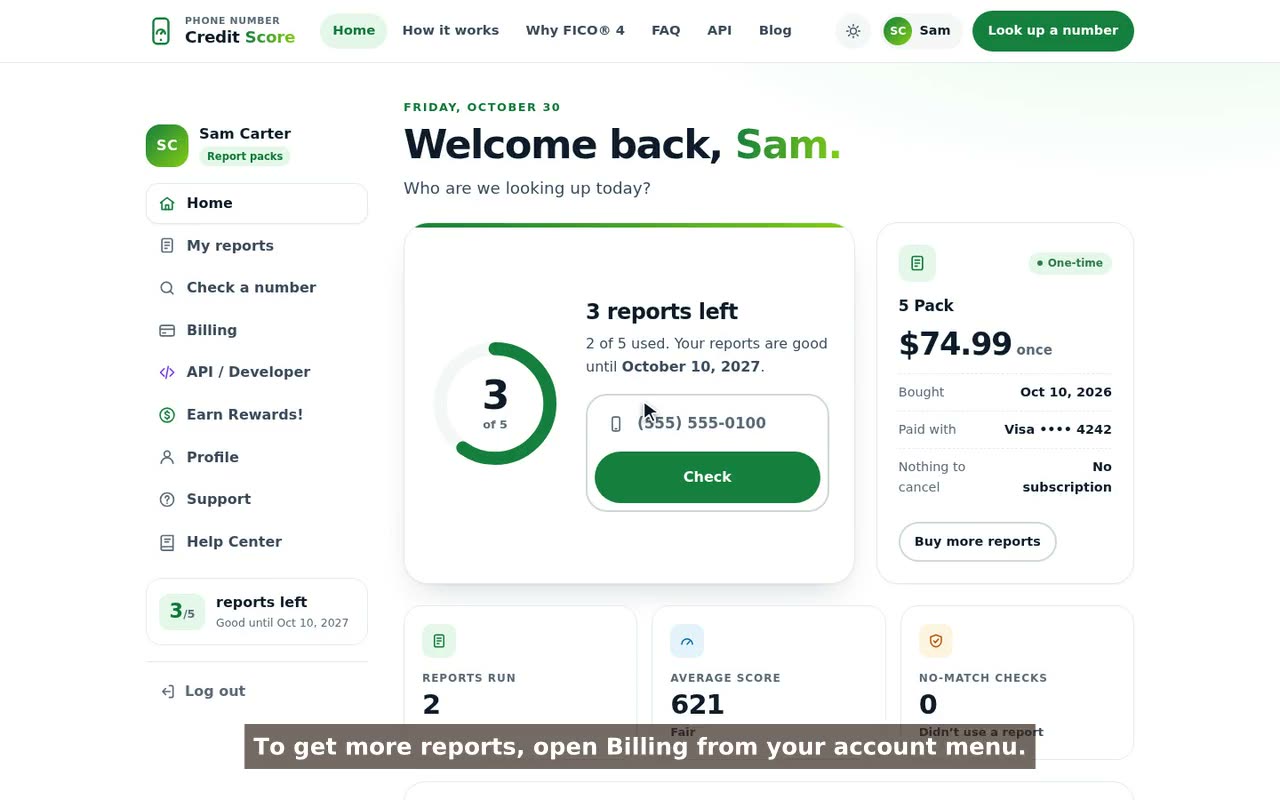 Buy more reportsAdd a pack of reports to your account in a couple of taps. Reports from a pack are good for 12 months.
Video · 0:38
-
 Start a membership with a $1 trialTry Basic or Platinum for $1. The trial comes with reports to use, and you can cancel any time.
Video · 0:46
-
 Unlock the full account historyAdd every account, payment and inquiry to a report you already have, for a one-time price.
Video · 0:36
-
 Look up a caller ID name for freeSee the caller ID name, spam risk, carrier and line type for a number, free, with no account.
Video · 0:38
Membership & billing
Change or cancel your plan, cards, receipts and codes.
-
 Change or upgrade your membershipSwitch between Basic and Platinum, or between monthly and yearly billing.
Video · 0:33
-
 Cancel your membershipCancel any time from Billing. You keep your reports and your plan until the end of the period you paid for.
Video · 0:32
-
 Add or change your cardAdd a card, Apple Pay or Google Pay, and choose which one we charge.
Video · 0:30
-
 View and download receiptsEvery charge has a receipt in Billing, ready to download as a PDF.
Video · 0:34
-
 Redeem a promo or gift codeAdd a gift code’s reports, or a promo code’s discount, from Billing.
Video · 0:31
Your account
Your details, passkeys and closing your account.
-
 Change your name, email or phoneUpdate your details and how you log in from your Profile.
Video · 0:33
-
 Add a passkey for faster sign-inSign in with Face ID, Touch ID or your device’s screen lock instead of a code.
Video · 0:32
-
 Close your account or ask about your dataAsk us to close your account, or to send or delete the information we hold about you.
Video · 0:30
Getting help
Contact us, and what to do if something in a report looks wrong.
API customers
Keys, your prepaid balance and connecting AI assistants.
-
 Create an API key (test and live)Make a test key for free sample data while you build, and a live key for real lookups.
Video · 0:36
-
 Add funds and turn on auto-refillLive lookups are paid from a prepaid balance. Add funds, and let auto-refill top it up so lookups never stop.
Video · 0:37
-
 Connect an AI assistant (MCP)Let Claude, ChatGPT, Cursor and other assistants run lookups for you, with your spending limits.
Video · 0:37
No guides match that. Try other words, or ask us.