Create an API key (test and live)
Make a test key for free sample data while you build, and a live key for real lookups.
Read the video’s transcript
Here’s how to create an API key, for testing or for live lookups.
From API and Developer, open Keys.
Under Create a key, give it a name you’ll recognize.
Choose Test for free example people while you build, or Live for real lookups from your balance.
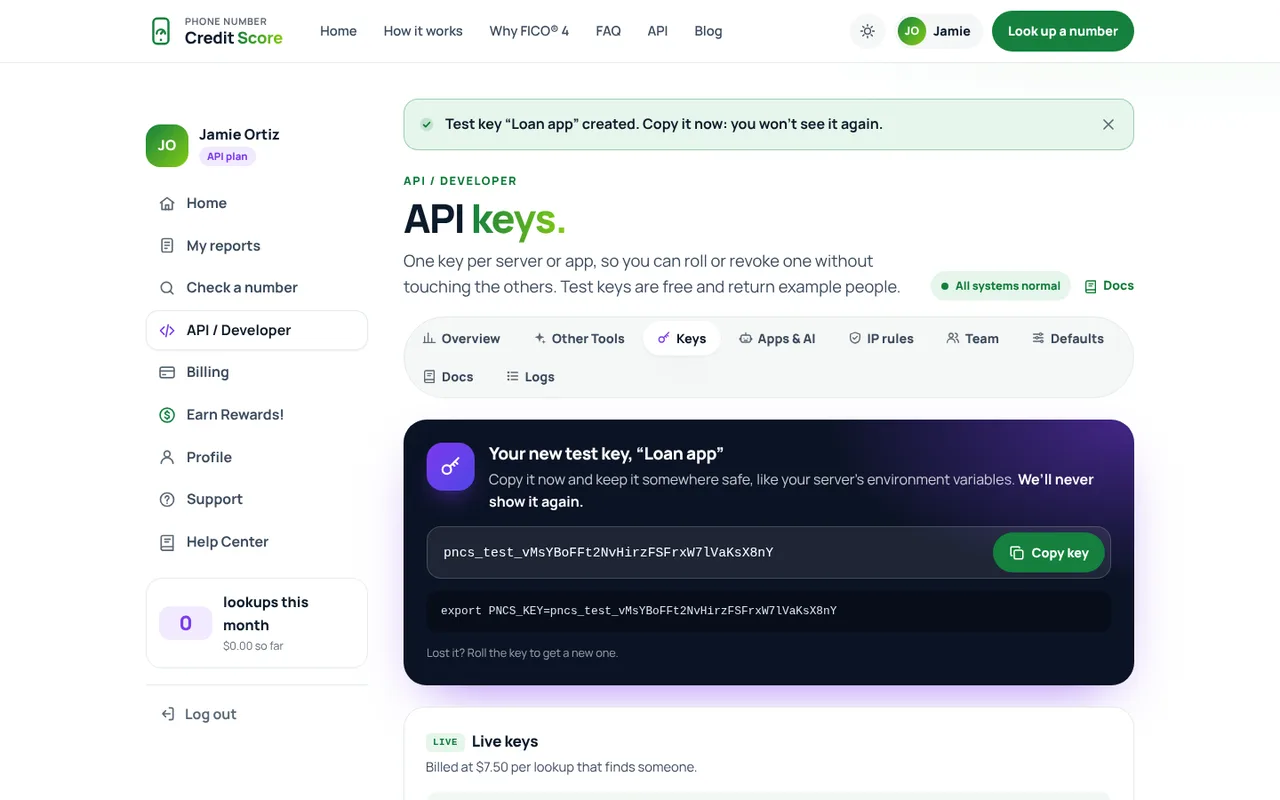
Select Create key. Copy it now, and keep it secret. It’s shown only once.
Still stuck? Our team is happy to help. Just contact Support.
Step by step on a computer
-
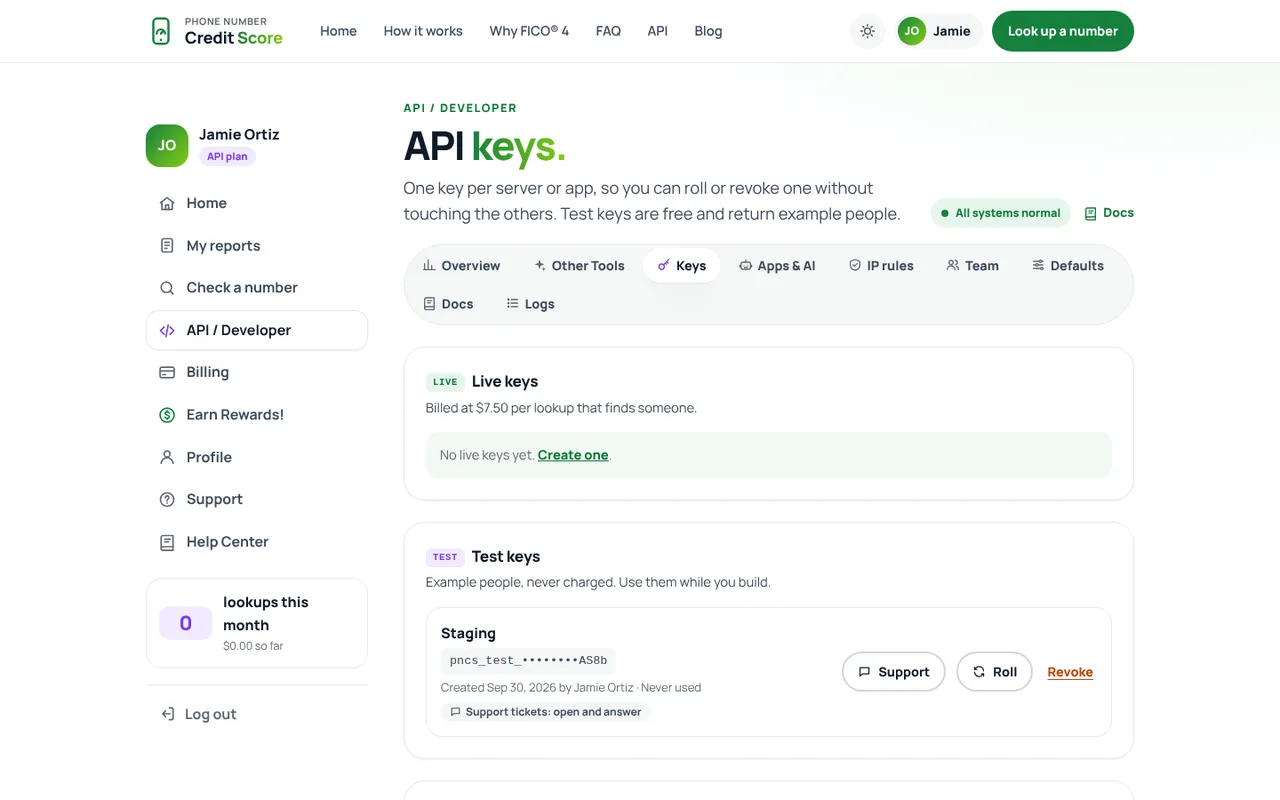
Open API / Developer, then Keys.
-
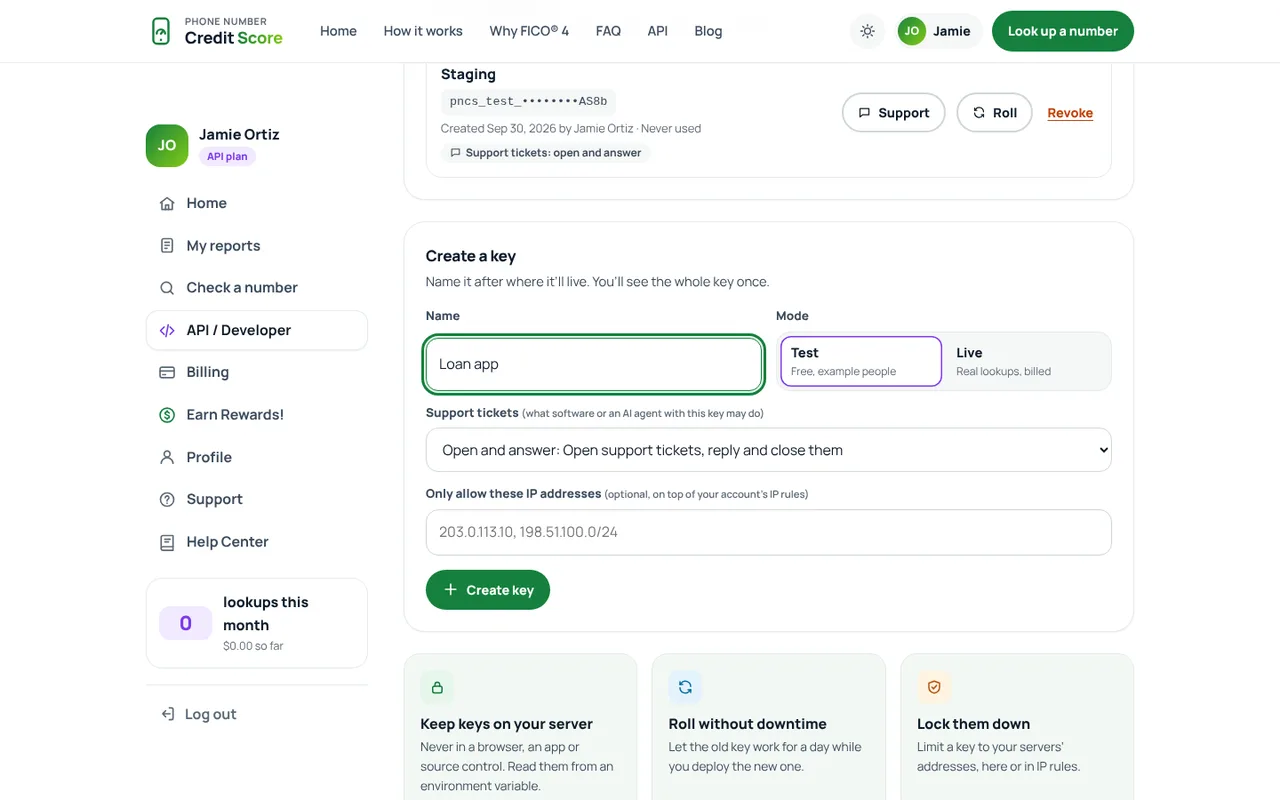
Under Create a key, give it a name you’ll recognize, like the app that uses it.
-
Choose Test for free example people while you build, or Live for real lookups, billed from your prepaid balance.
-
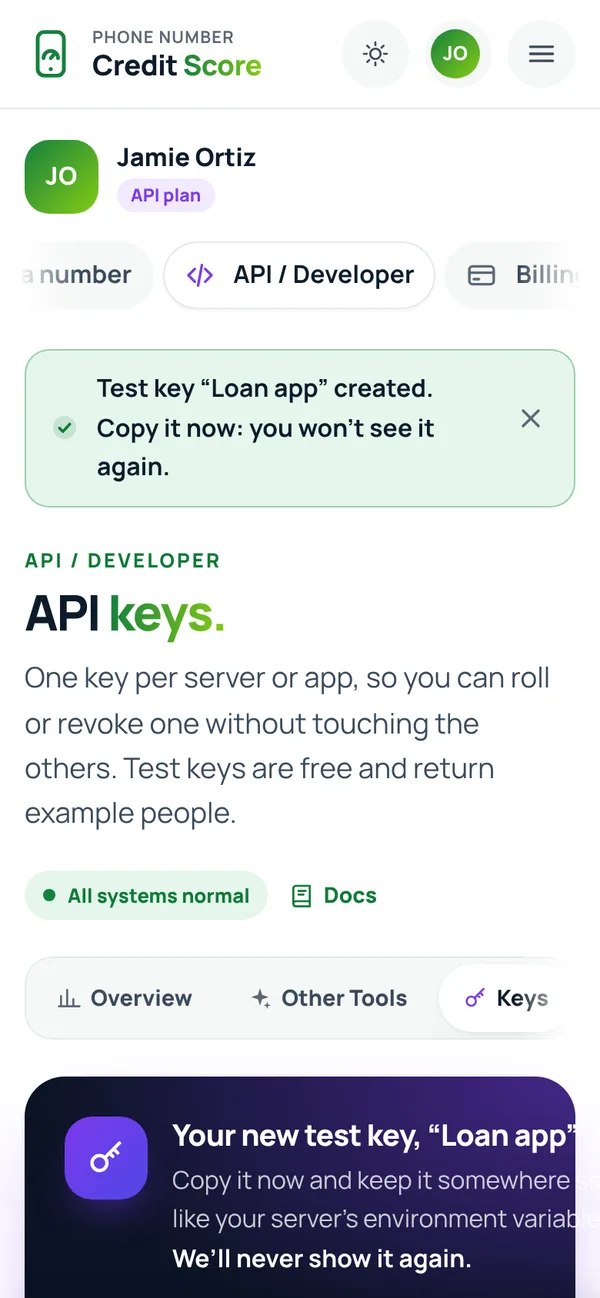
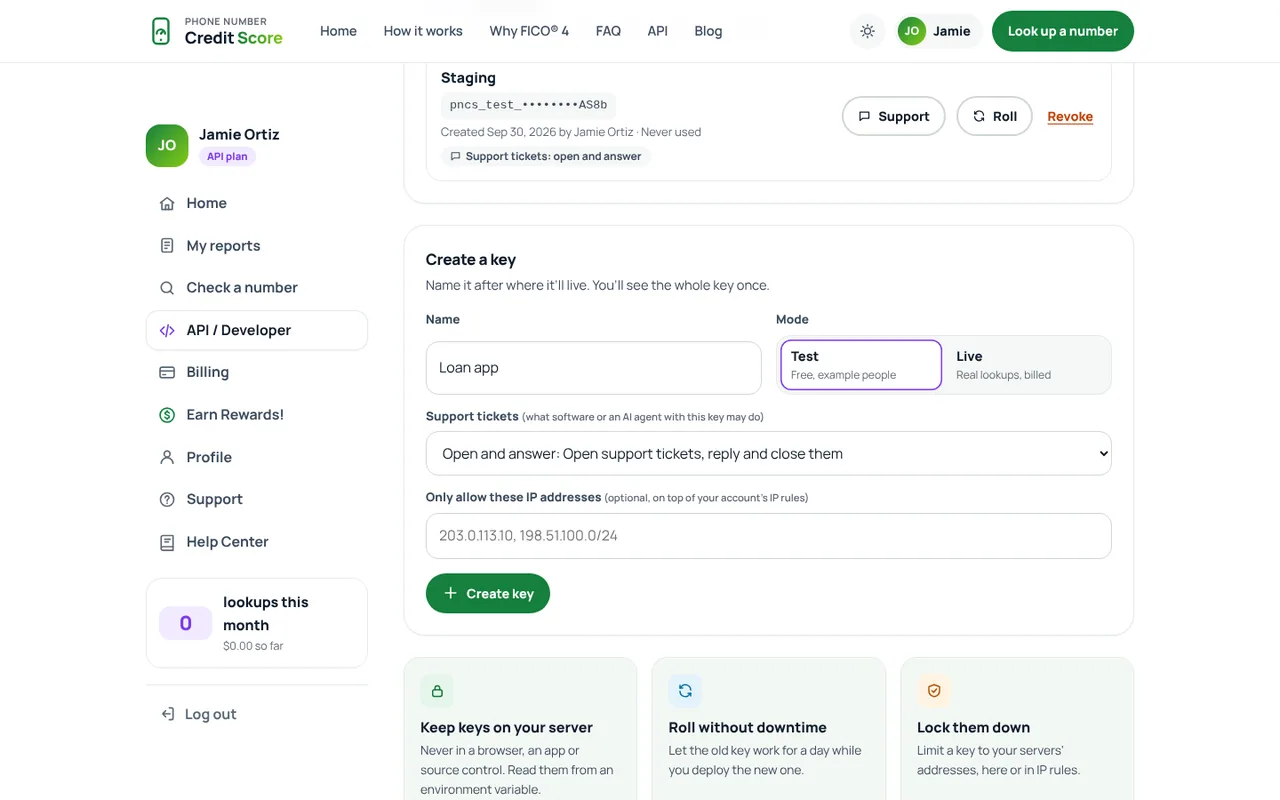
Select Create key. Copy the key now and keep it secret: it’s shown only once.
Read the video’s transcript
Here’s how to create an API key, for testing or for live lookups.
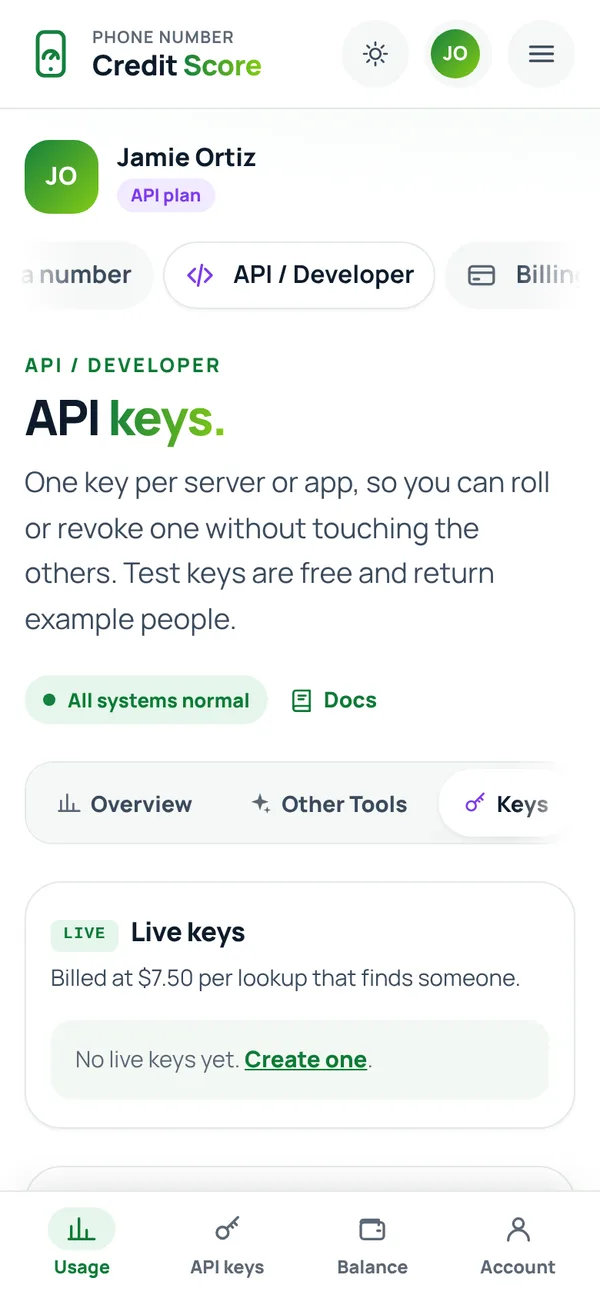
On your phone, tap API keys, in the bar at the bottom of the screen.
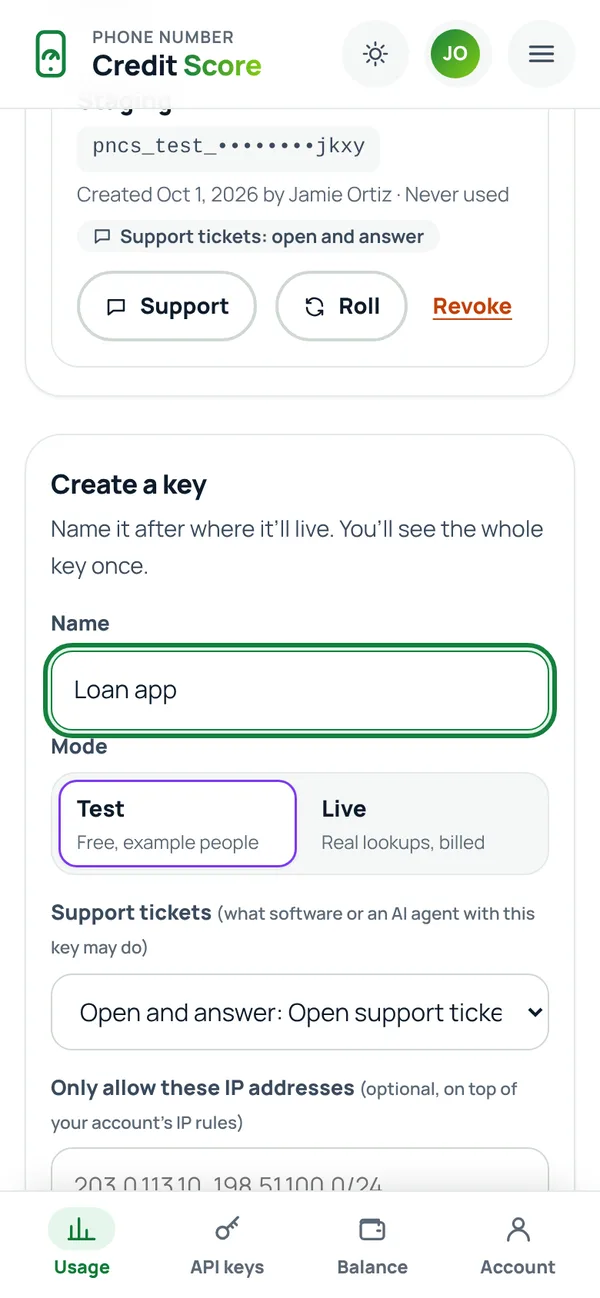
Under Create a key, give it a name you’ll recognize.
Choose Test for free example people while you build, or Live for real lookups from your balance.
Tap Create key. Copy it now, and keep it secret. It’s shown only once.
Still stuck? Our team is happy to help. Just contact Support.
Step by step on a phone
-
Tap API keys in the bar at the bottom of the screen.
-
Under Create a key, give it a name you’ll recognize, like the app that uses it.
-
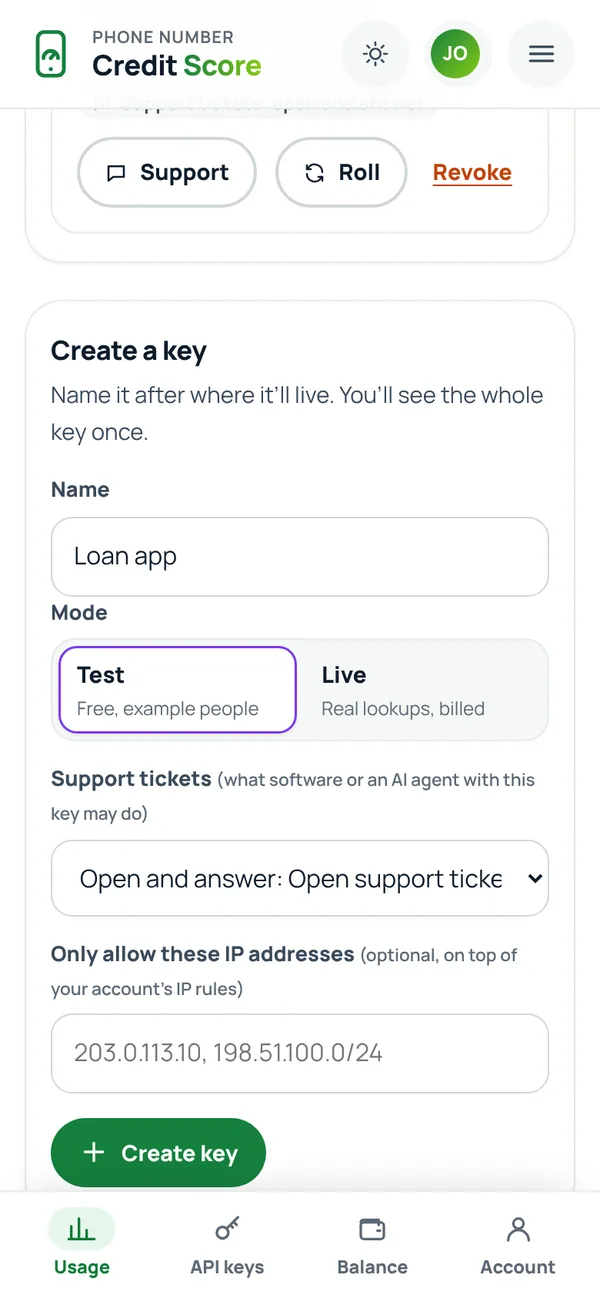
Choose Test for free example people while you build, or Live for real lookups, billed from your prepaid balance.
-
Tap Create key. Copy the key now and keep it secret: it’s shown only once.