Contact support
Send us a message from your account, or email us. We reply in your account and by email.
Read the video’s transcript
Here’s how to contact support.
Need a hand? Open Support from your account menu.
Choose what it’s about, and the report, if it’s about one.
Write your message, and select Send message.
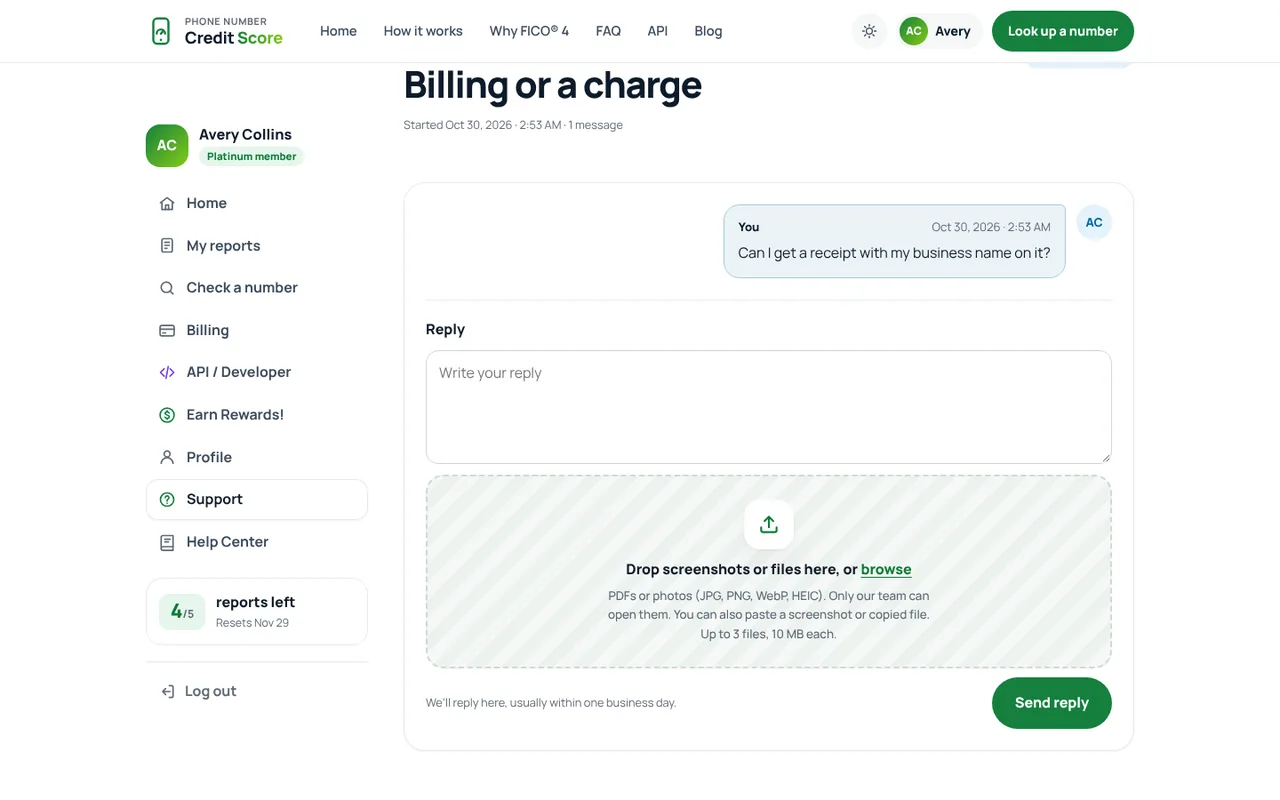
We reply right here, and by email, usually within one business day.
Still stuck? Our team is happy to help. Just contact Support.
Step by step on a computer
-
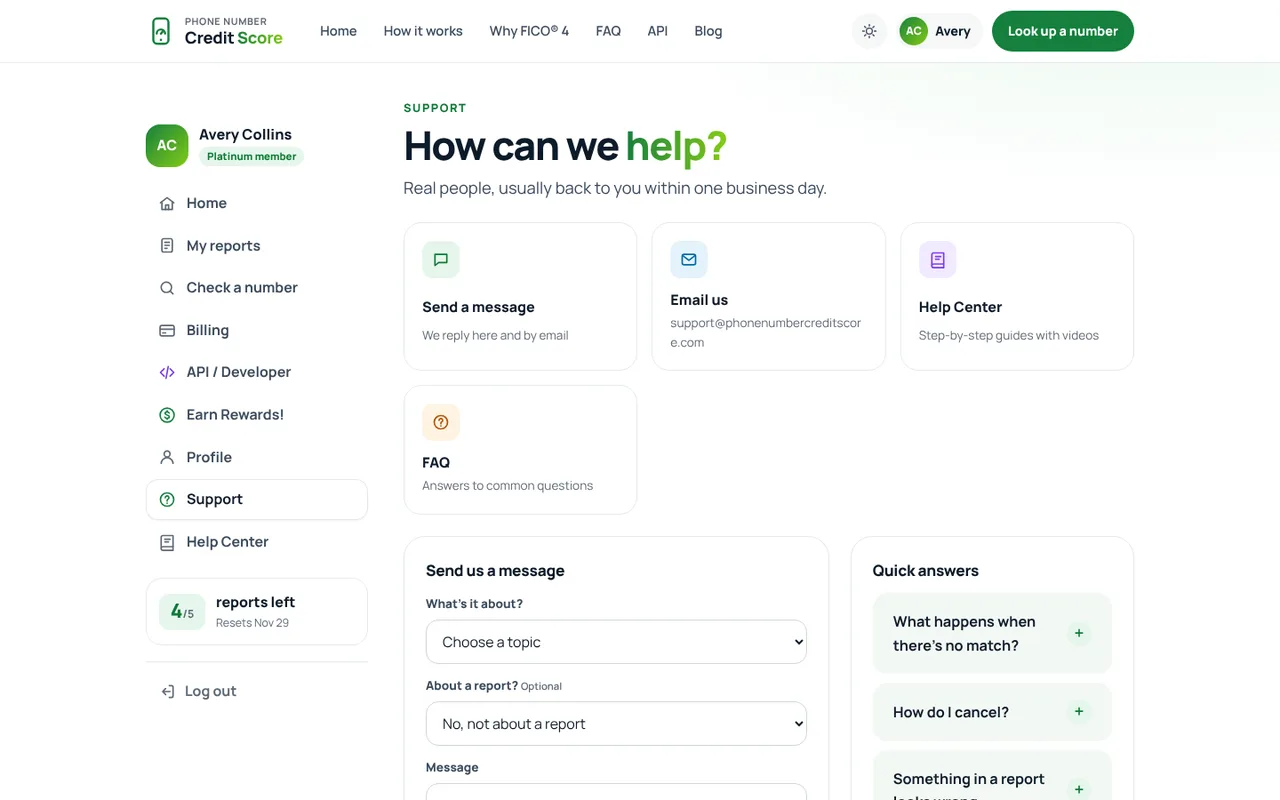
Open Support from your account menu.
-
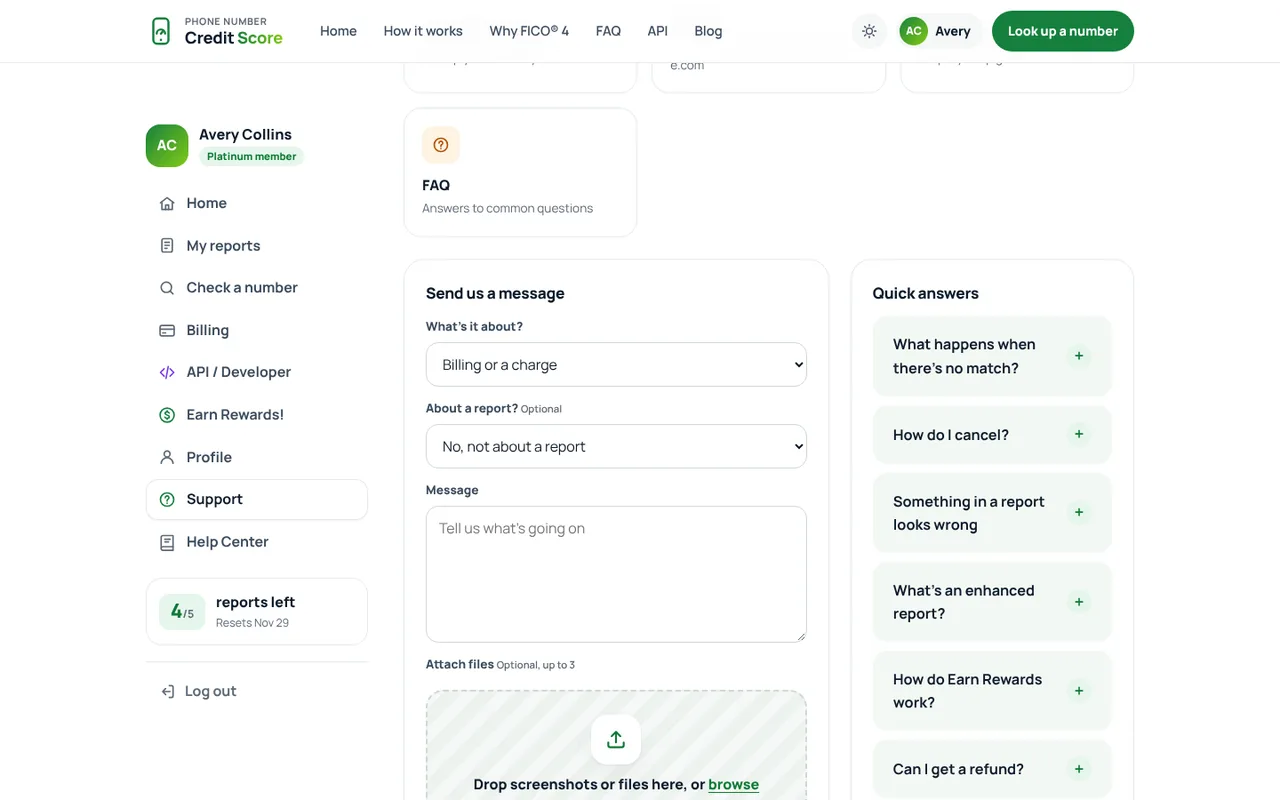
Under Send us a message, choose what it’s about, and the report if it’s about one.
-
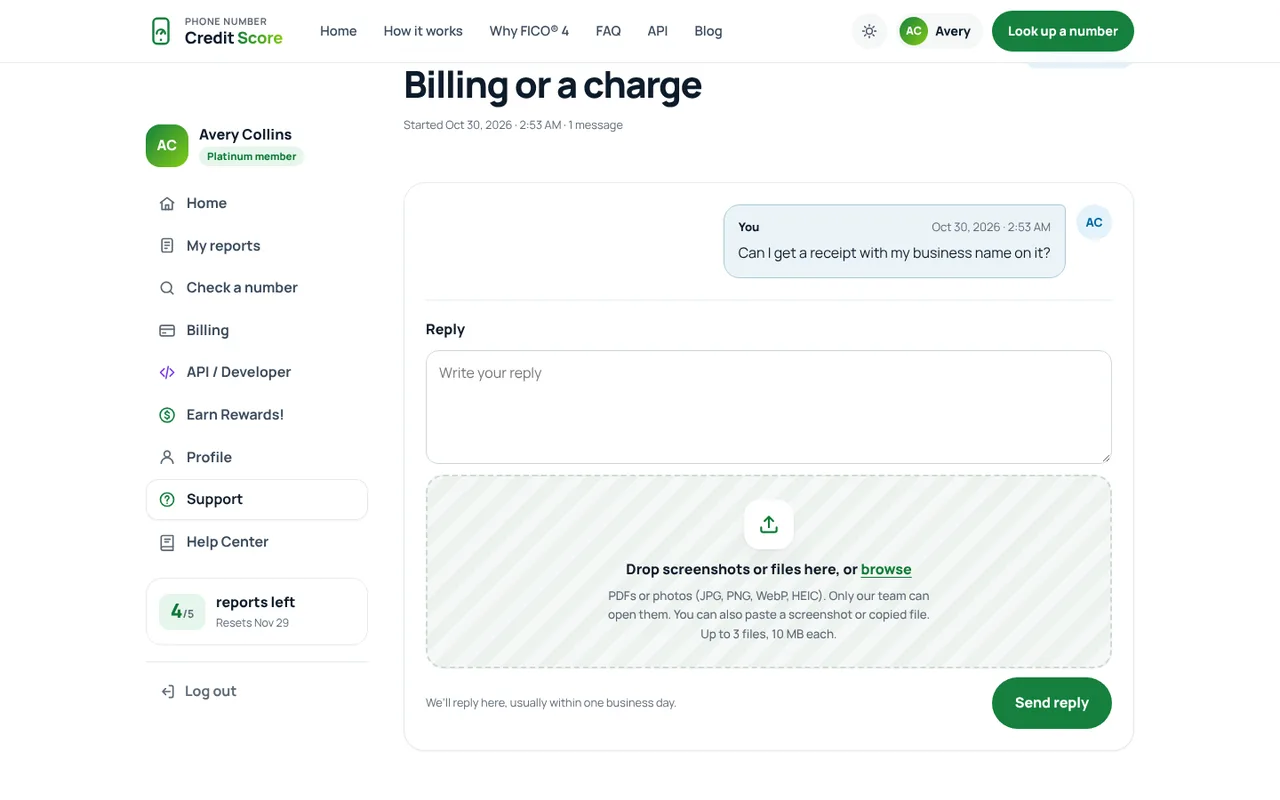
Write your message and select Send message.
-
Your conversation is saved on this page. We reply here and by email, usually within one business day. You can also email [email protected].
Read the video’s transcript
Here’s how to contact support.
Need a hand? Tap Account, at the bottom of the screen, then Support.
Choose what it’s about, and the report, if it’s about one.
Write your message, and tap Send message.
We reply right here, and by email, usually within one business day.
Still stuck? Our team is happy to help. Just contact Support.
Step by step on a phone
-
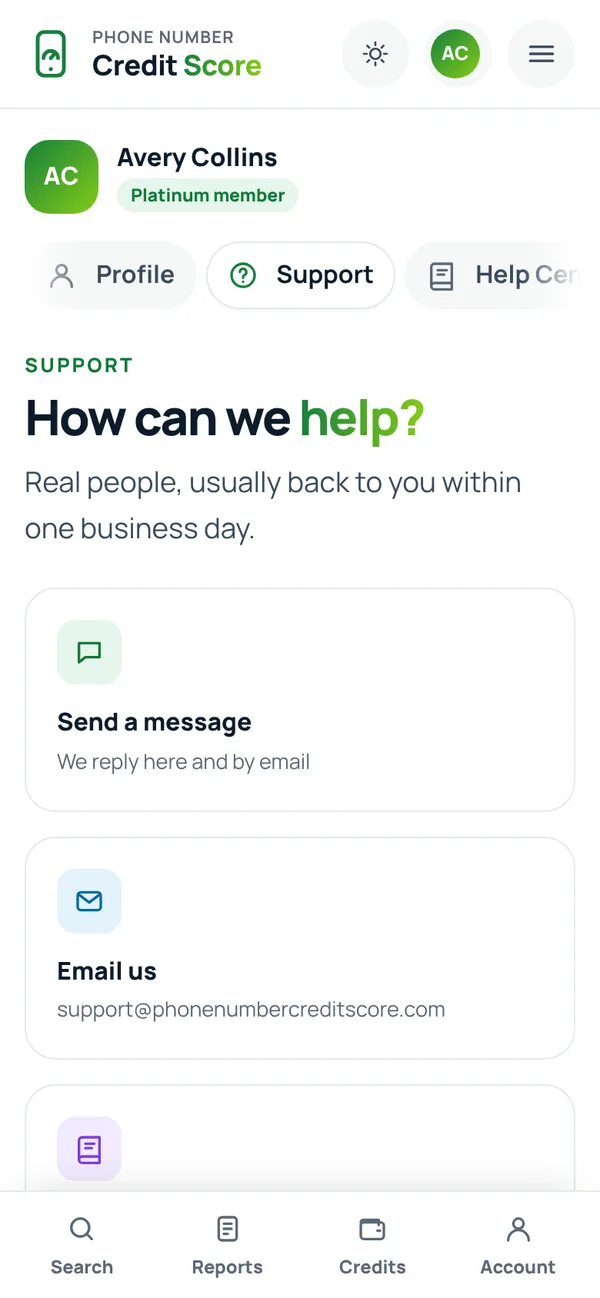
Tap Account in the bar at the bottom, then Support.
-
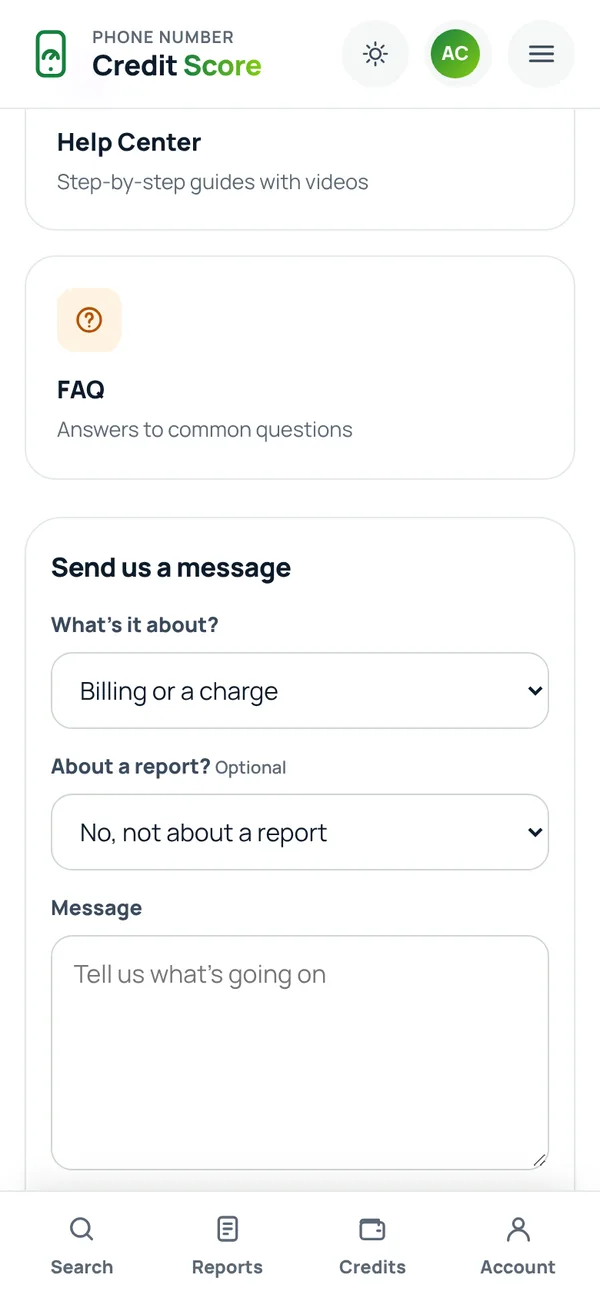
Under Send us a message, choose what it’s about, and the report if it’s about one.
-
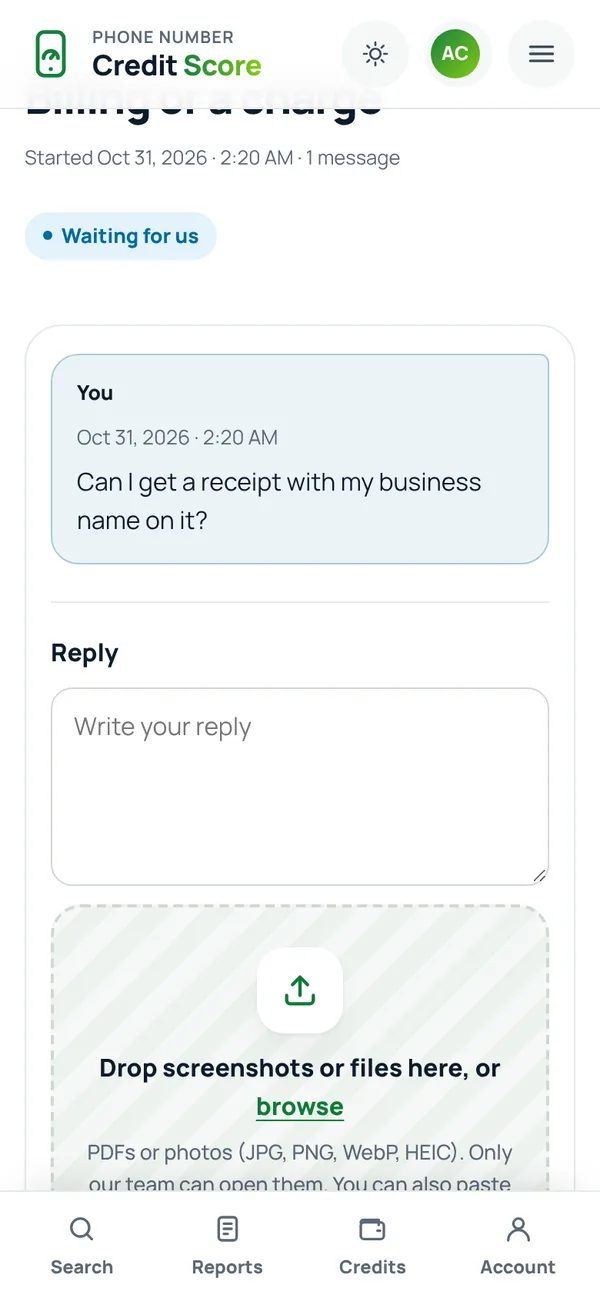
Write your message and tap Send message.
-
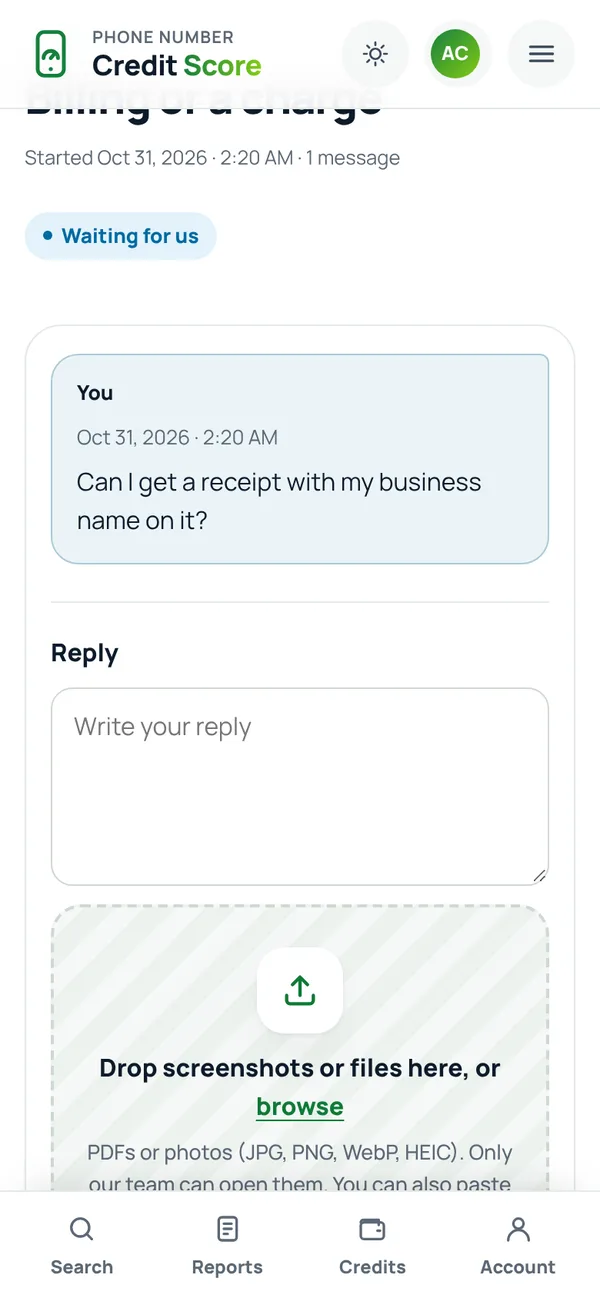
Your conversation is saved on this page. We reply here and by email, usually within one business day. You can also email [email protected].