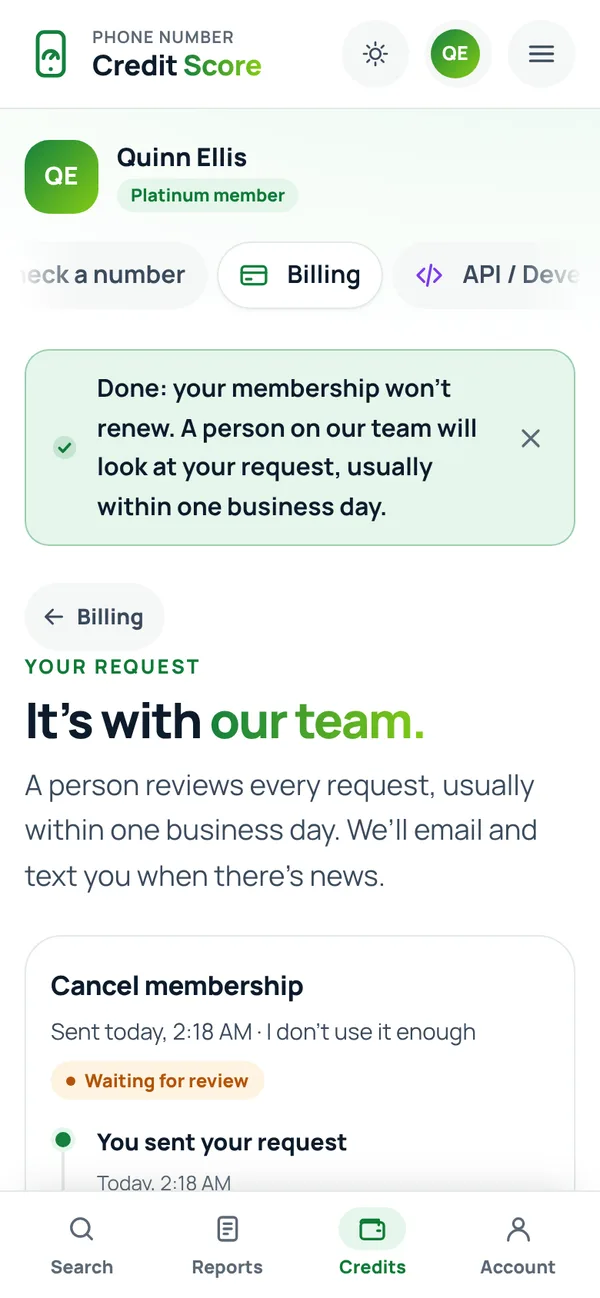
Cancel your membership
Cancel any time from Billing. You keep your reports and your plan until the end of the period you paid for.
Read the video’s transcript
Here’s how to cancel your membership.
To cancel, open Billing from your account menu.
Select Cancel membership.
Tell us the main reason, and see what you keep until your period ends.
Select Cancel membership to confirm. Your membership won’t renew, and you keep your reports until the period ends.
Still stuck? Our team is happy to help. Just contact Support.
Step by step on a computer
-
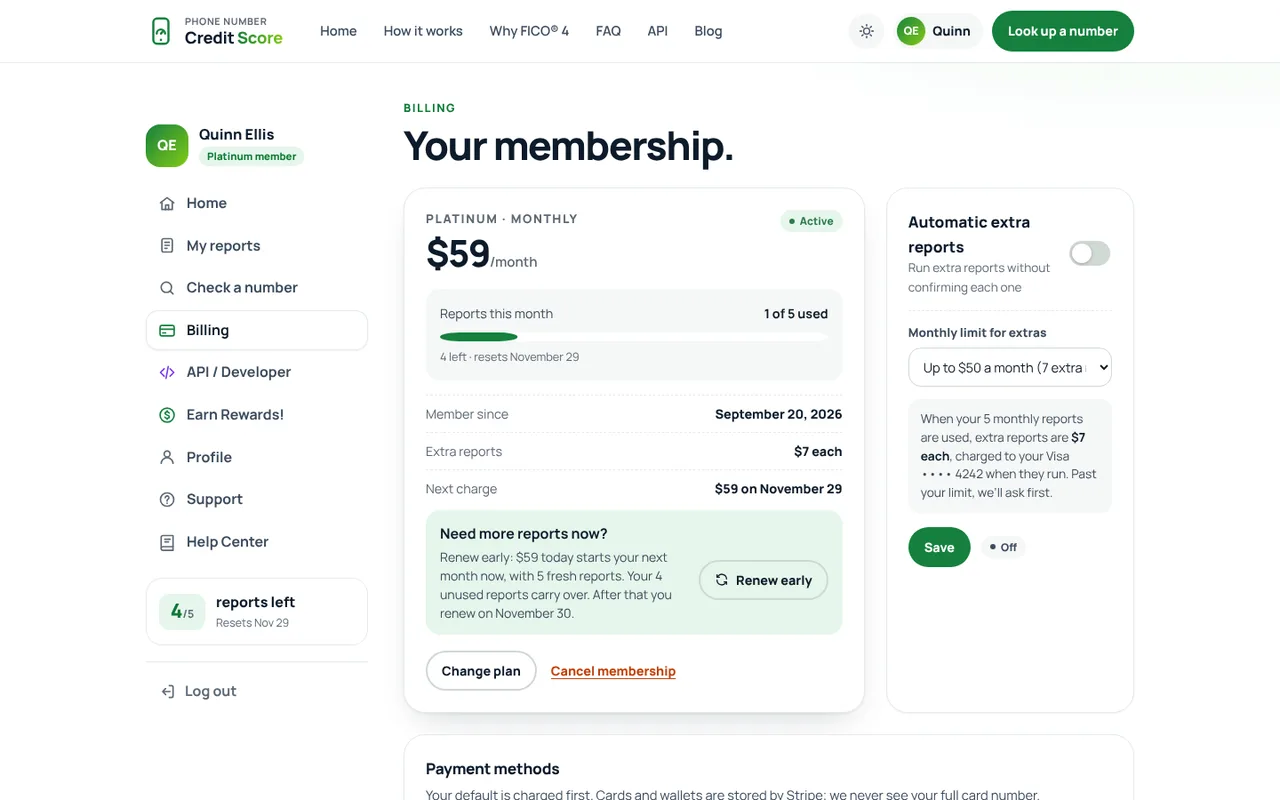
Open Billing from your account menu.
-
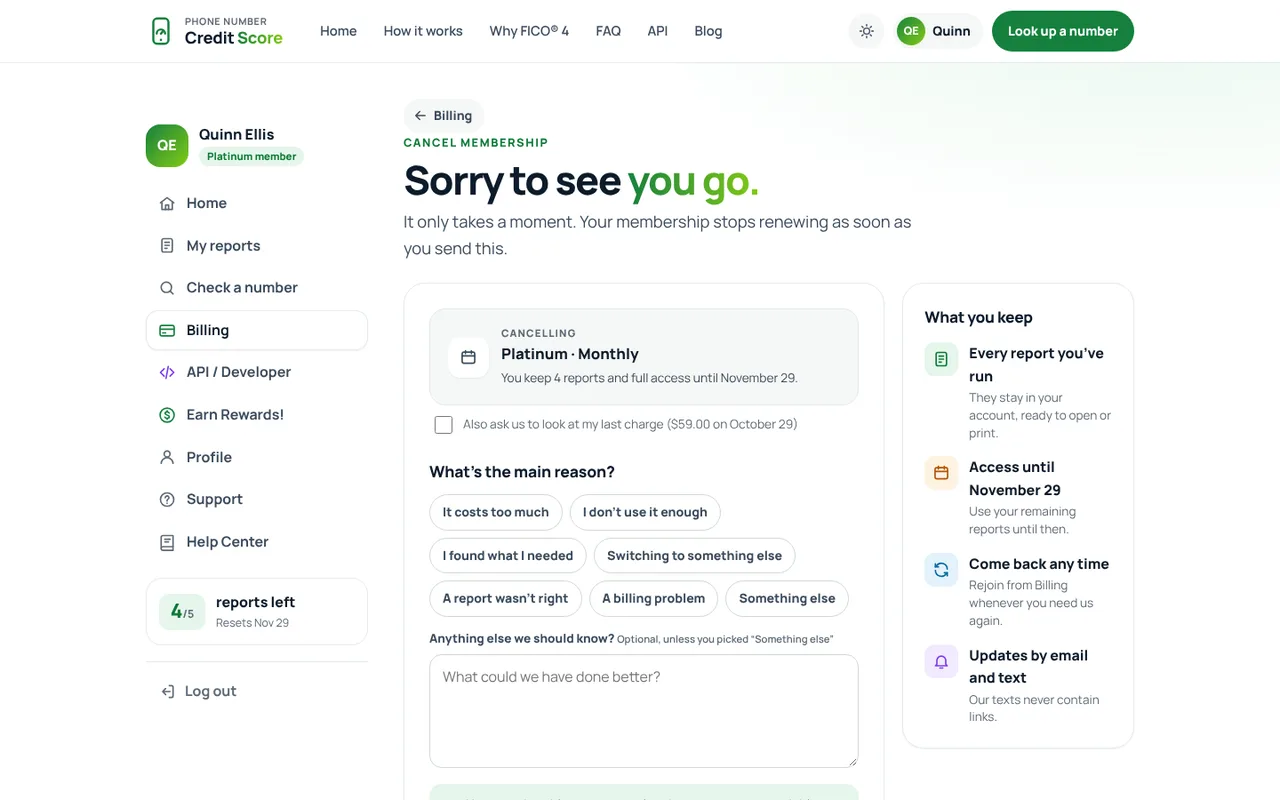
Select Cancel membership.
-
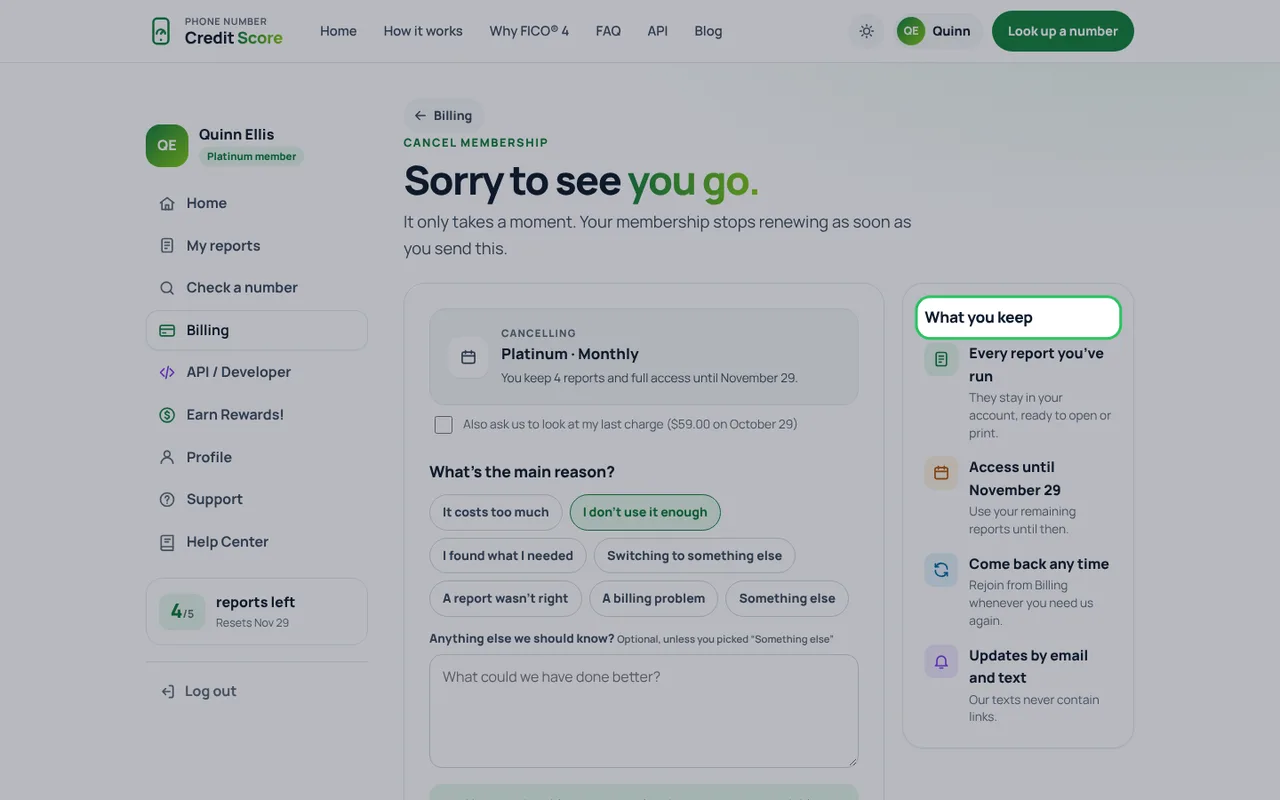
Tell us the main reason. It helps us improve. You’ll see exactly what you keep.
-
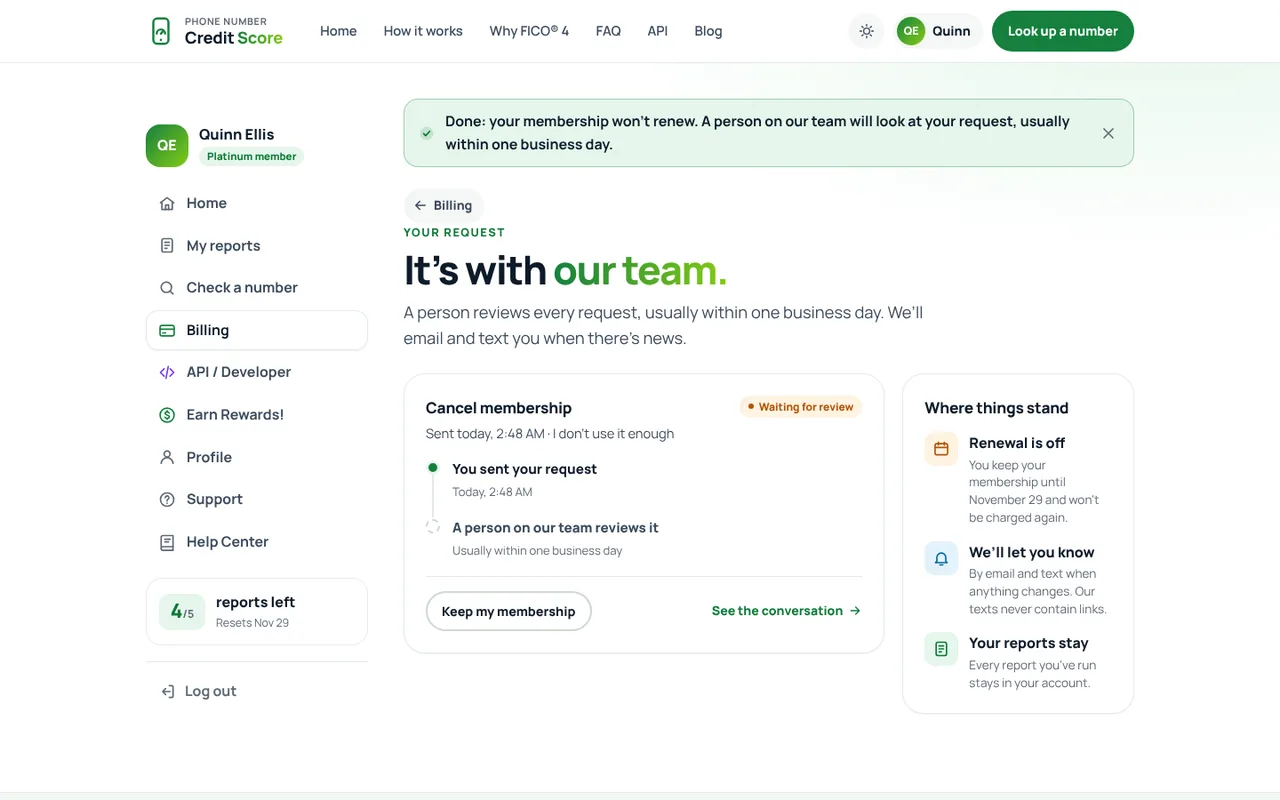
Select Cancel membership to confirm. Your membership won’t renew, and you keep your reports until the end of the period. If you asked us to look at your last charge, our team replies within one business day.
Read the video’s transcript
Here’s how to cancel your membership.
To cancel, tap Account, at the bottom of the screen, then Billing.
Tap Cancel membership.
Tell us the main reason, and see what you keep until your period ends.
Tap Cancel membership to confirm. Your membership won’t renew, and you keep your reports until the period ends.
Still stuck? Our team is happy to help. Just contact Support.
Step by step on a phone
-
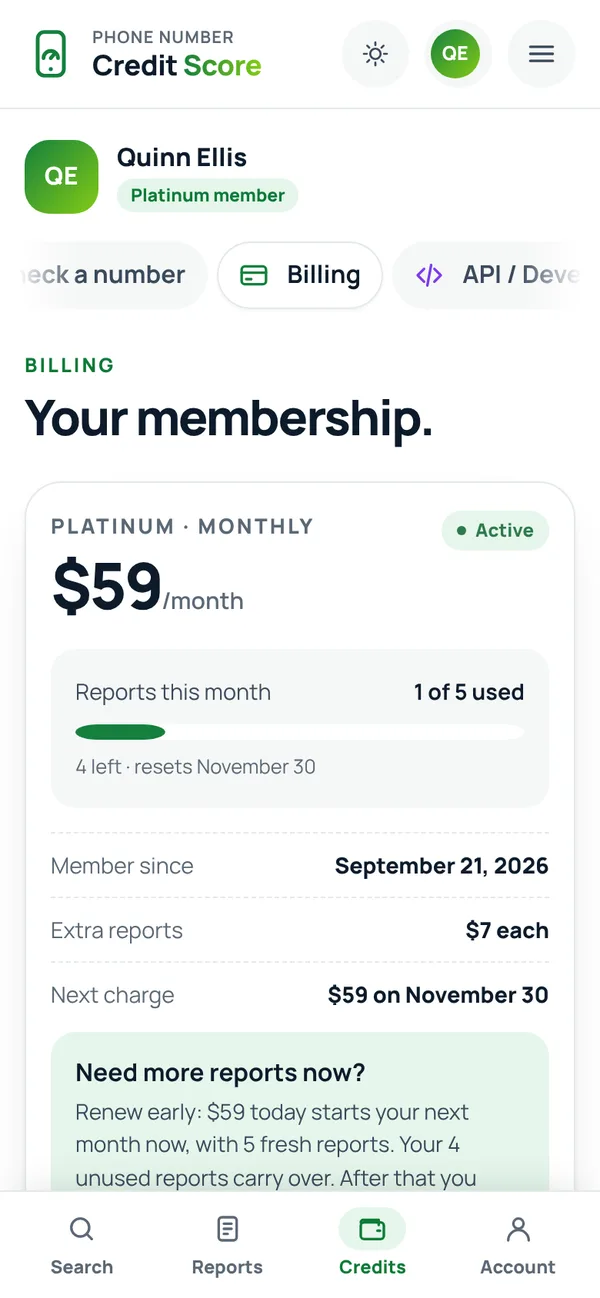
Tap Account in the bar at the bottom, then Billing.
-
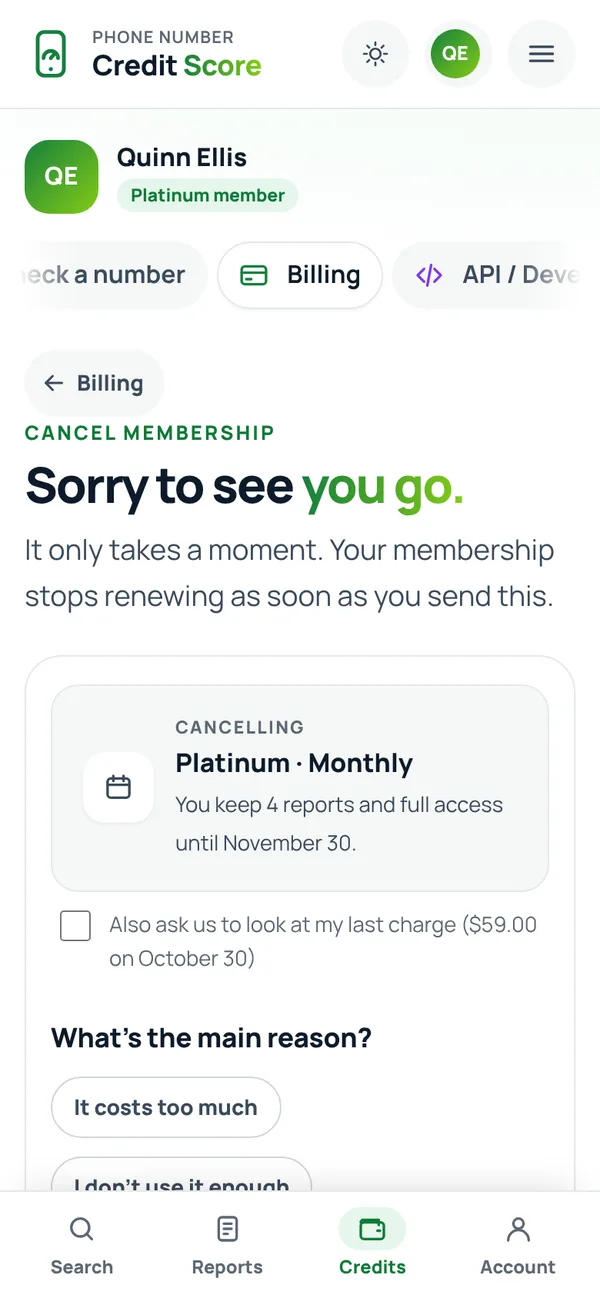
Tap Cancel membership.
-
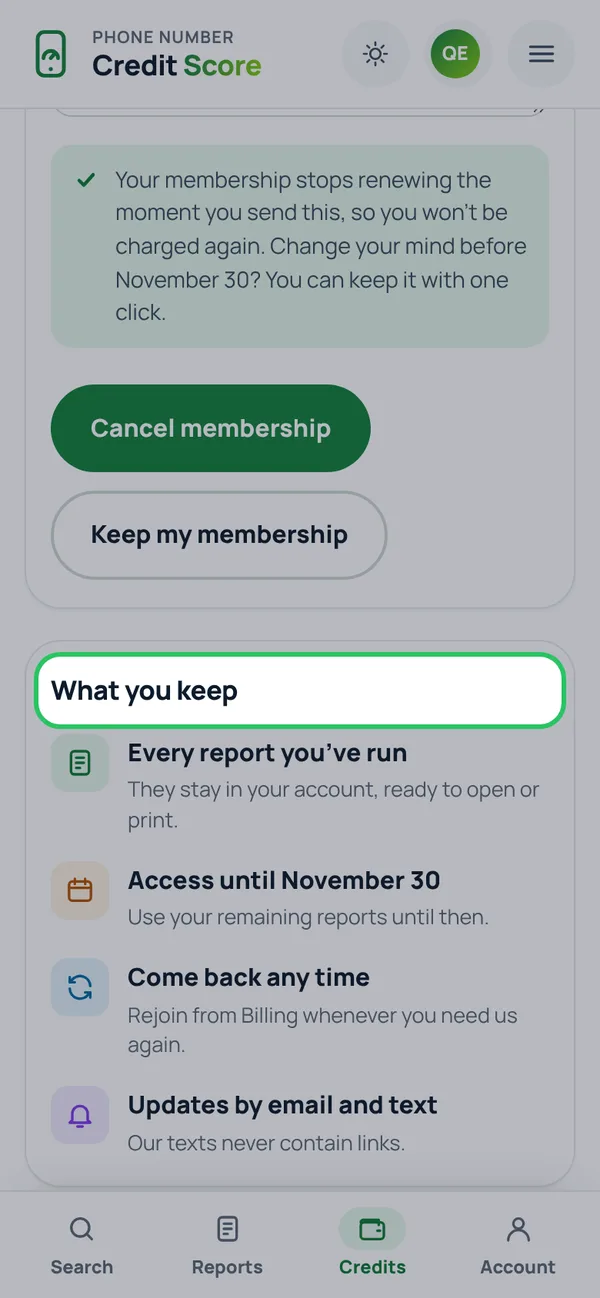
Tell us the main reason. It helps us improve. You’ll see exactly what you keep.
-
Tap Cancel membership to confirm. Your membership won’t renew, and you keep your reports until the end of the period. If you asked us to look at your last charge, our team replies within one business day.