Change or upgrade your membership
Switch between Basic and Platinum, or between monthly and yearly billing.
Read the video’s transcript
Here’s how to change or upgrade your membership.
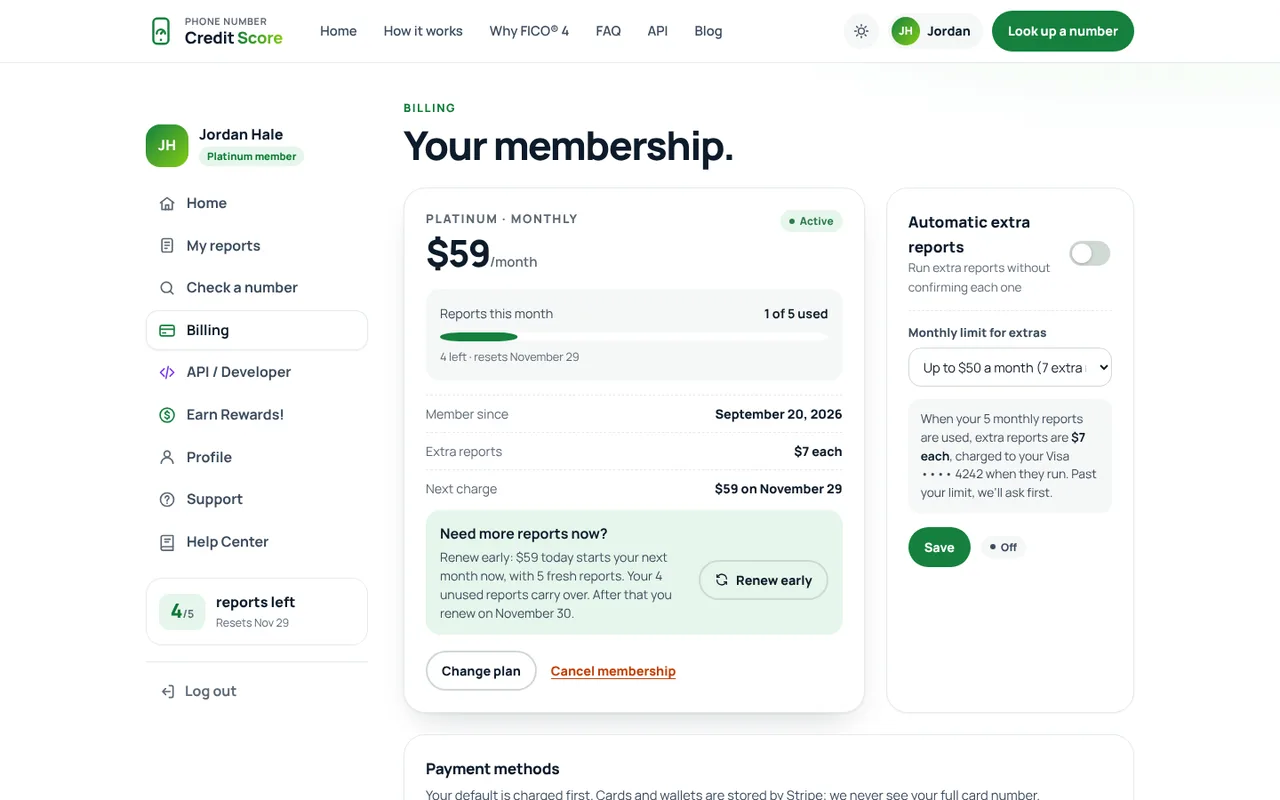
To change your membership, open Billing from your account menu.
Select Change plan.
Pick the plan and billing you want, and select Switch. We’ll show you when it takes effect.
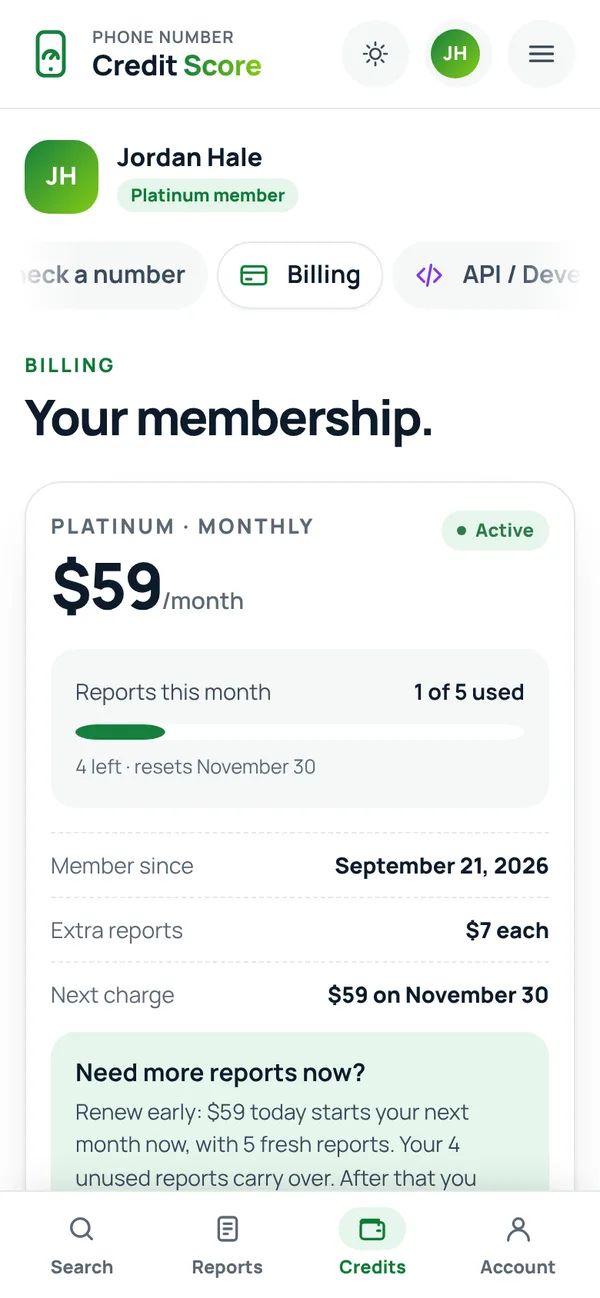
Your plan, what it costs, and when it renews are always at the top of Billing.
Still stuck? Our team is happy to help. Just contact Support.
Step by step on a computer
-
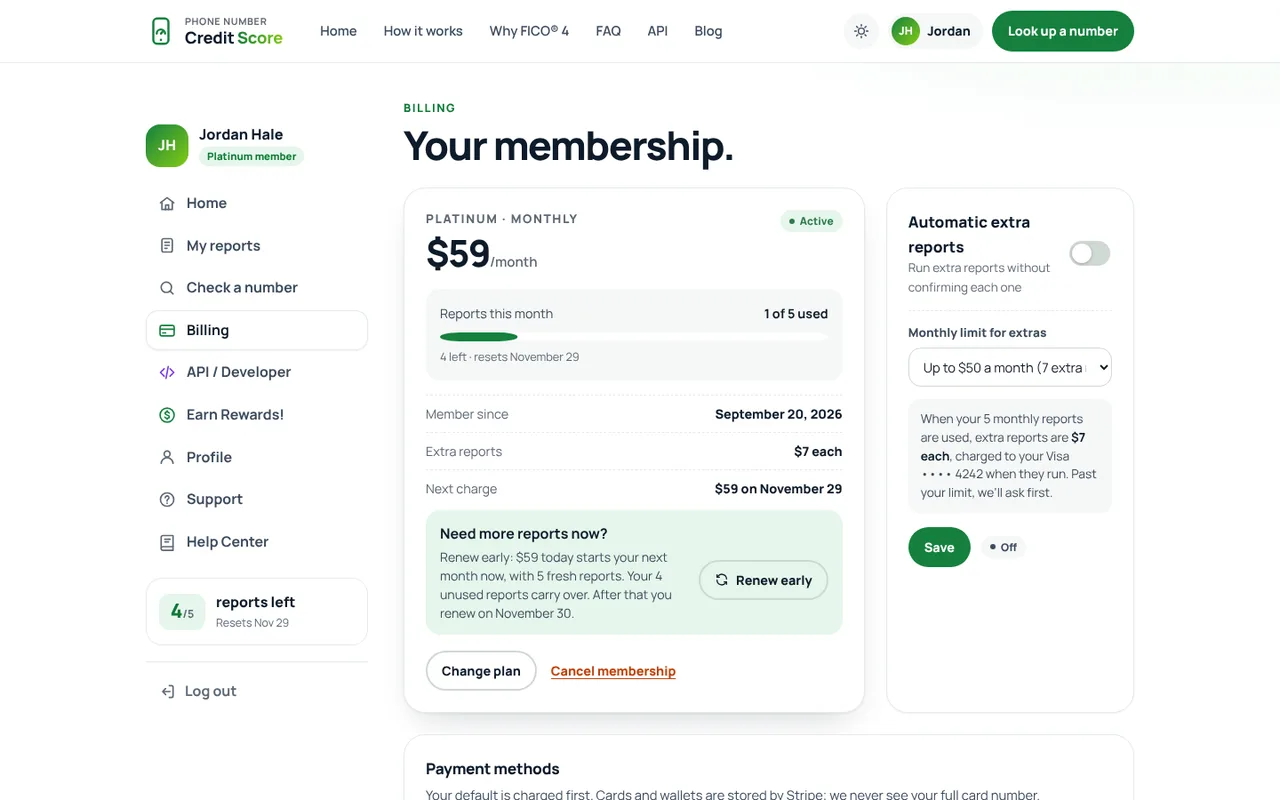
Open Billing from your account menu.
-
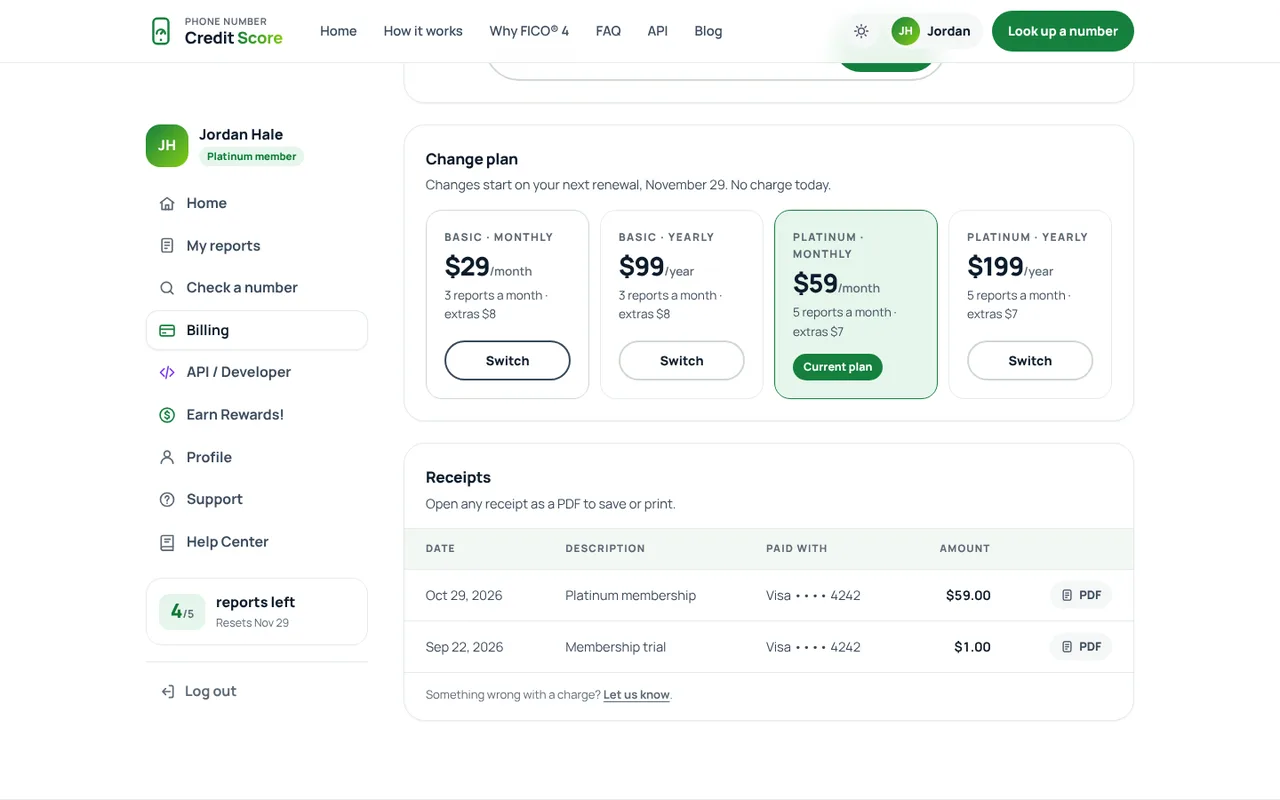
Select Change plan.
-
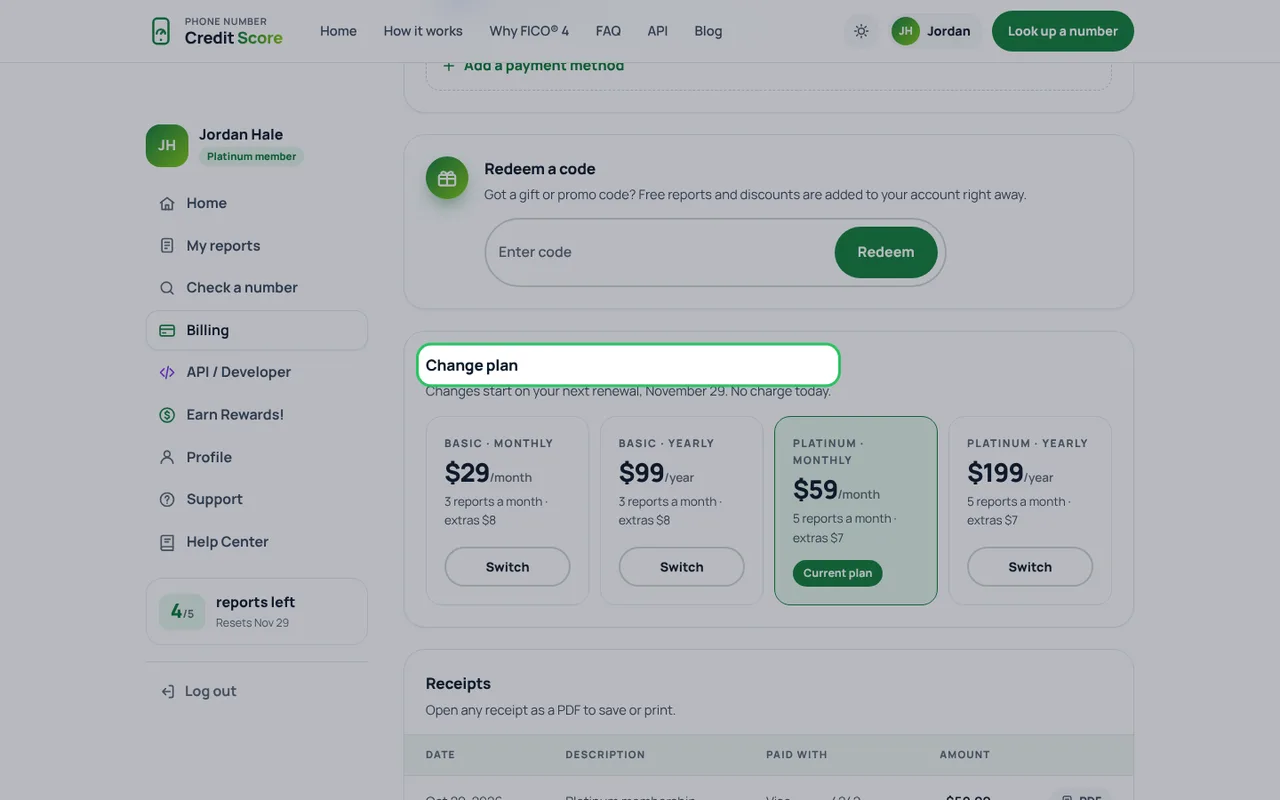
Pick the plan and billing you want, and select Switch. We show when the change takes effect before anything changes.
-
Your plan, what it costs and when it renews are always at the top of Billing.
Read the video’s transcript
Here’s how to change or upgrade your membership.
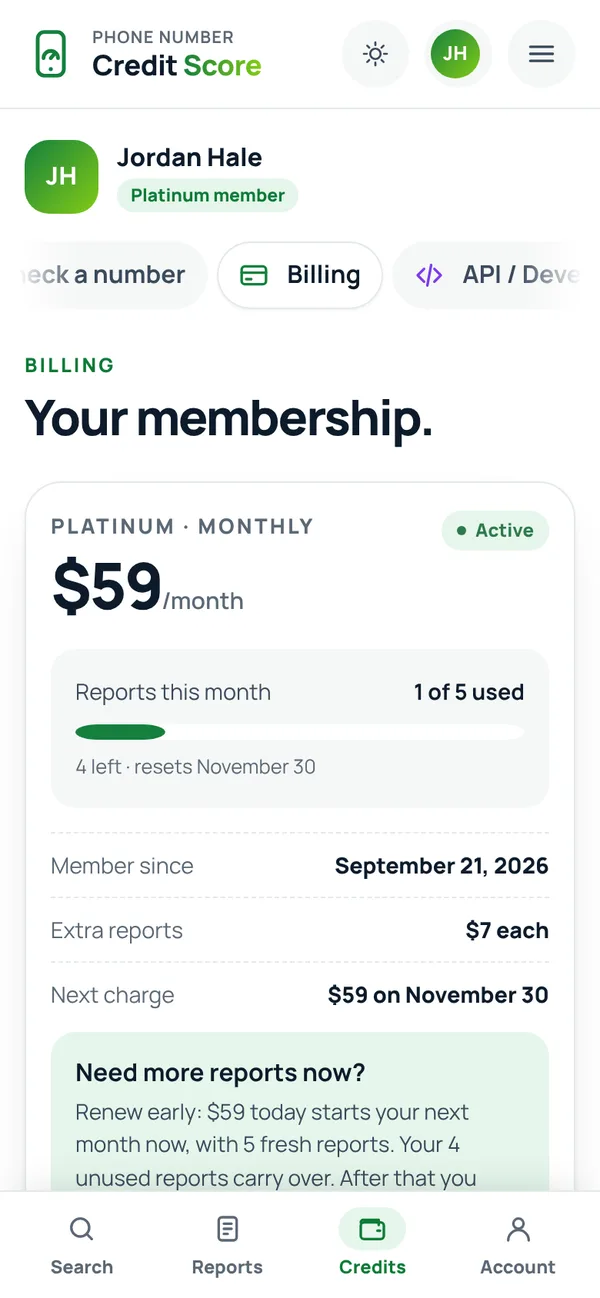
To change your membership, tap Account, at the bottom of the screen, then Billing.
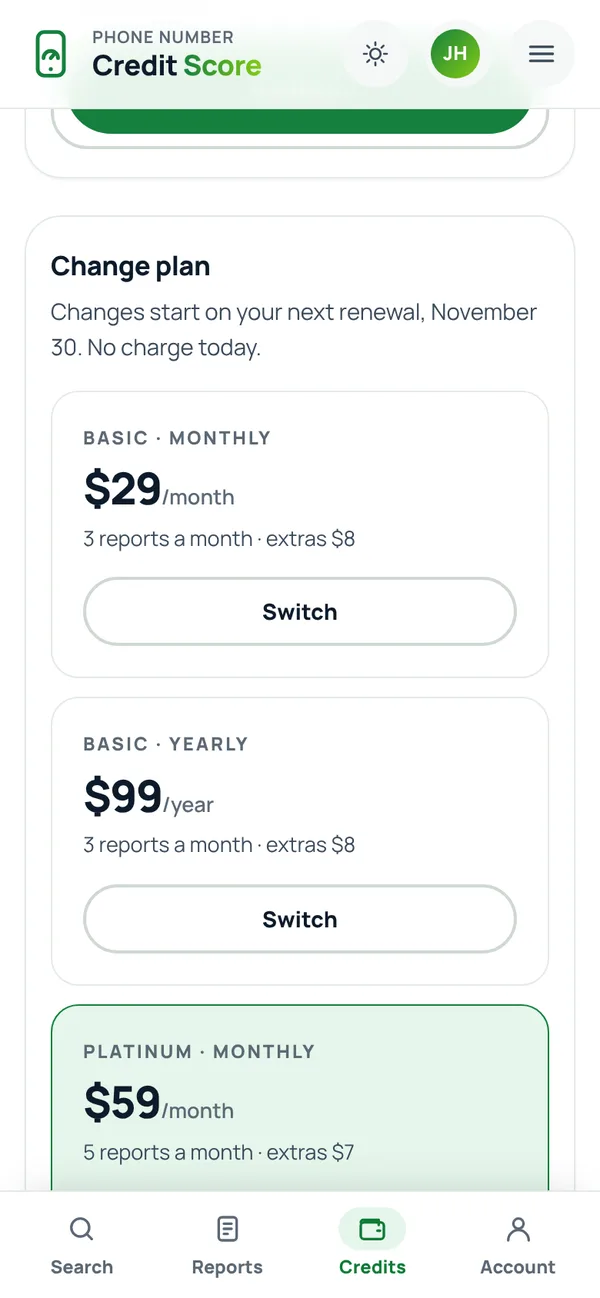
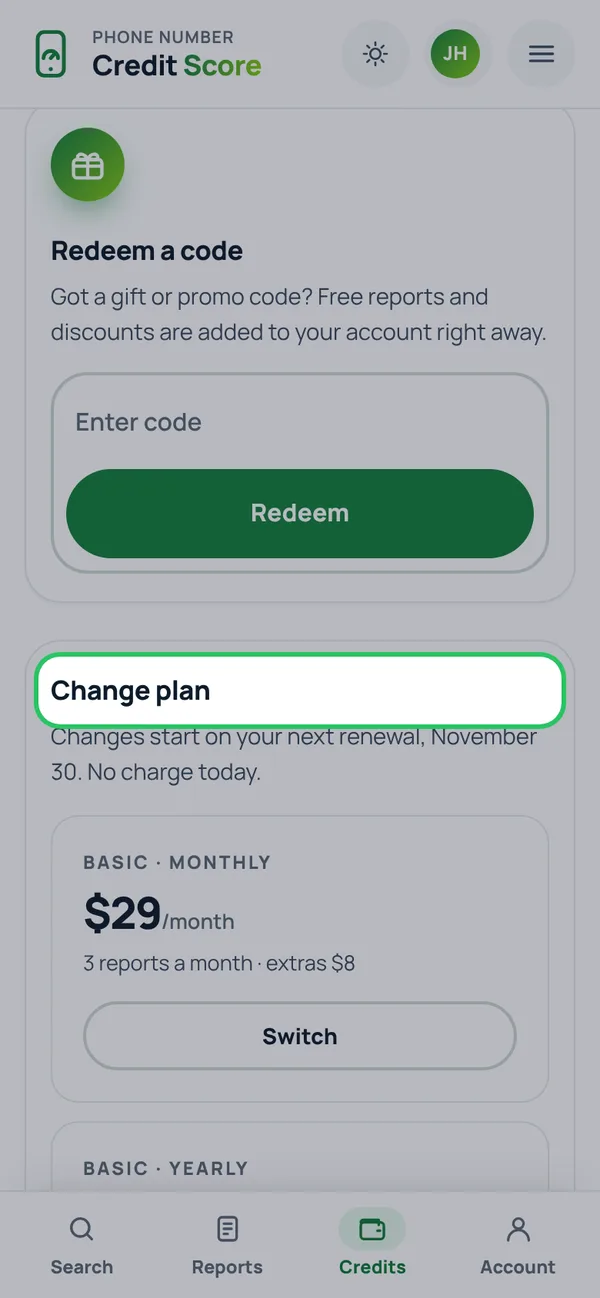
Tap Change plan.
Pick the plan and billing you want, and tap Switch. We’ll show you when it takes effect.
Your plan, what it costs, and when it renews are always at the top of Billing.
Still stuck? Our team is happy to help. Just contact Support.
Step by step on a phone
-
Tap Account in the bar at the bottom, then Billing.
-
Tap Change plan.
-
Pick the plan and billing you want, and tap Switch. We show when the change takes effect before anything changes.
-
Your plan, what it costs and when it renews are always at the top of Billing.