View and download receipts
Every charge has a receipt in Billing, ready to download as a PDF.
Read the video’s transcript
Here’s how to view and download receipts.
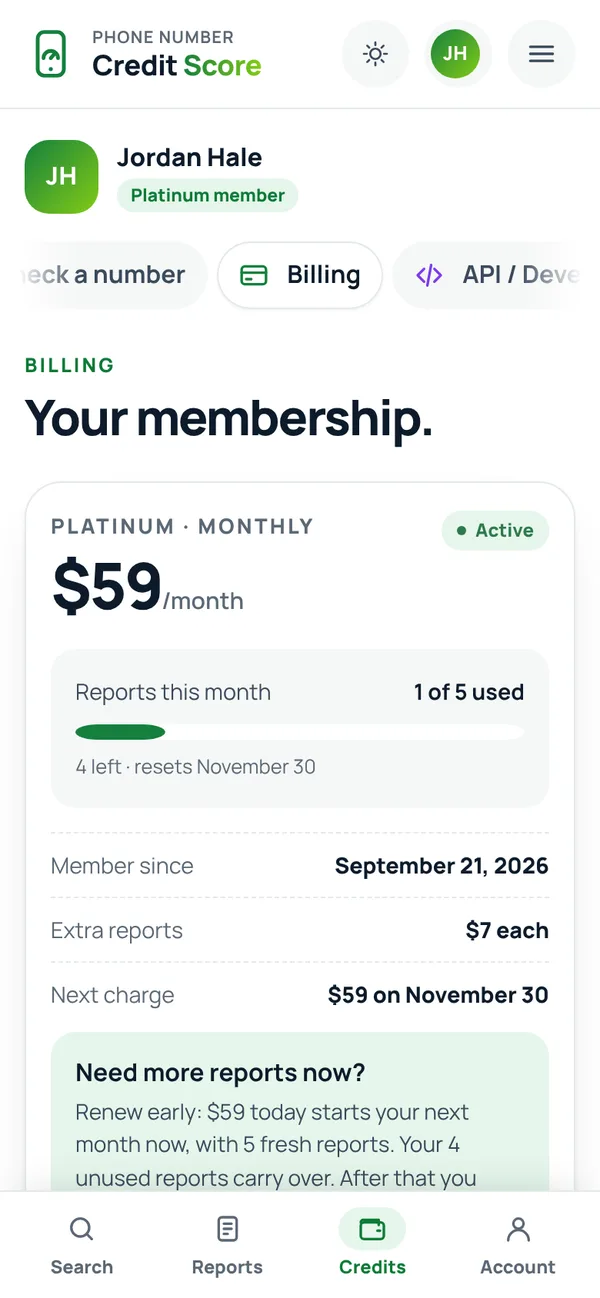
Your receipts are in Billing. Open it from your account menu.
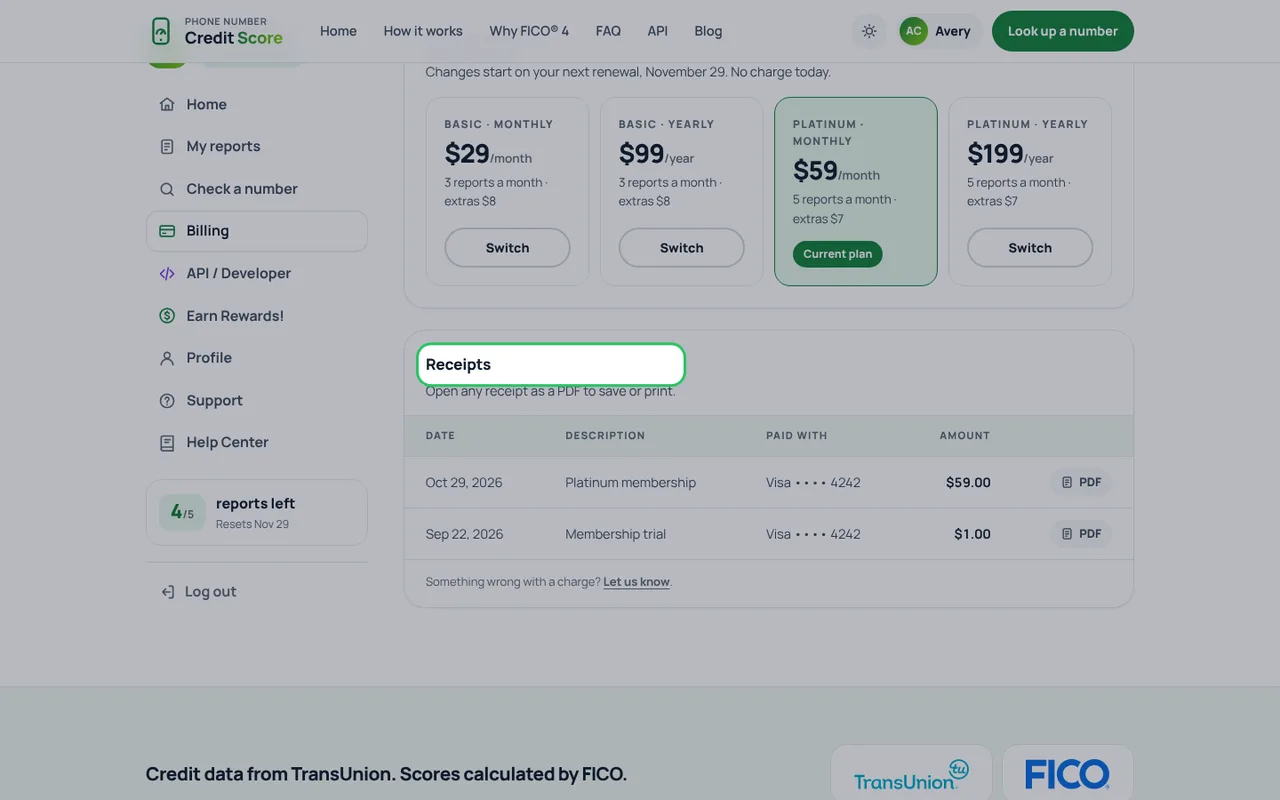
Scroll down to Receipts. Every charge is listed with its date and amount.
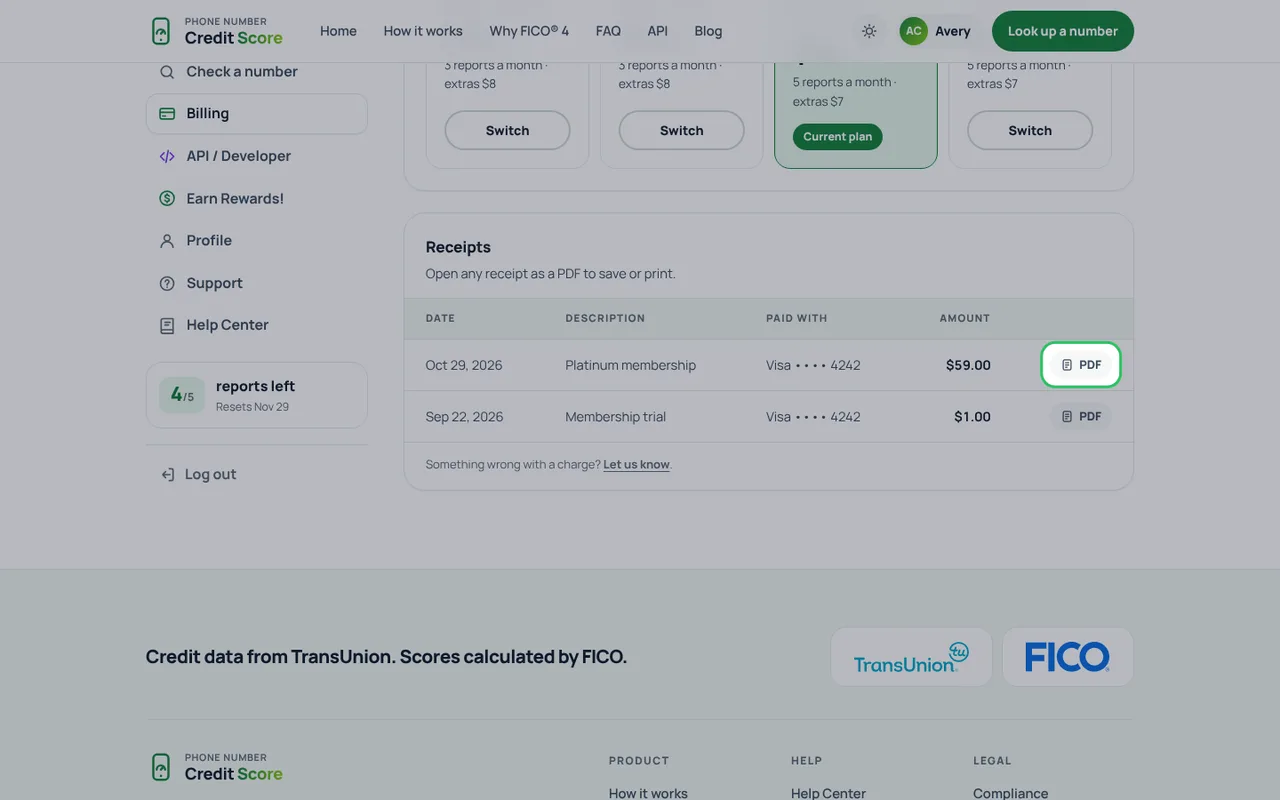
Select a receipt to open it as a PDF, ready to print or save.
We also email you a receipt every time you’re charged. You can turn those emails on or off in your Profile.
Still stuck? Our team is happy to help. Just contact Support.
Step by step on a computer
-
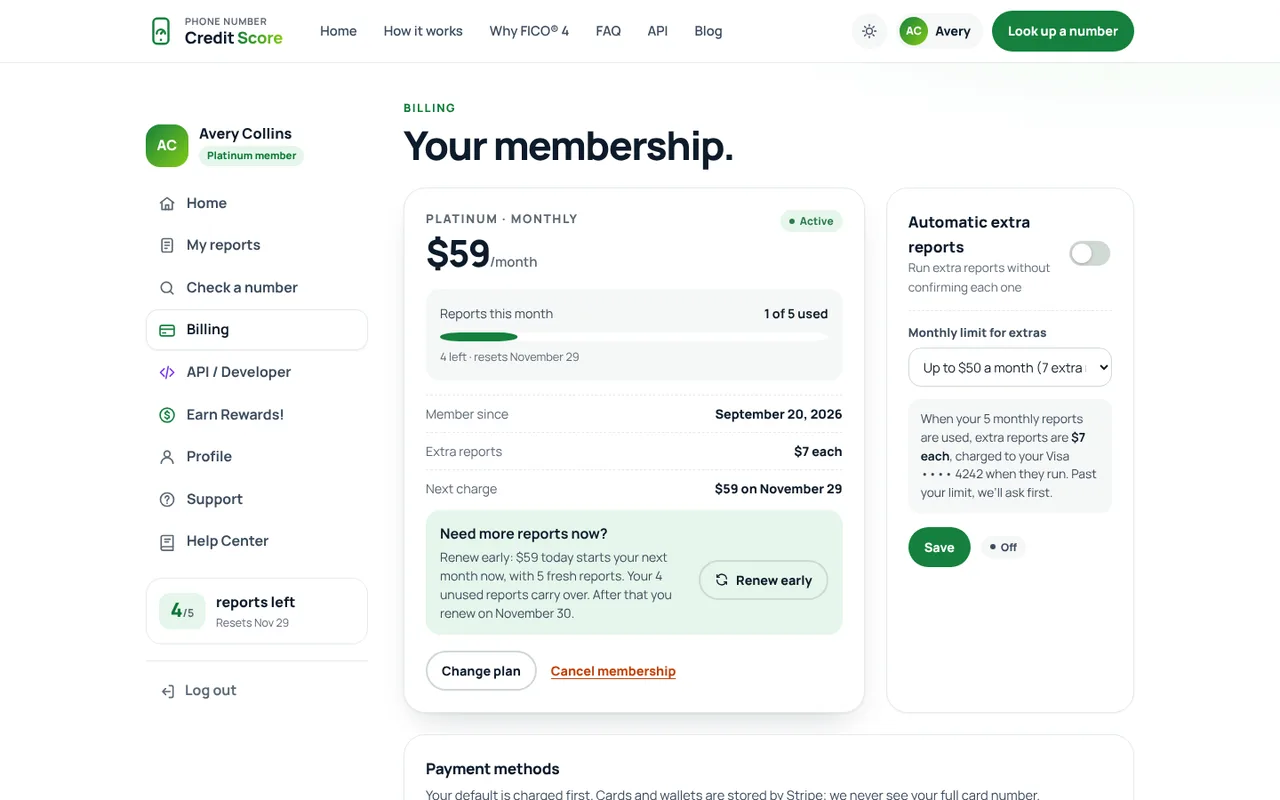
Open Billing from your account menu.
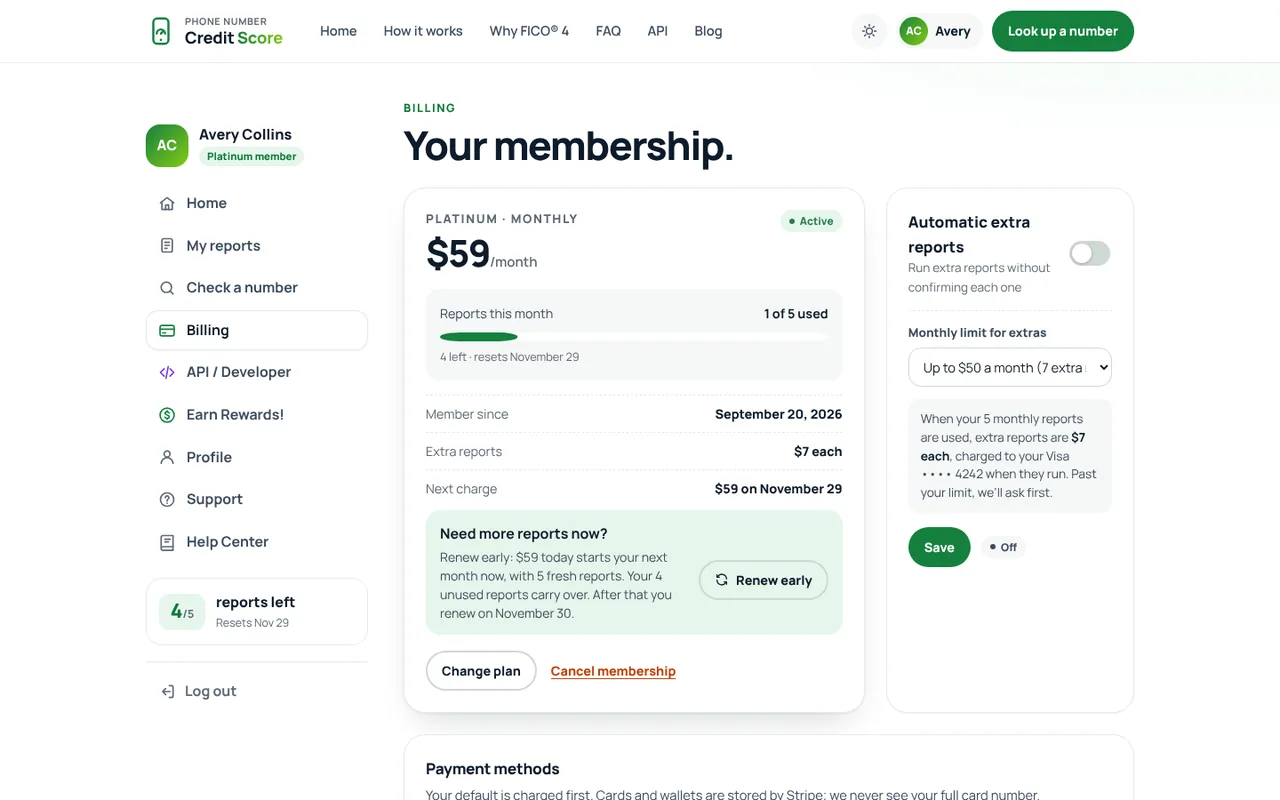
-
Scroll to Receipts. Every charge is listed with its date and amount.
-
Select a receipt’s PDF link to open it, then print or save it.
-
We also email you a receipt every time you’re charged. Turn those emails on or off under Notifications in your Profile.
Read the video’s transcript
Here’s how to view and download receipts.
Your receipts are in Billing. Tap Account, at the bottom of the screen, then Billing.
Scroll down to Receipts. Every charge is listed with its date and amount.
Tap a receipt to open it as a PDF, ready to print or save.
We also email you a receipt every time you’re charged. You can turn those emails on or off in Settings.
Still stuck? Our team is happy to help. Just contact Support.
Step by step on a phone
-
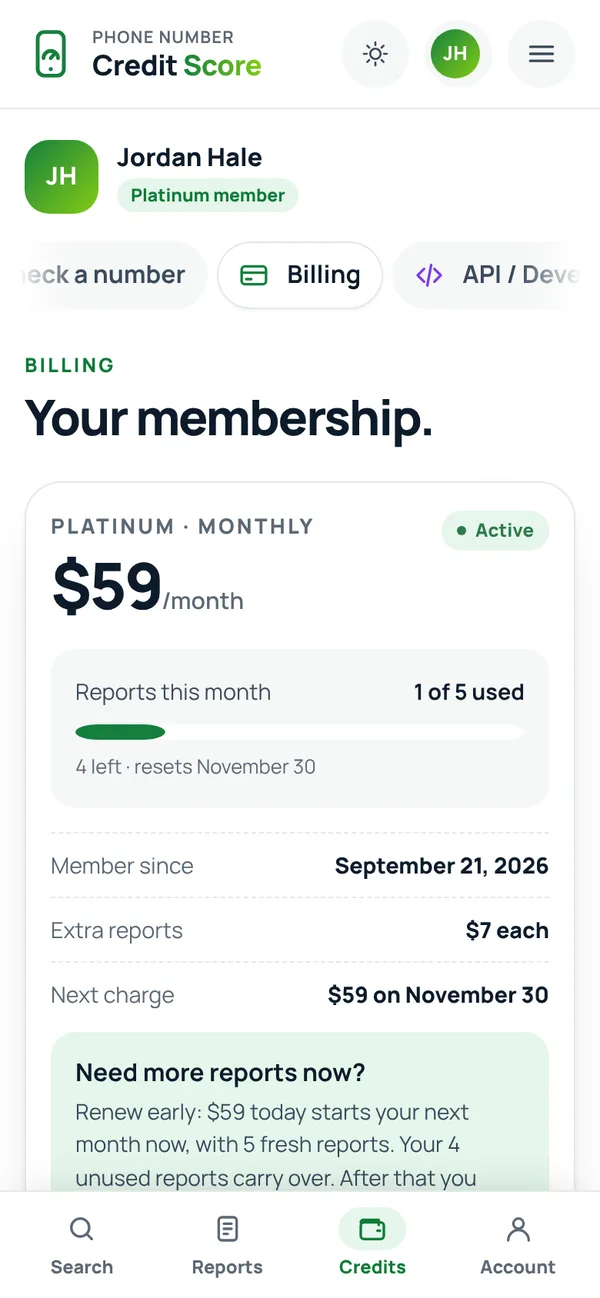
Tap Account in the bar at the bottom, then Billing.
-
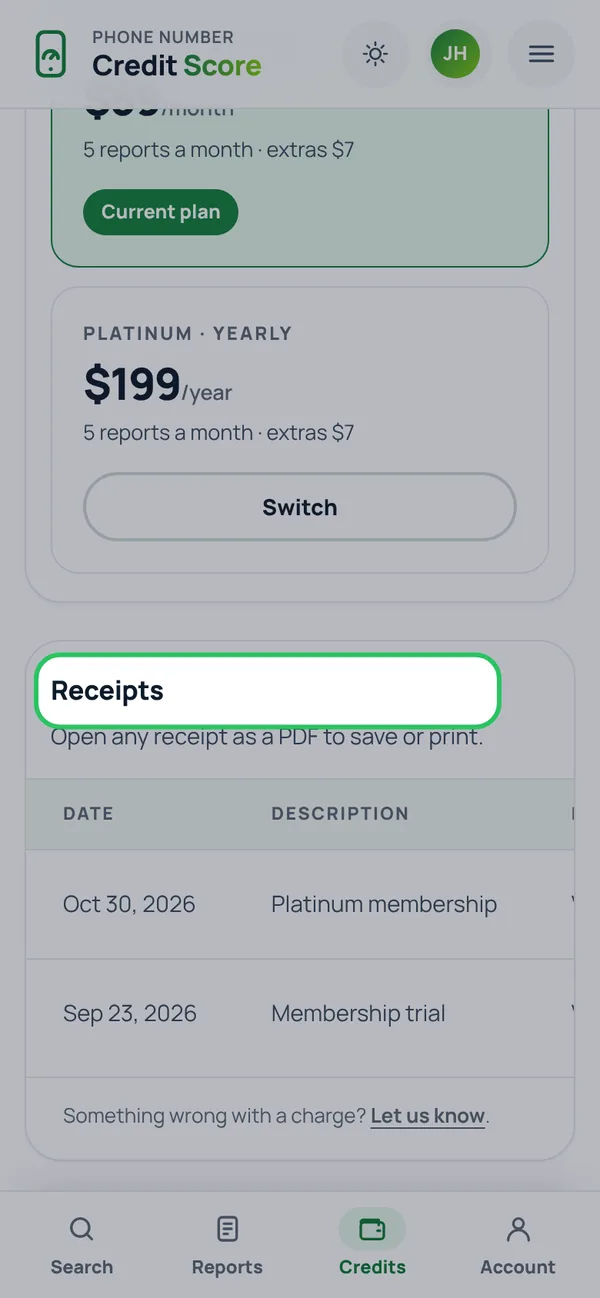
Scroll to Receipts. Every charge is listed with its date and amount.
-
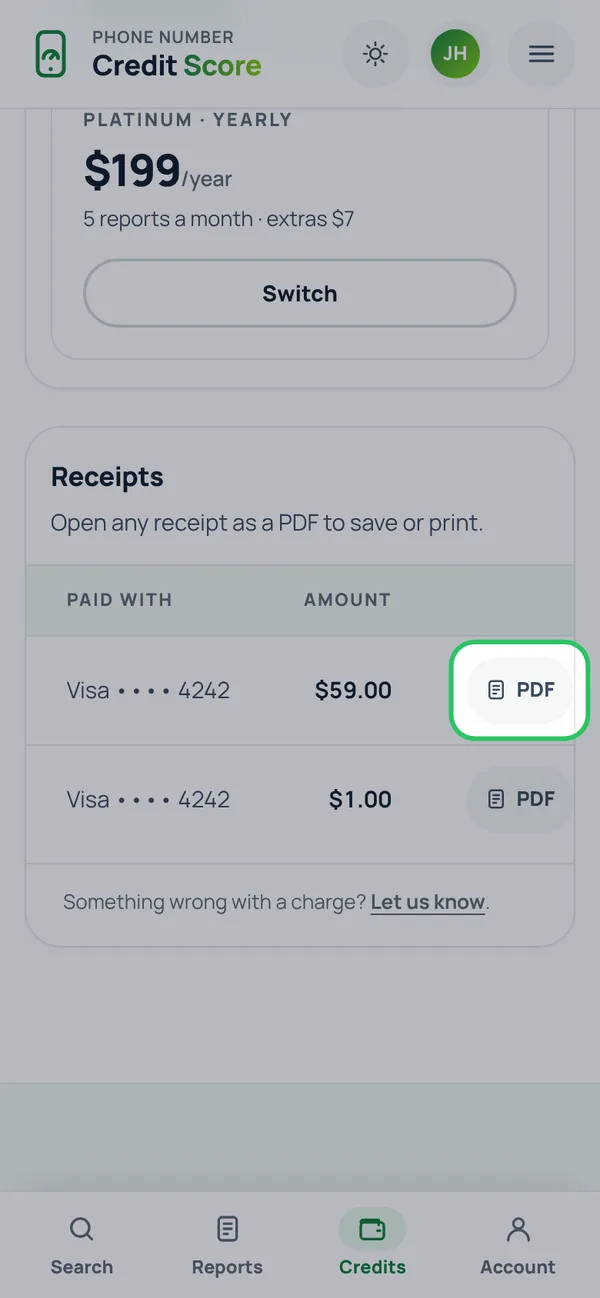
Tap a receipt’s PDF link to open it, then print or save it.
-
We also email you a receipt every time you’re charged. Turn those emails on or off under Notifications in Settings.