Close your account or ask about your data
Ask us to close your account, or to send or delete the information we hold about you.
Read the video’s transcript
Here’s how to close your account or ask about your data.
To close your account, open Profile from your account menu.
Scroll to Close your account, and select Ask to close my account.
A message is started for you. Add anything we should know, like a request for a copy of your data, and send it.
Still stuck? Our team is happy to help. Just contact Support.
Step by step on a computer
-
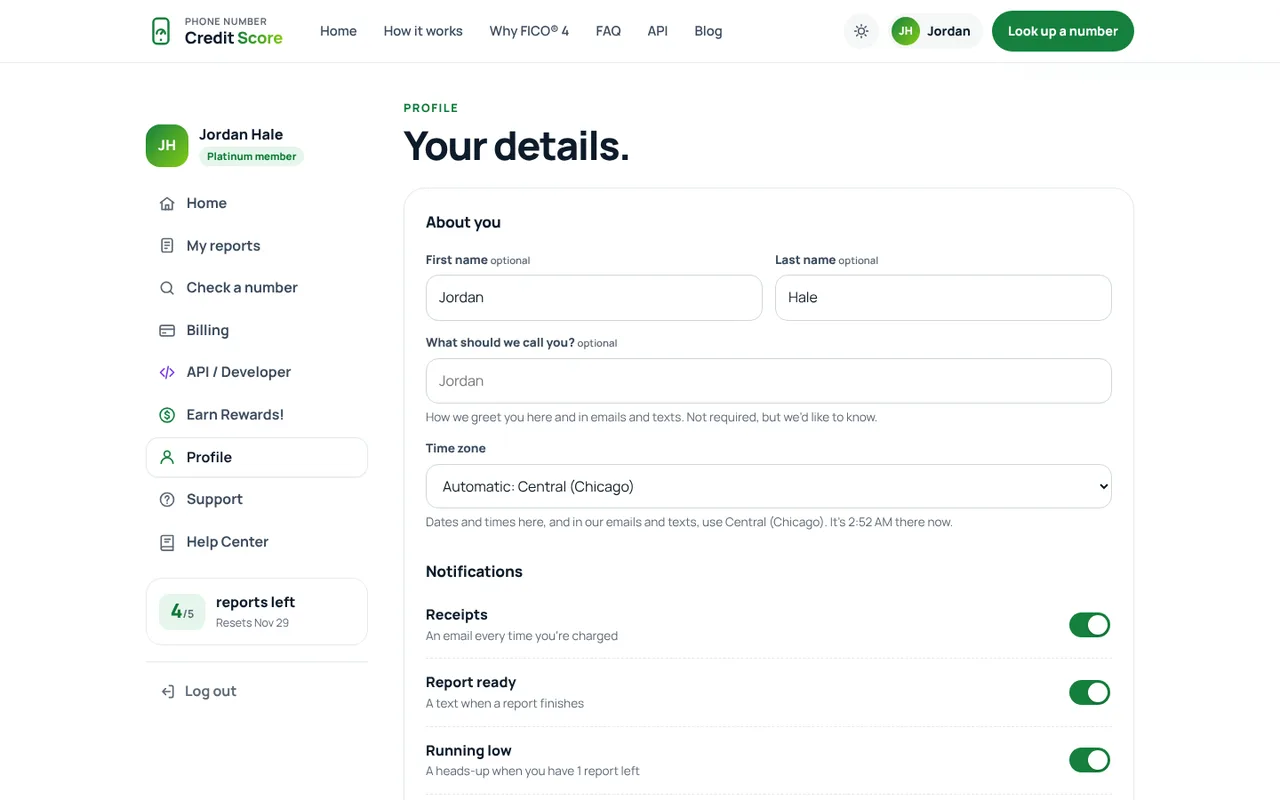
Open Profile from your account menu.
-
Scroll to Close your account and select Ask to close my account.
-
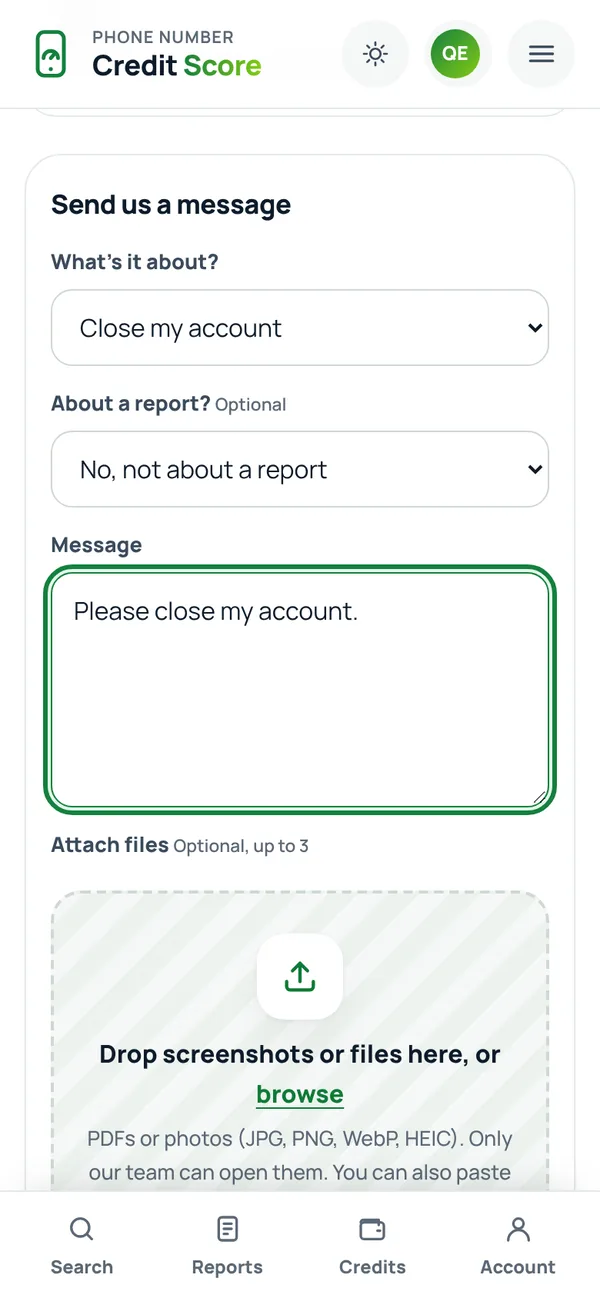
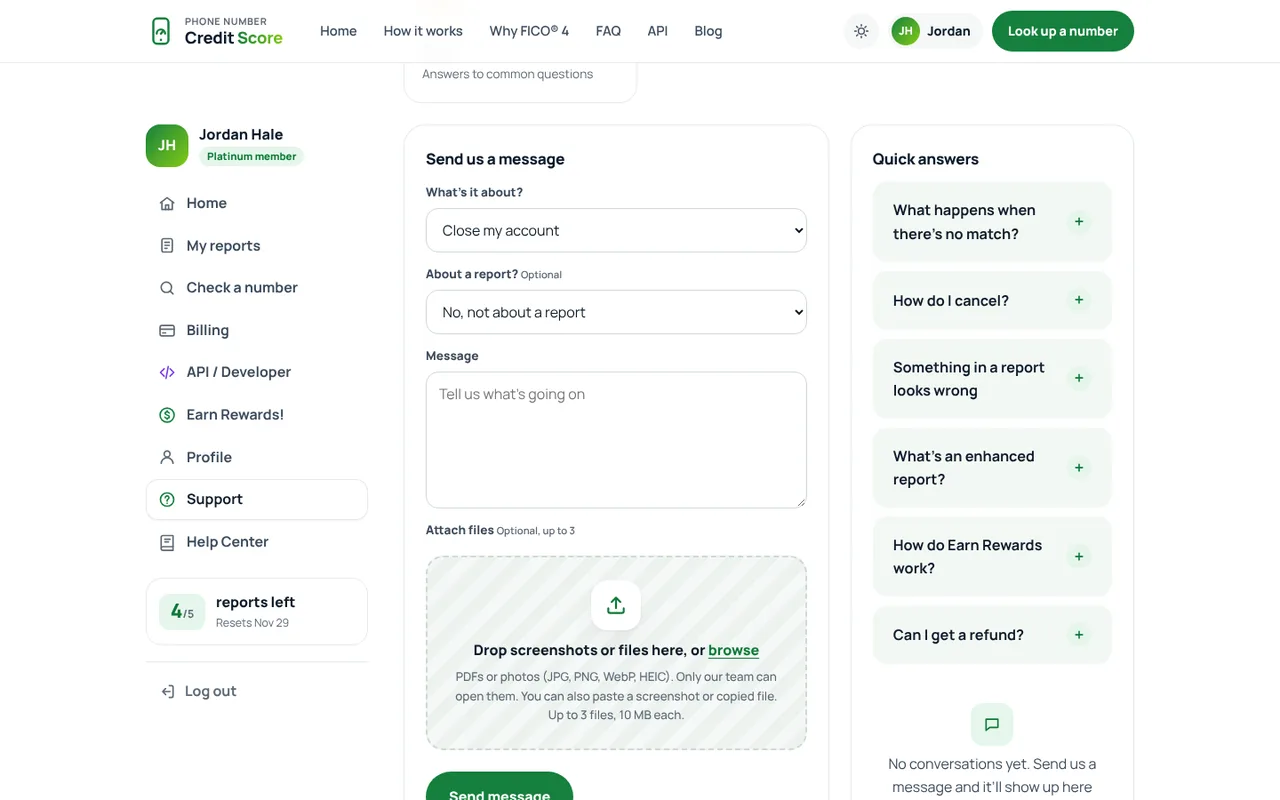
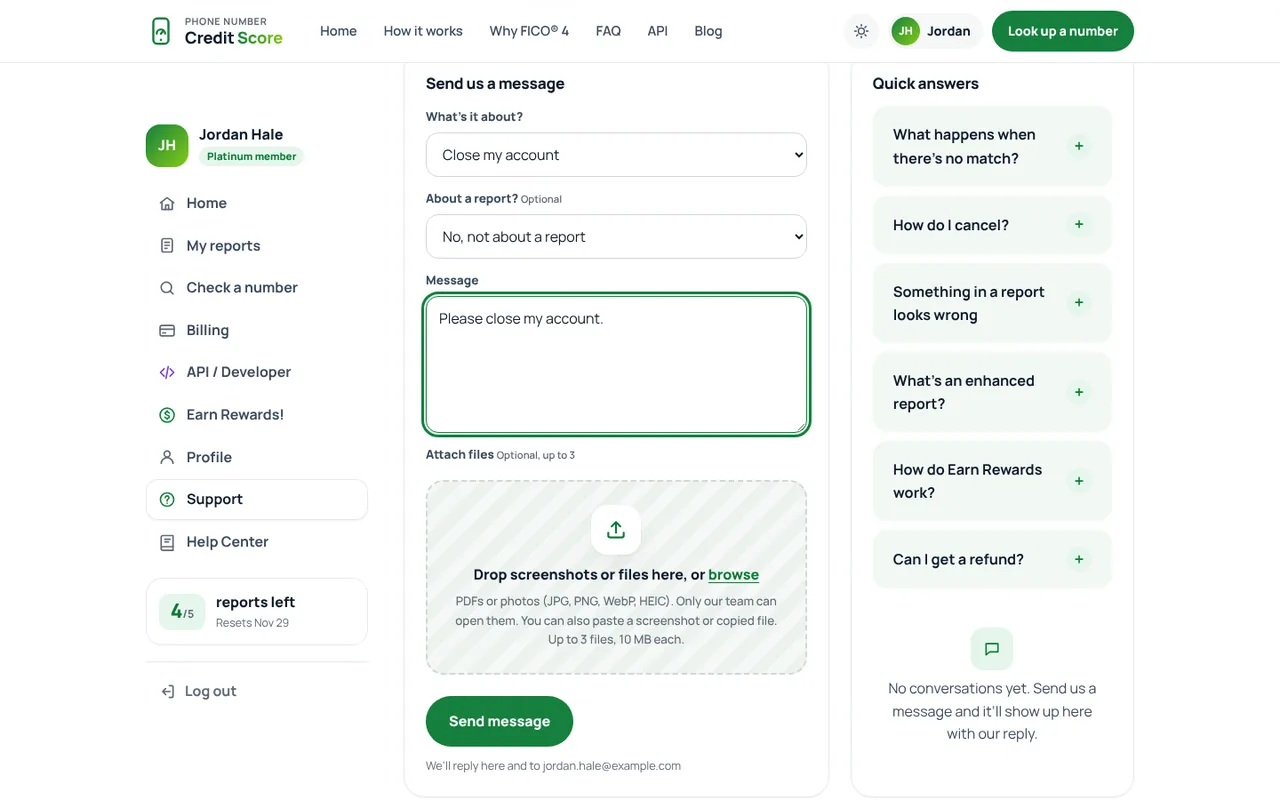
Your message is started for you. Add anything we should know, including a request for a copy of your data, and select Send message. We reply here and by email.
Read the video’s transcript
Here’s how to close your account or ask about your data.
To close your account, tap Account, at the bottom of the screen, then Settings.
Scroll to Close your account, and tap Ask to close my account.
A message is started for you. Add anything we should know, like a request for a copy of your data, and send it.
Still stuck? Our team is happy to help. Just contact Support.
Step by step on a phone
-
Tap Account in the bar at the bottom, then Settings.
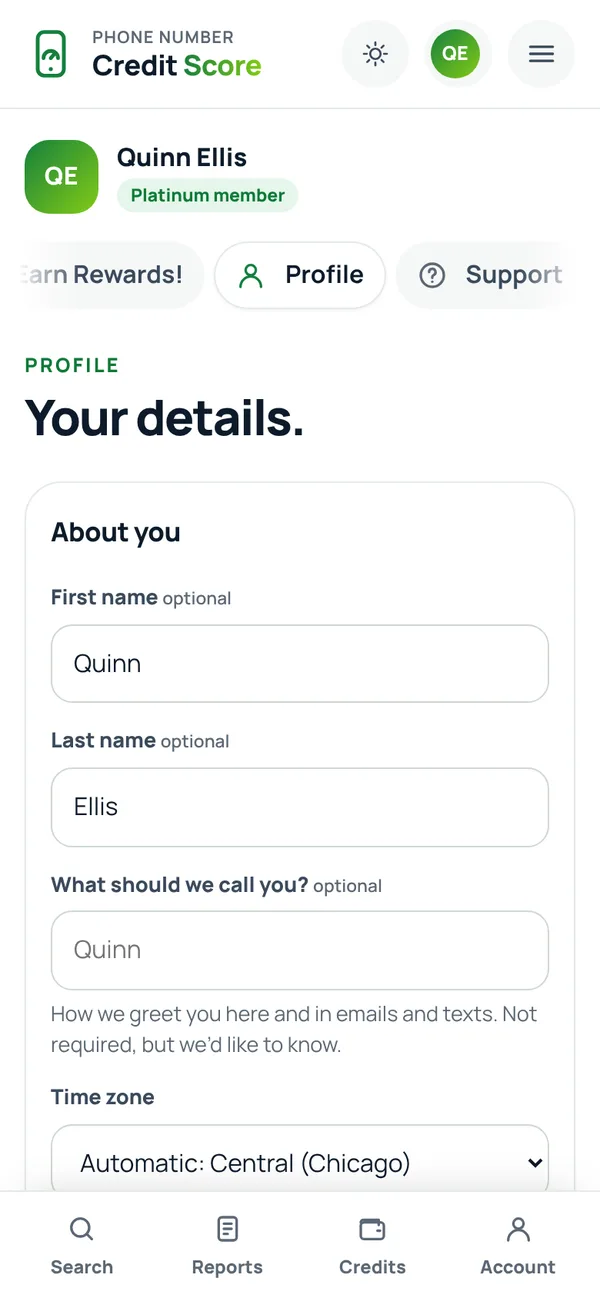
-
Scroll to Close your account and tap Ask to close my account.
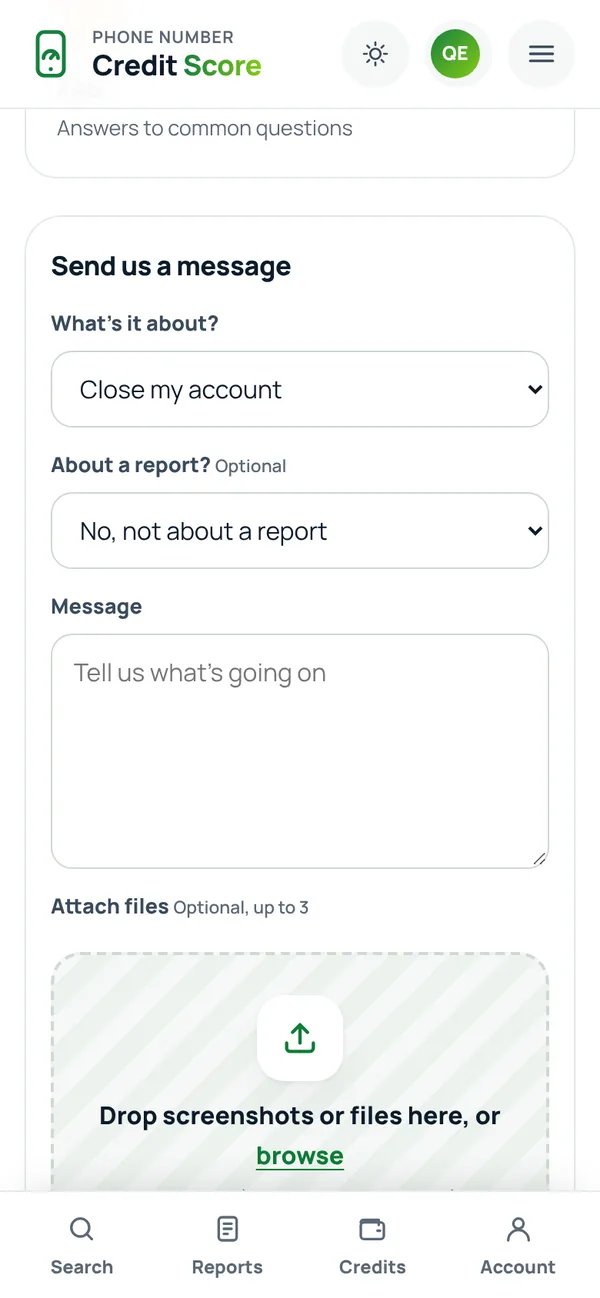
-
Your message is started for you. Add anything we should know, including a request for a copy of your data, and tap Send message. We reply here and by email.