Buy more reports
Add a pack of reports to your account in a couple of taps. Reports from a pack are good for 12 months.
Read the video’s transcript
Here’s how to buy more reports.
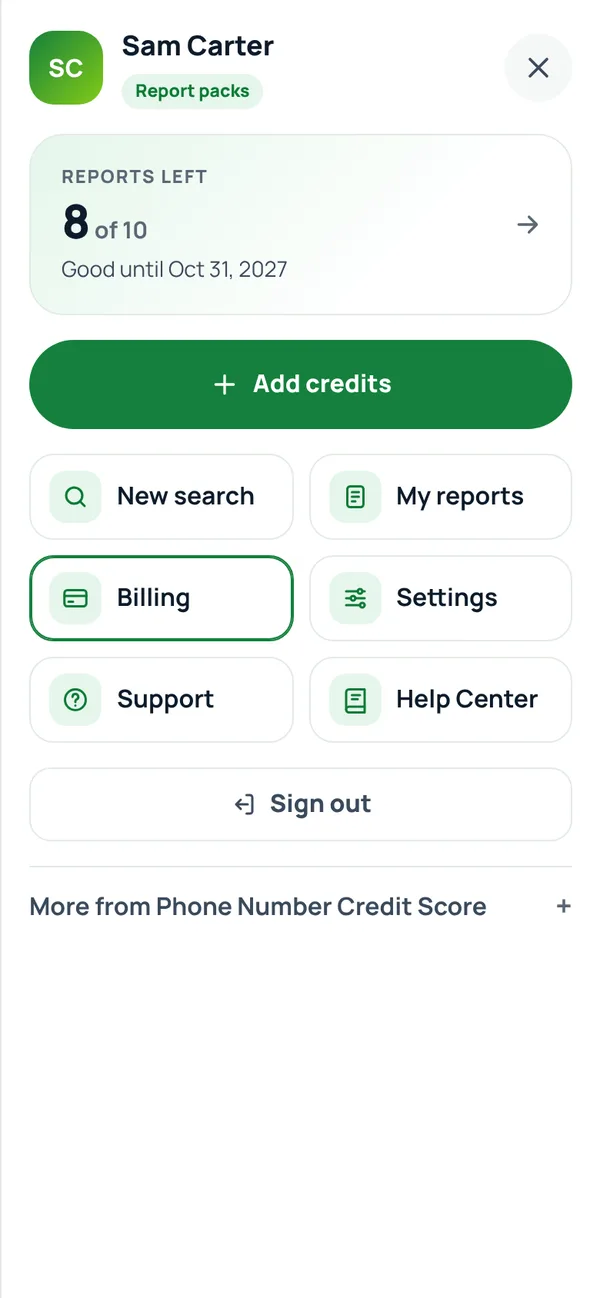
To get more reports, open Billing from your account menu.
Under Get more reports, you’ll find one-time packs. Pack reports are good for twelve months.
Select Buy on the pack you want.
Check what you get, and which card is charged. Then select Confirm and pay. Nothing is charged until you confirm.
Your new reports are added right away, ready to use.
Still stuck? Our team is happy to help. Just contact Support.
Step by step on a computer
-
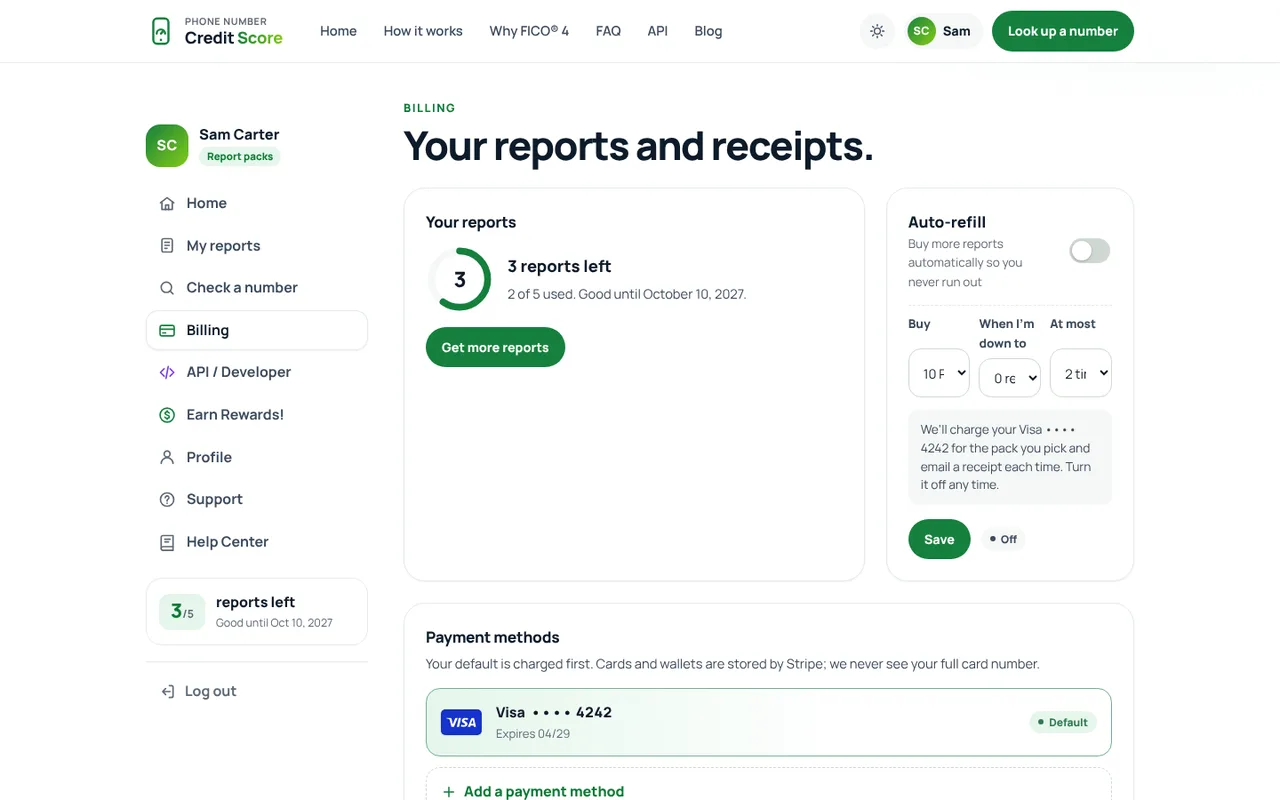
Open Billing from your account menu.
-
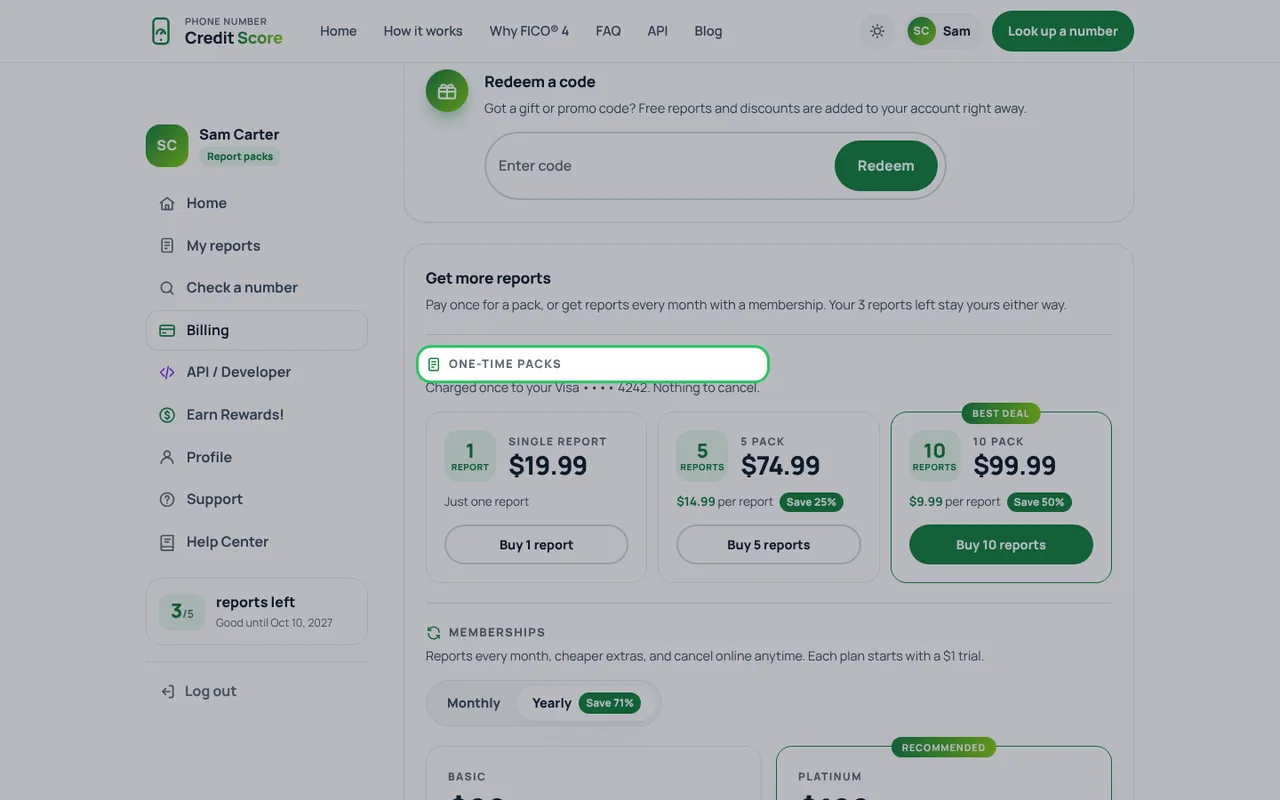
Under Get more reports, find One-time packs. Reports from a pack are good for 12 months.
-
Select Buy on the pack you want.
-
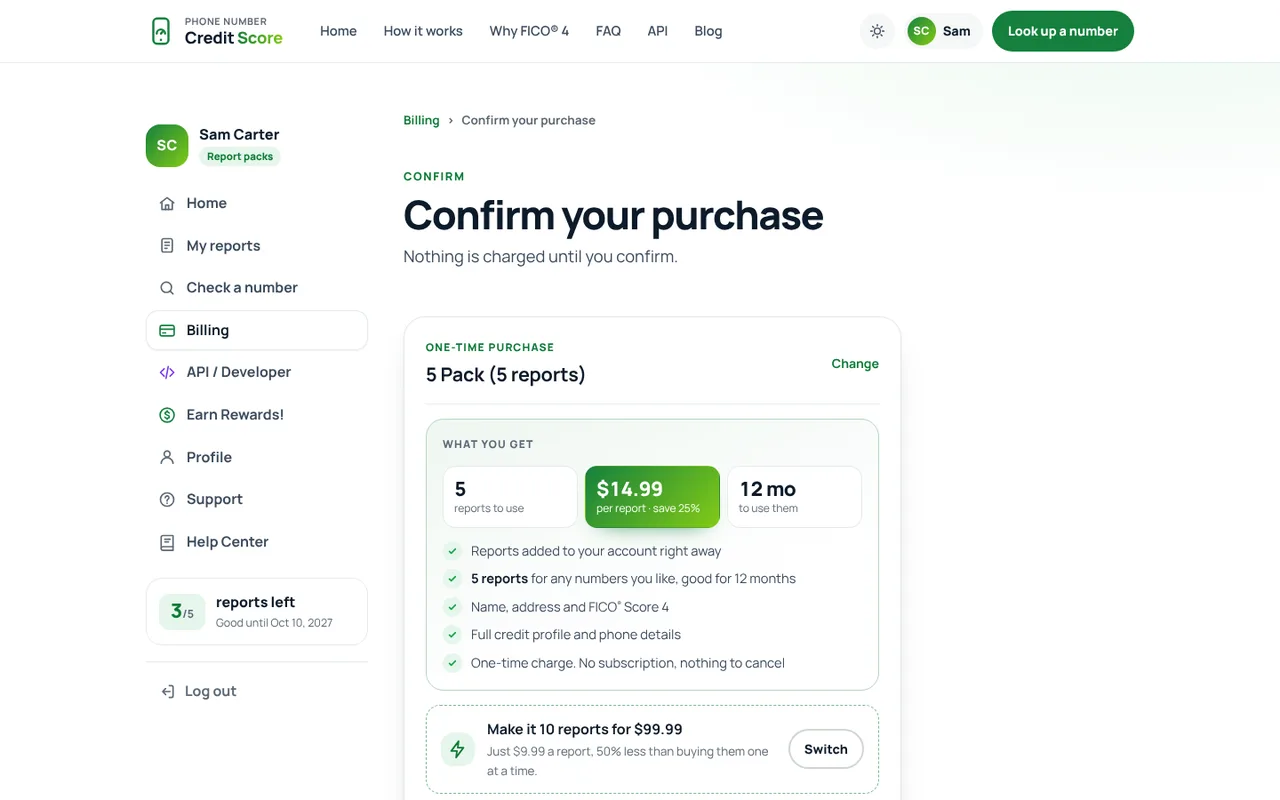
Check what you get and the card it’s charged to, tick the box to agree to use reports only for a permissible purpose, then select Confirm and pay. Nothing is charged until you confirm, and a receipt is emailed to you.
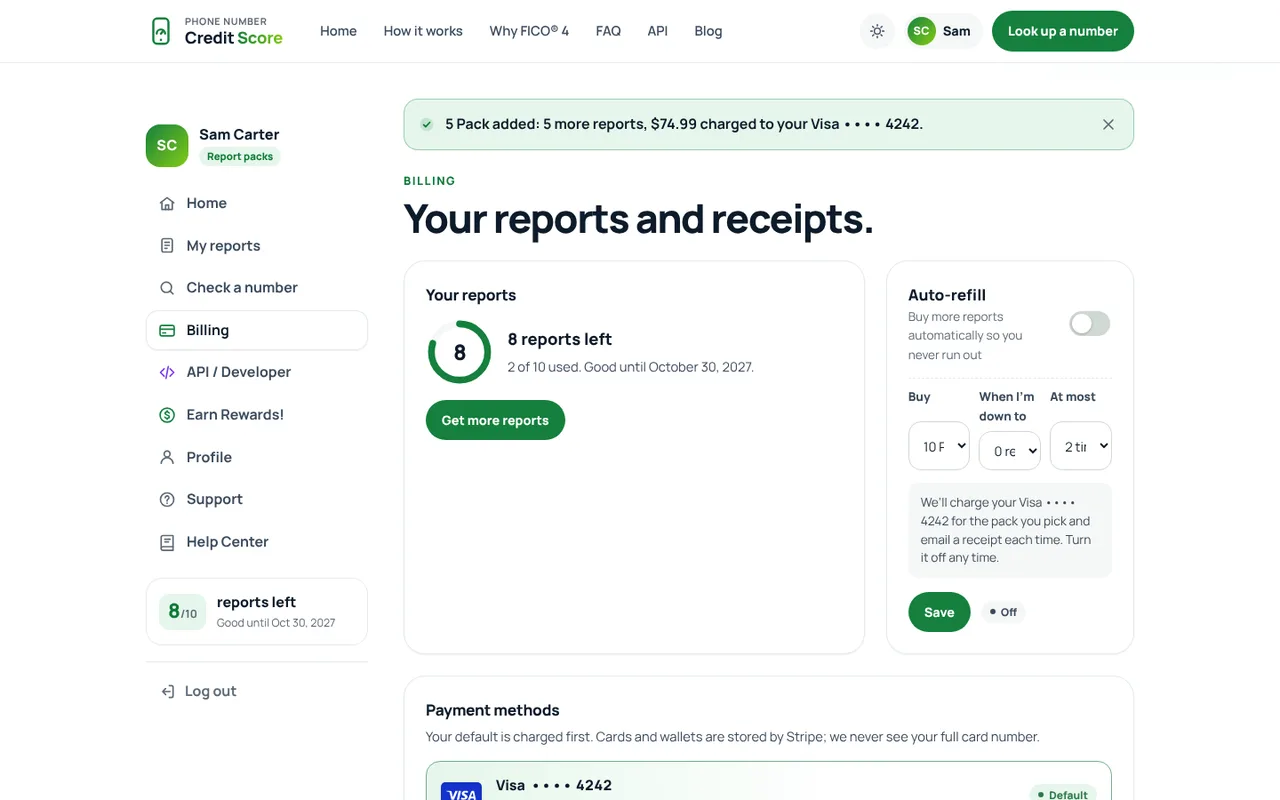
-
Your new reports are added right away. You can see how many you have in your account menu.
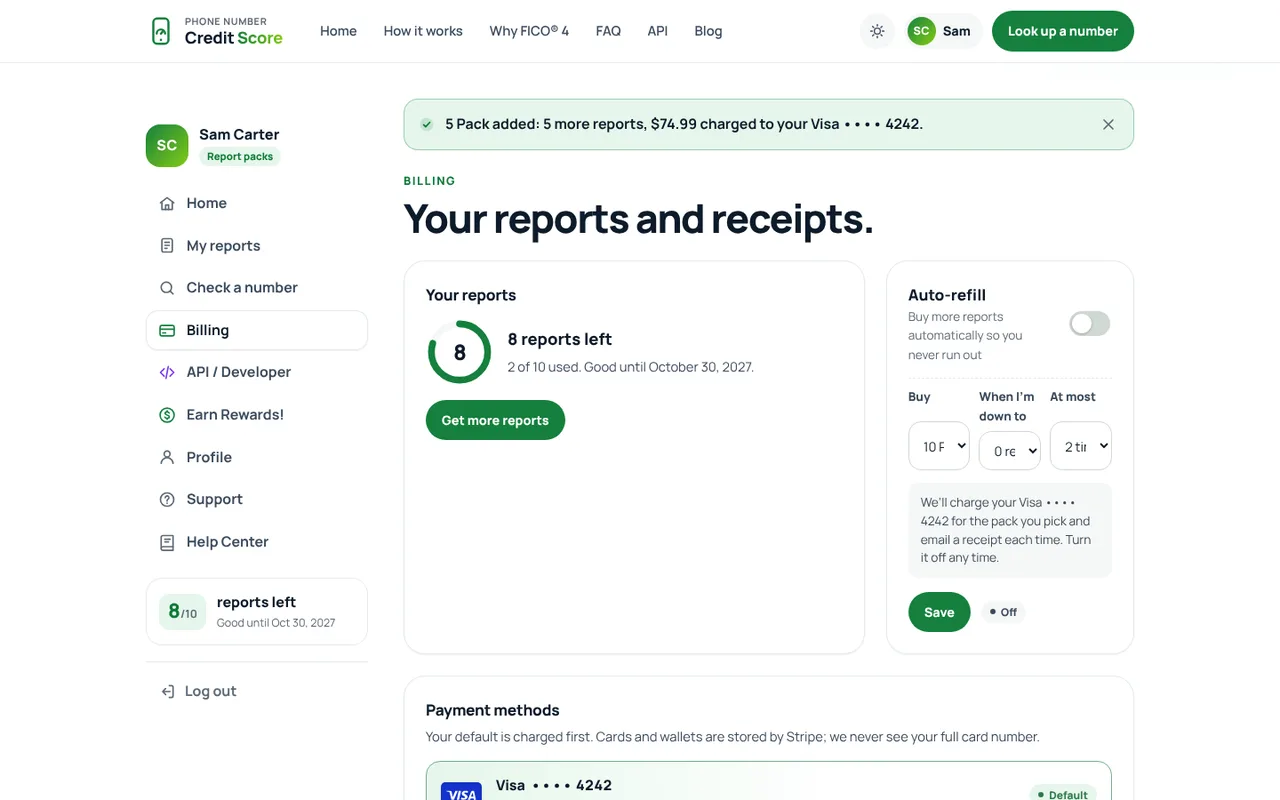
Read the video’s transcript
Here’s how to buy more reports.
To get more reports, tap Credits, in the bar at the bottom of the screen.
Under Get more reports, you’ll find one-time packs. Pack reports are good for twelve months.
Tap Buy on the pack you want.
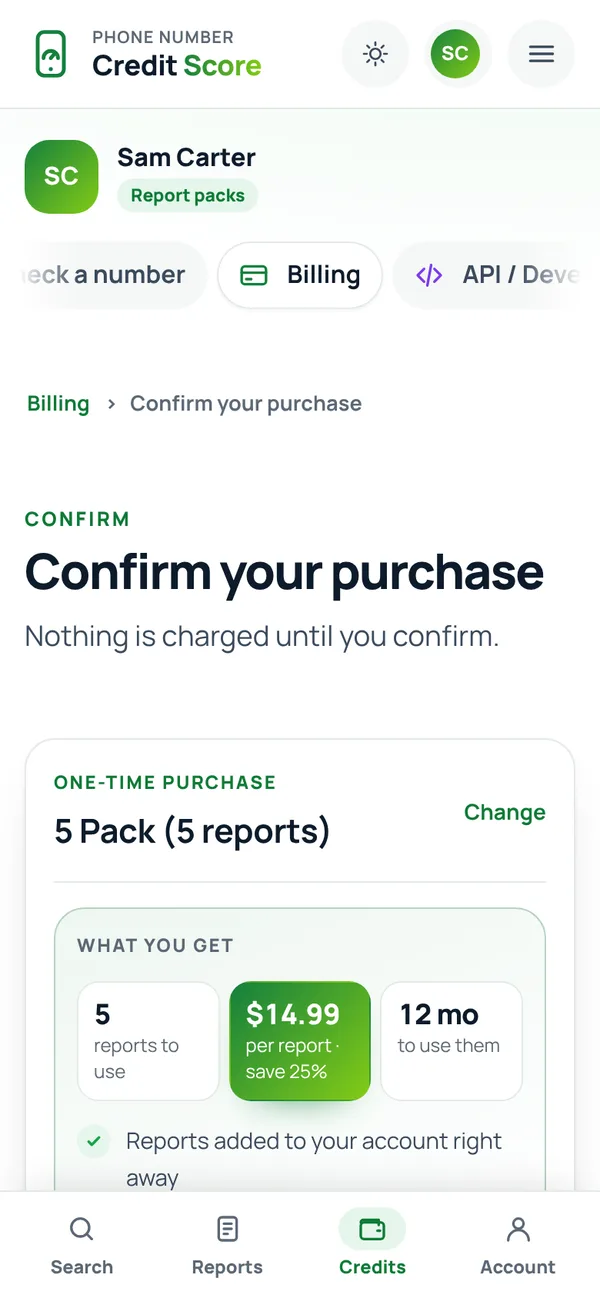
Check what you get, and which card is charged. Then tap Confirm and pay. Nothing is charged until you confirm.
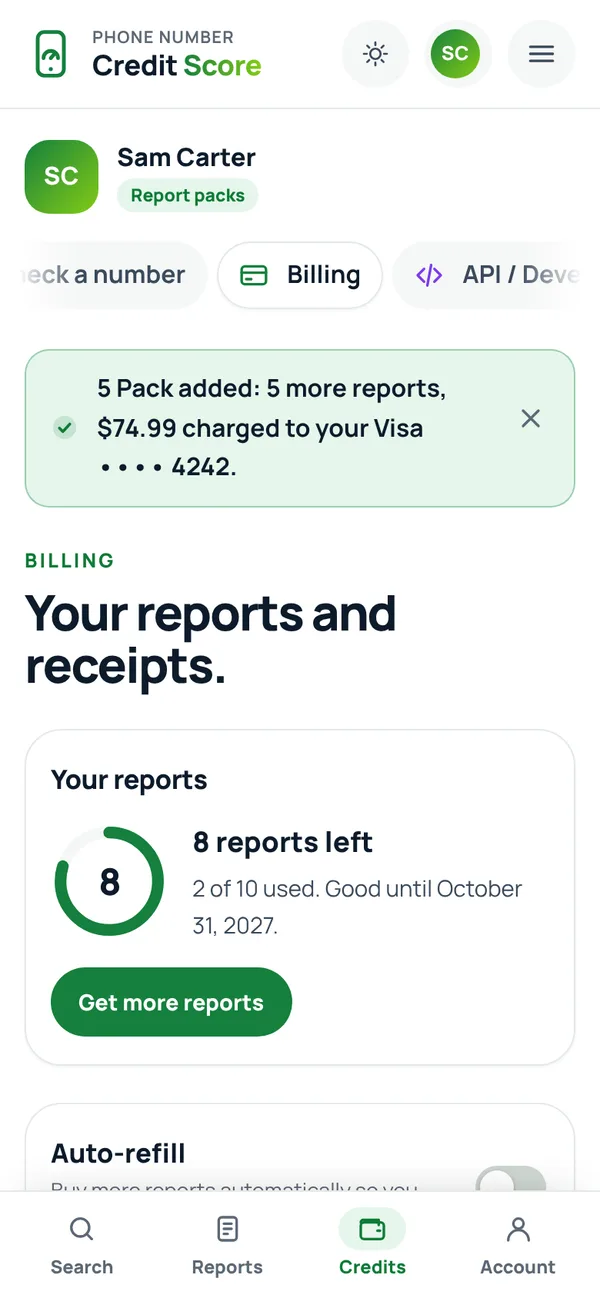
Your new reports are added right away, ready to use.
Still stuck? Our team is happy to help. Just contact Support.
Step by step on a phone
-
Tap Credits in the bar at the bottom of the screen.
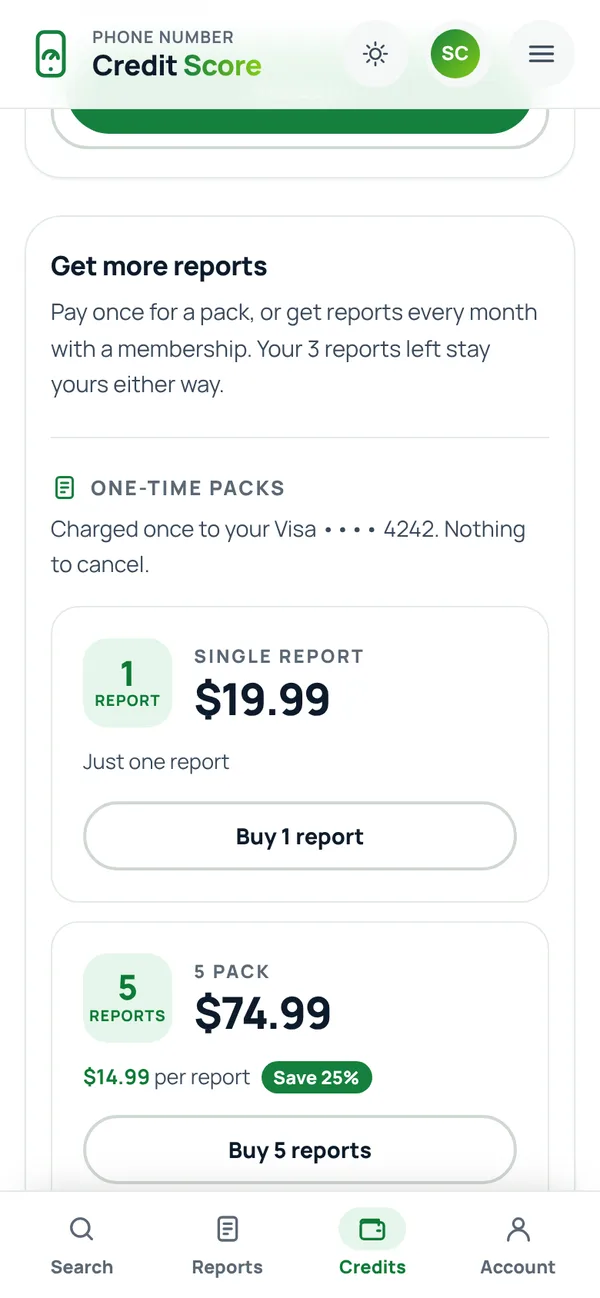
-
Under Get more reports, find One-time packs. Reports from a pack are good for 12 months.
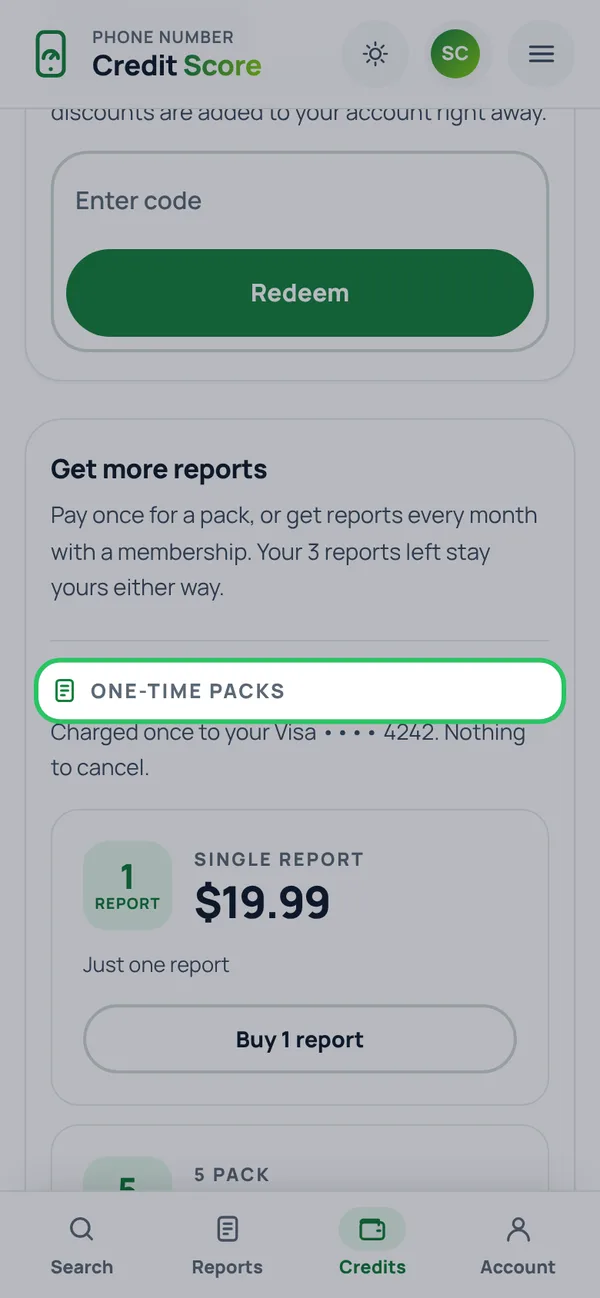
-
Tap Buy on the pack you want.
-
Check what you get and the card it’s charged to, tick the box to agree to use reports only for a permissible purpose, then tap Confirm and pay. Nothing is charged until you confirm, and a receipt is emailed to you.
-
Your new reports are added right away. Tap Account at the bottom to see how many you have.