Start a membership with a $1 trial
Try Basic or Platinum for $1. The trial comes with reports to use, and you can cancel any time.
Read the video’s transcript
Here’s how to start a membership with a one dollar trial.
To start a membership, open Billing from your account menu.
Under Memberships, choose monthly or yearly billing.
Compare Basic and Platinum, and see how many reports each includes every month.
Select Start my one dollar trial on the plan you want.
Check the trial, and what it renews at, then select Confirm and pay. After the trial, your plan renews until you cancel.
That’s it. Your trial reports are ready to use.
Still stuck? Our team is happy to help. Just contact Support.
Step by step on a computer
-
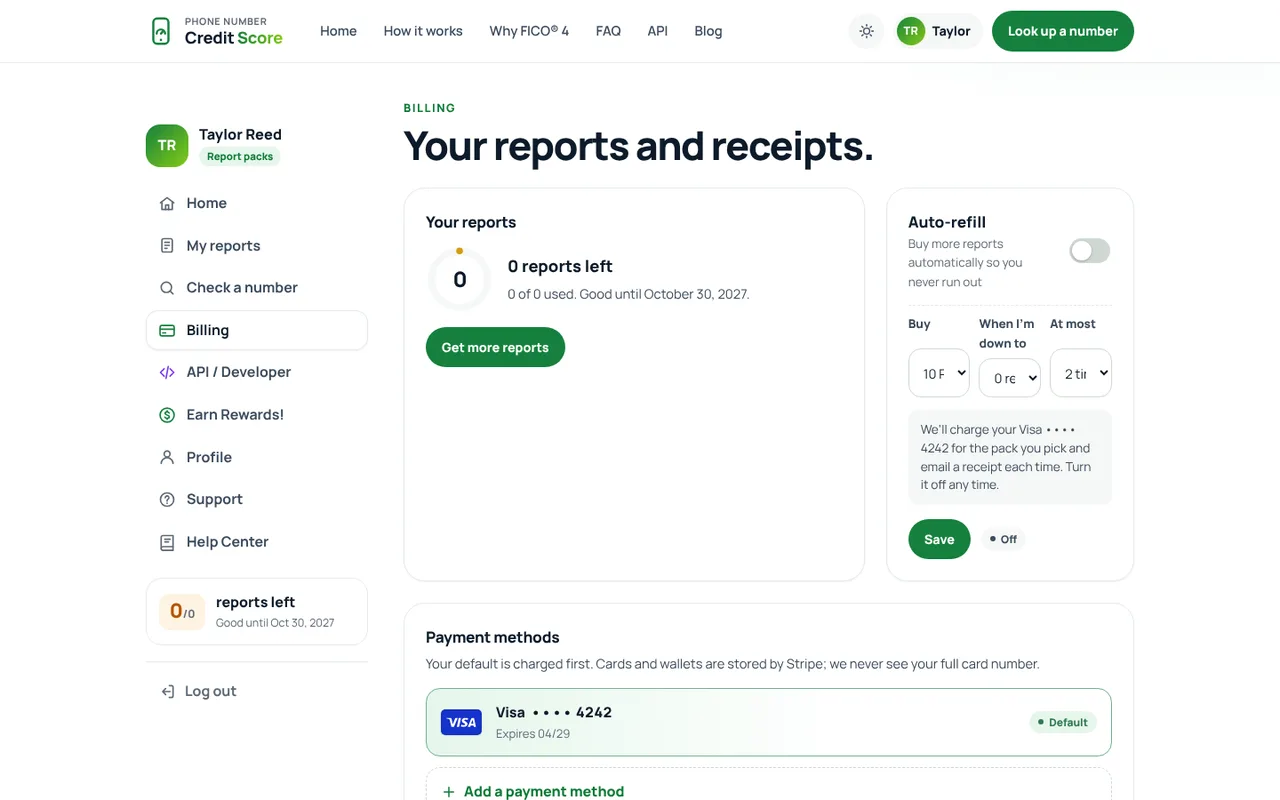
Open Billing from your account menu, or select Get more reports on your account’s home page.
-
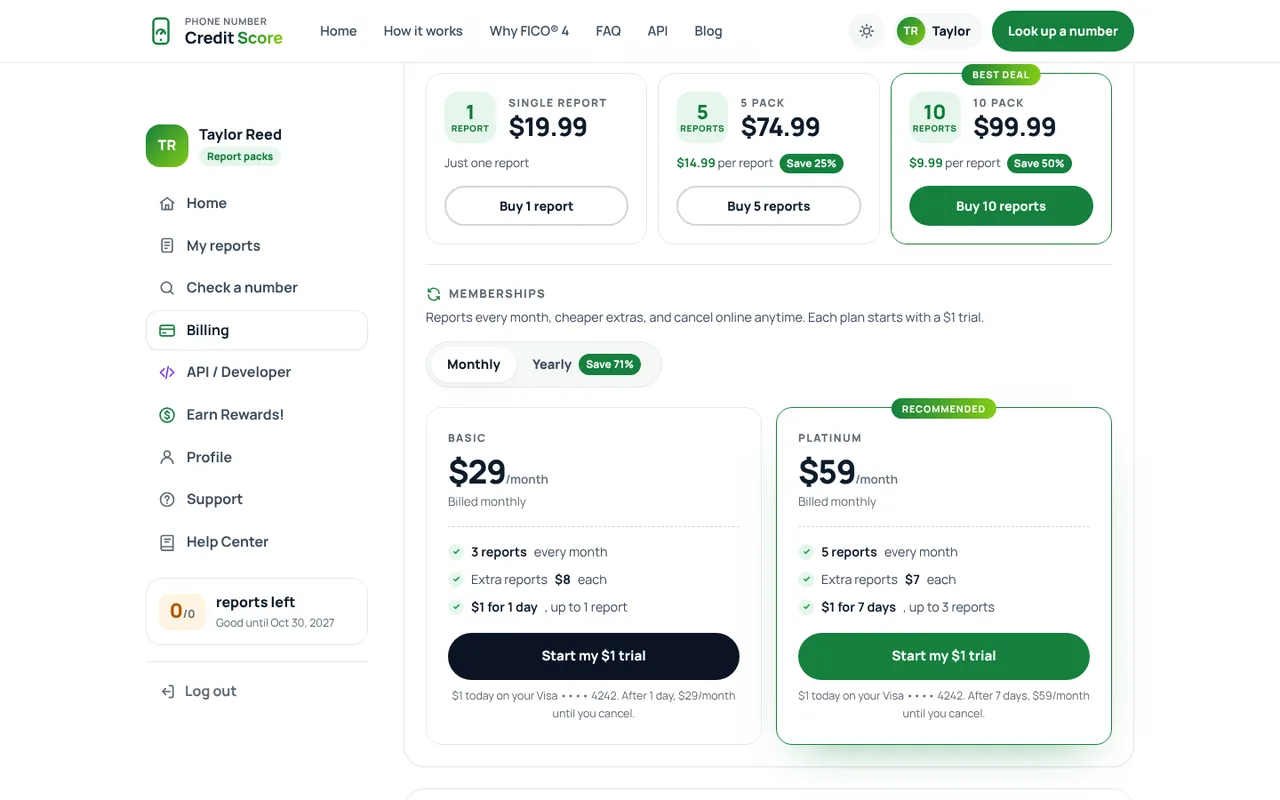
Under Memberships, choose Monthly or Yearly.
-
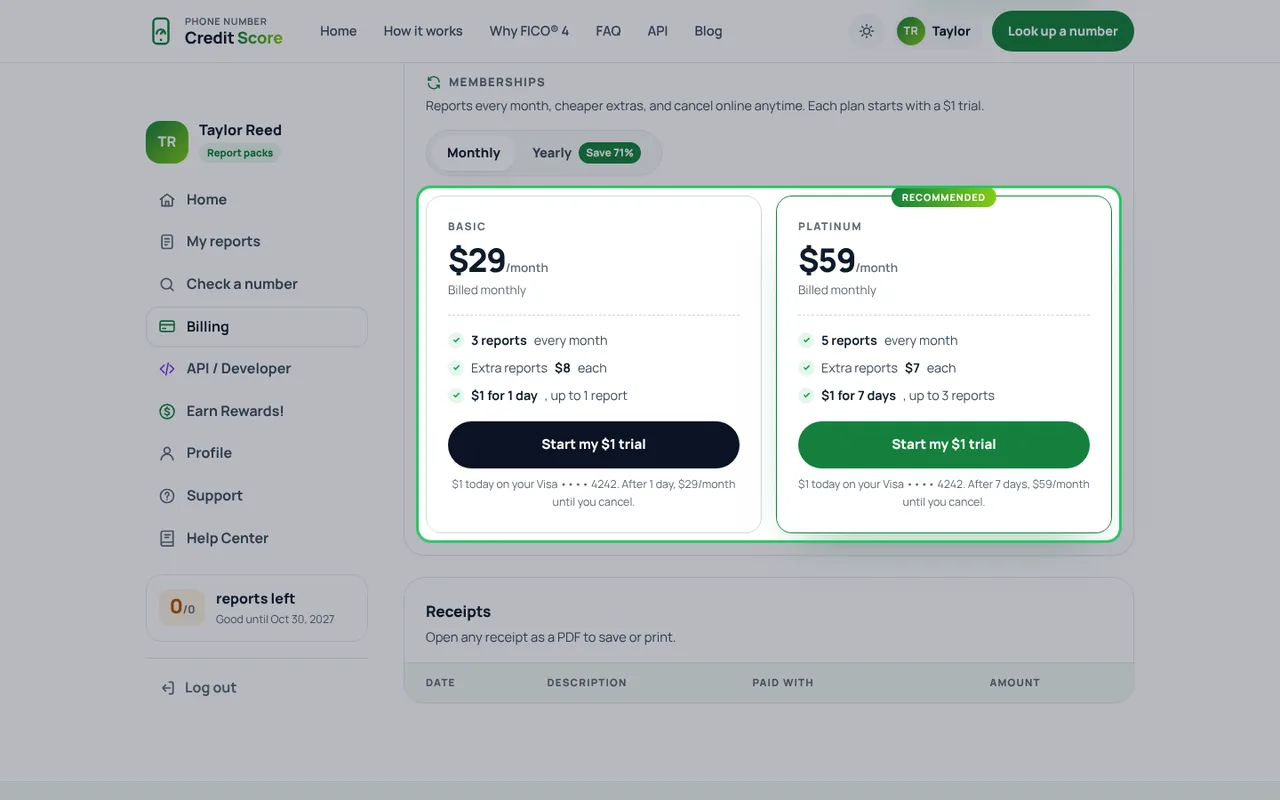
Compare Basic and Platinum: how many reports each month, and what an extra report costs.
-
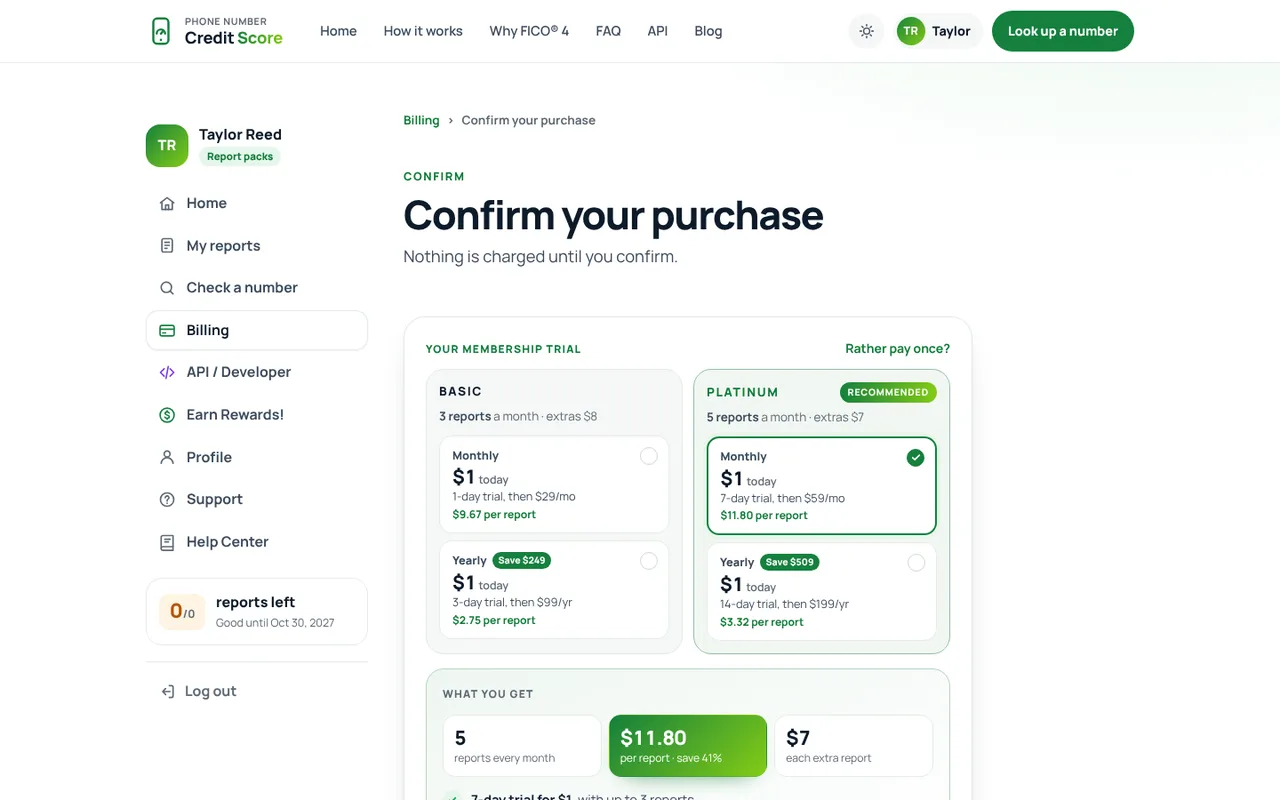
Select Start my $1 trial on the plan you want.
-
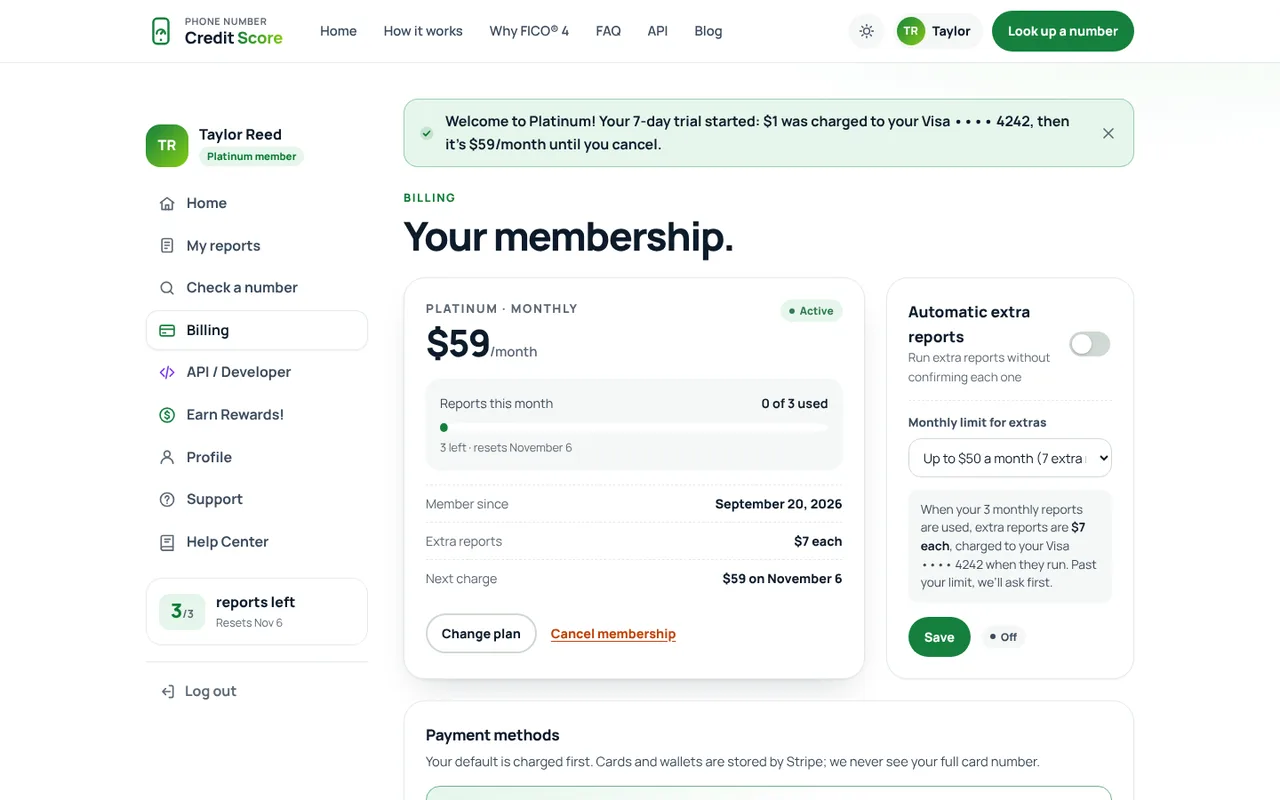
Check the trial, what it renews at, and the card it’s charged to, then select Confirm and pay. After the trial, the plan renews until you cancel.
-
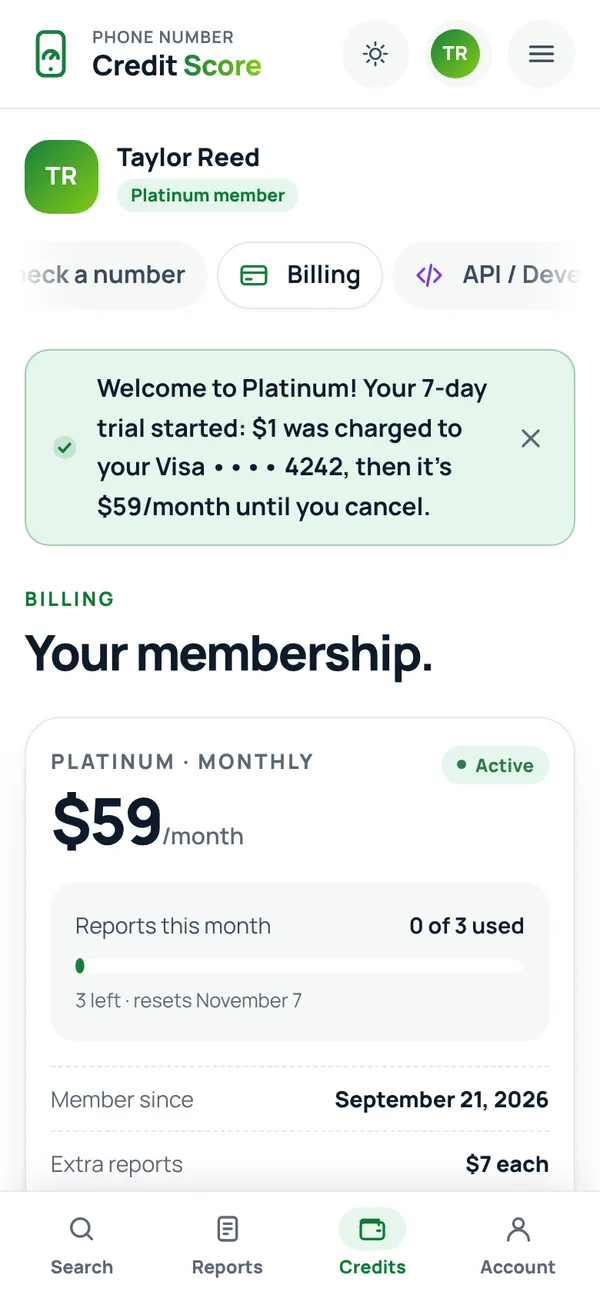
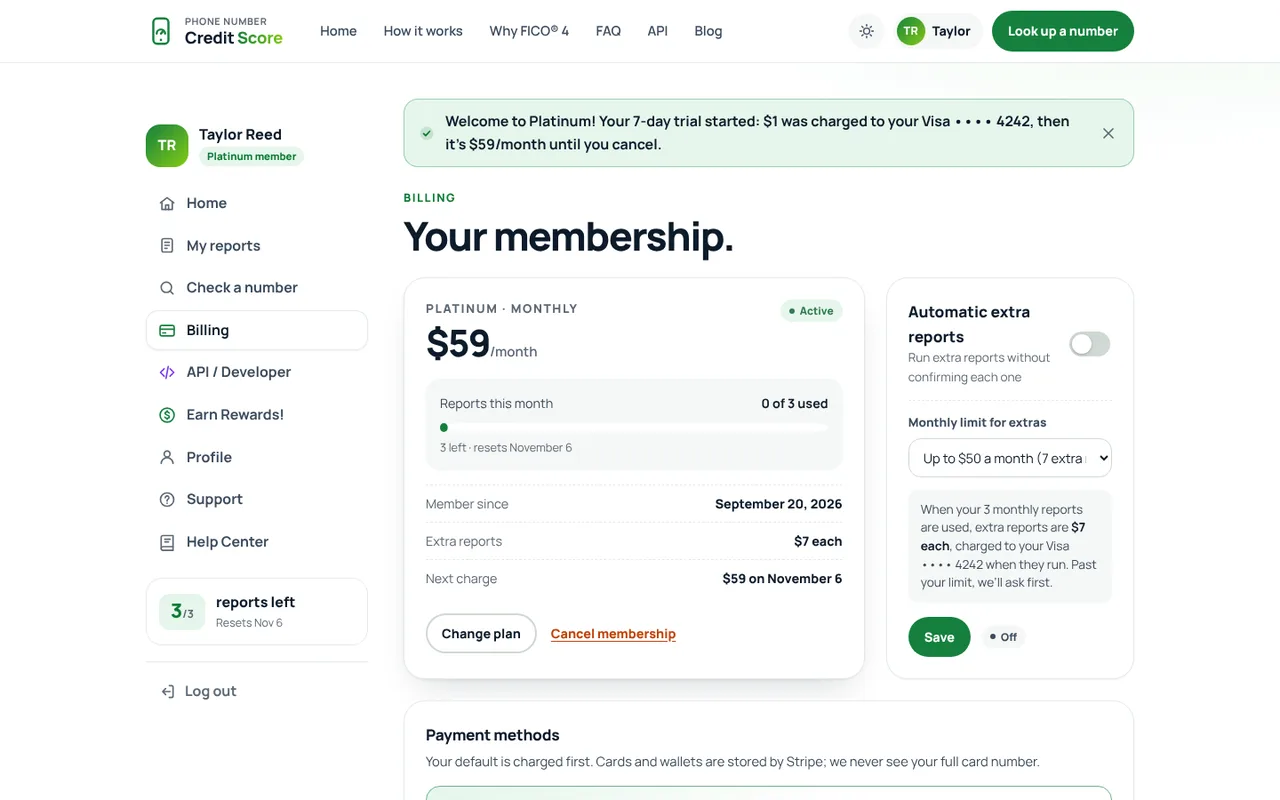
Your membership is active, and your trial reports are ready to use.
Read the video’s transcript
Here’s how to start a membership with a one dollar trial.
To start a membership, tap Credits, in the bar at the bottom of the screen.
Under Memberships, choose monthly or yearly billing.
Compare Basic and Platinum, and see how many reports each includes every month.
Tap Start my one dollar trial on the plan you want.
Check the trial, and what it renews at, then tap Confirm and pay. After the trial, your plan renews until you cancel.
That’s it. Your trial reports are ready to use.
Still stuck? Our team is happy to help. Just contact Support.
Step by step on a phone
-
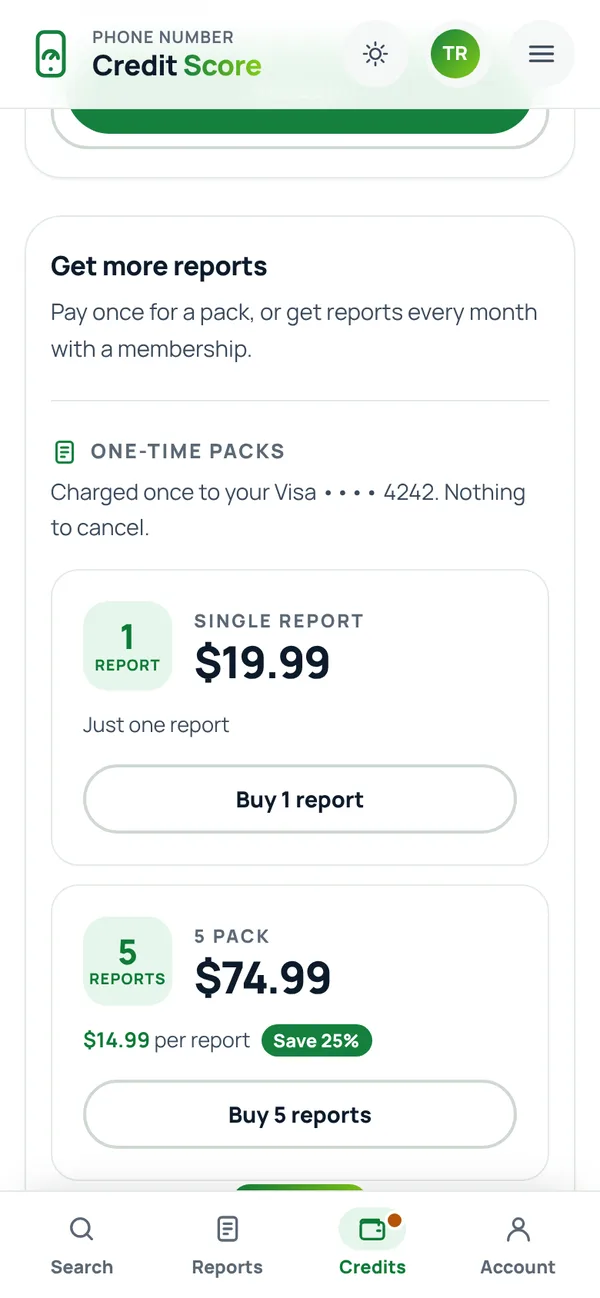
Tap Credits in the bar at the bottom, or Get more reports on your account’s home page.
-
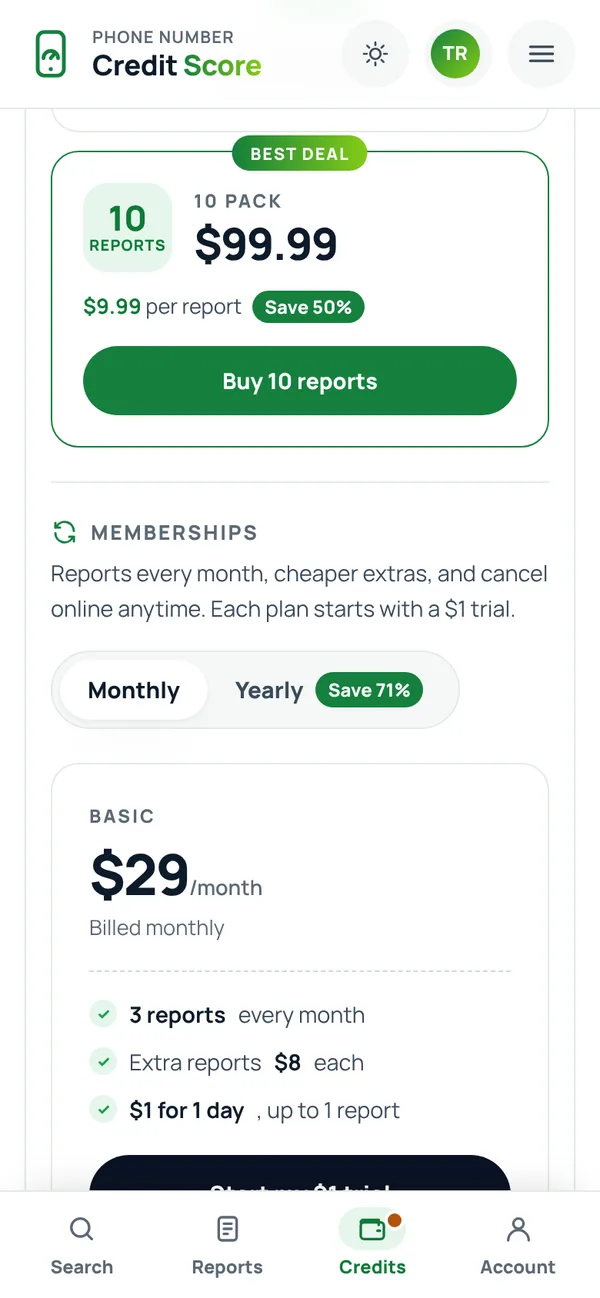
Under Memberships, choose Monthly or Yearly.
-
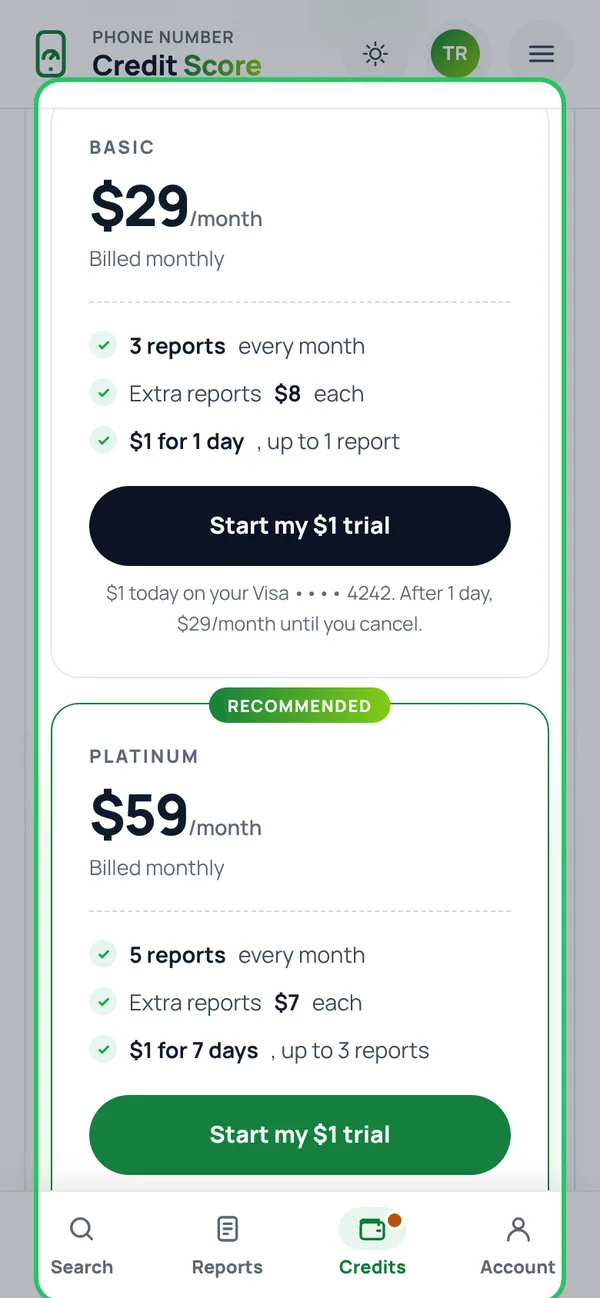
Compare Basic and Platinum: how many reports each month, and what an extra report costs.
-
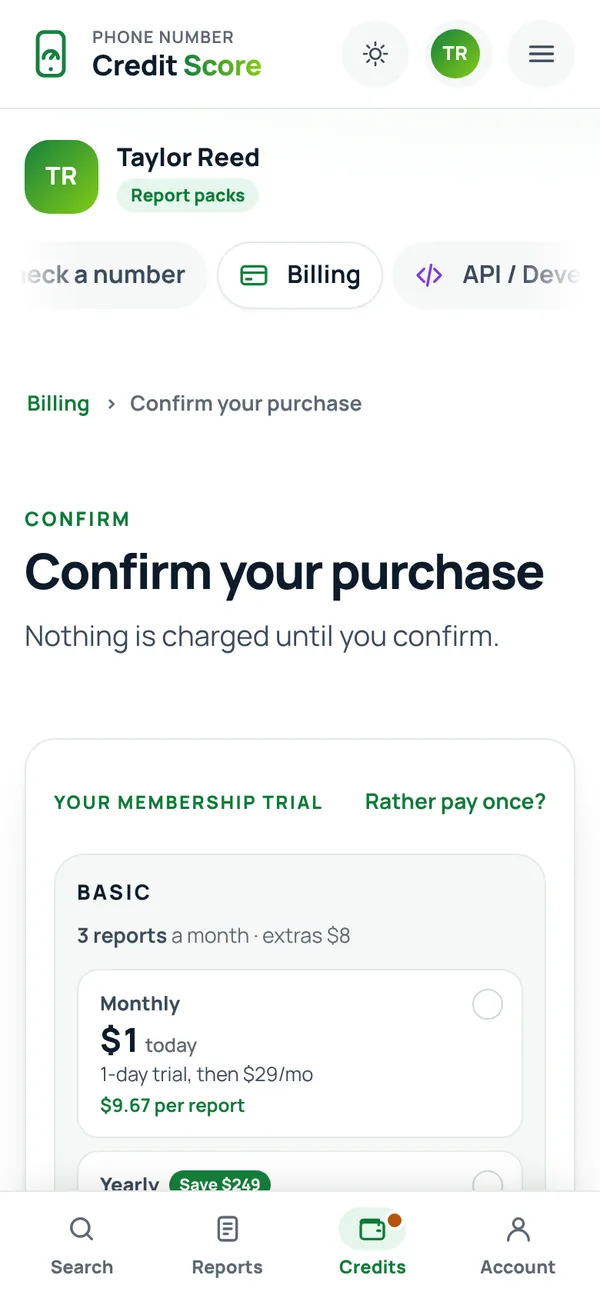
Tap Start my $1 trial on the plan you want.
-
Check the trial, what it renews at, and the card it’s charged to, then tap Confirm and pay. After the trial, the plan renews until you cancel.
-
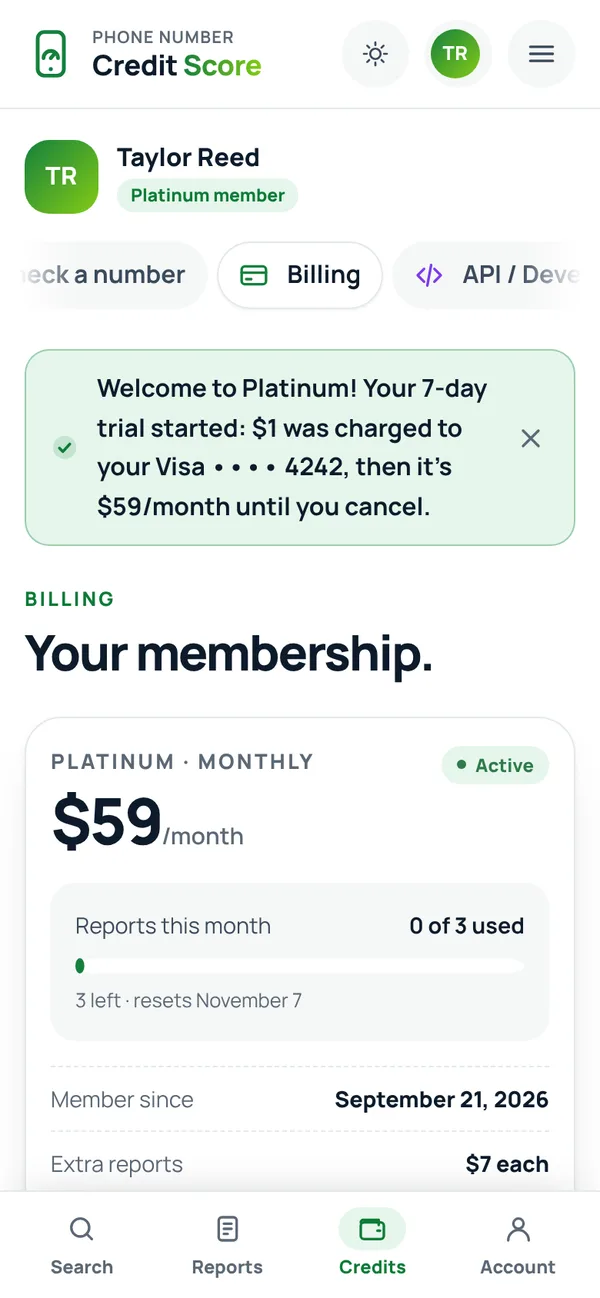
Your membership is active, and your trial reports are ready to use.