Redeem a promo or gift code
Add a gift code’s reports, or a promo code’s discount, from Billing.
Read the video’s transcript
Here’s how to redeem a promo or gift code.
Got a promo or gift code? Open Billing from your account menu.
Find Redeem a code, and type your code.
Select Redeem. A gift code adds its reports right away.
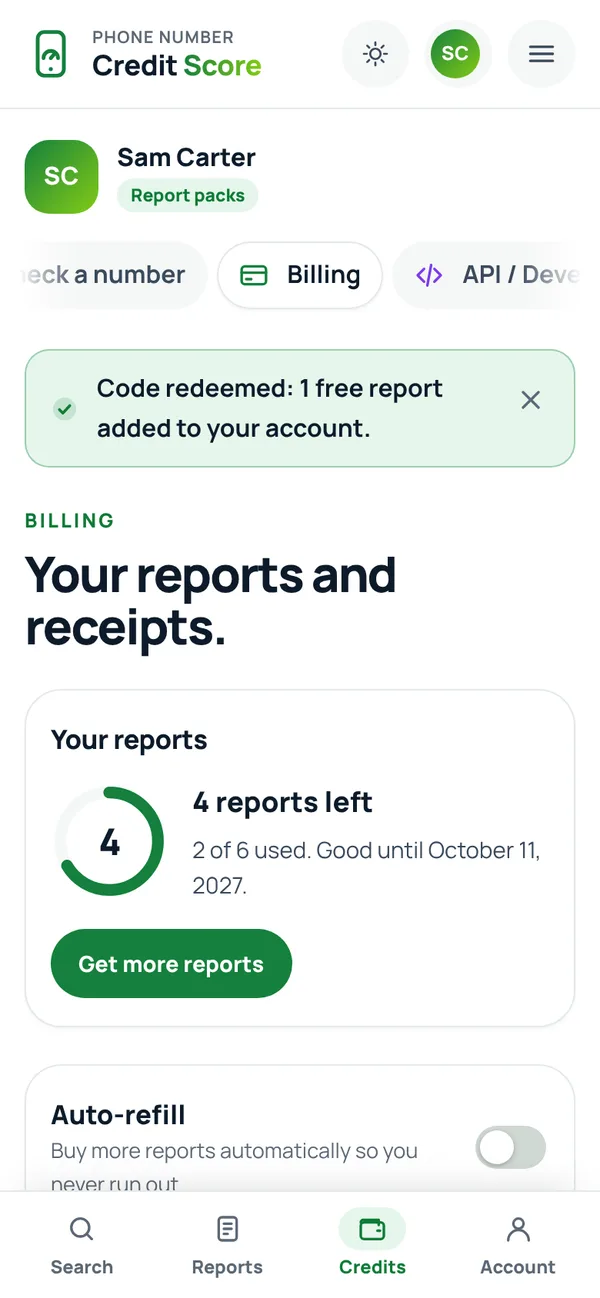
Your reports go up right away. You’ll see the new total at the top of Billing.
Still stuck? Our team is happy to help. Just contact Support.
Step by step on a computer
-
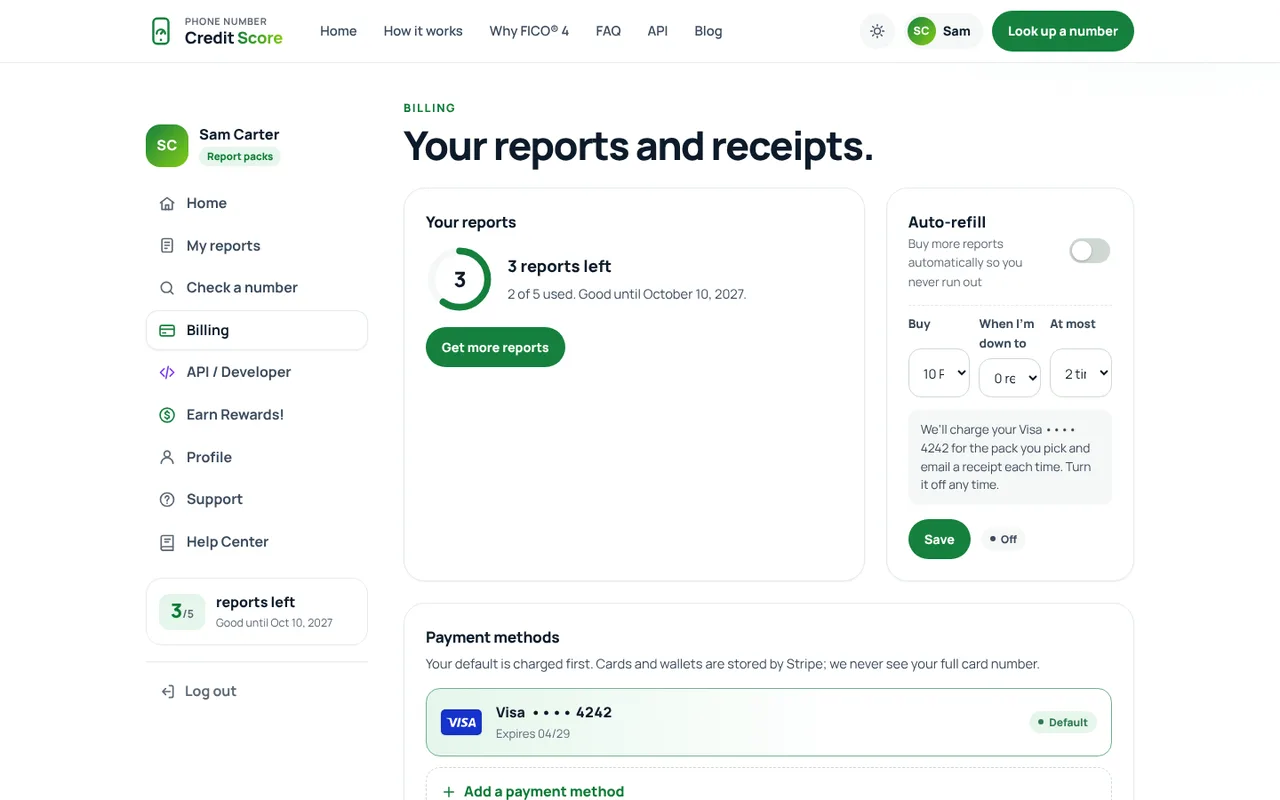
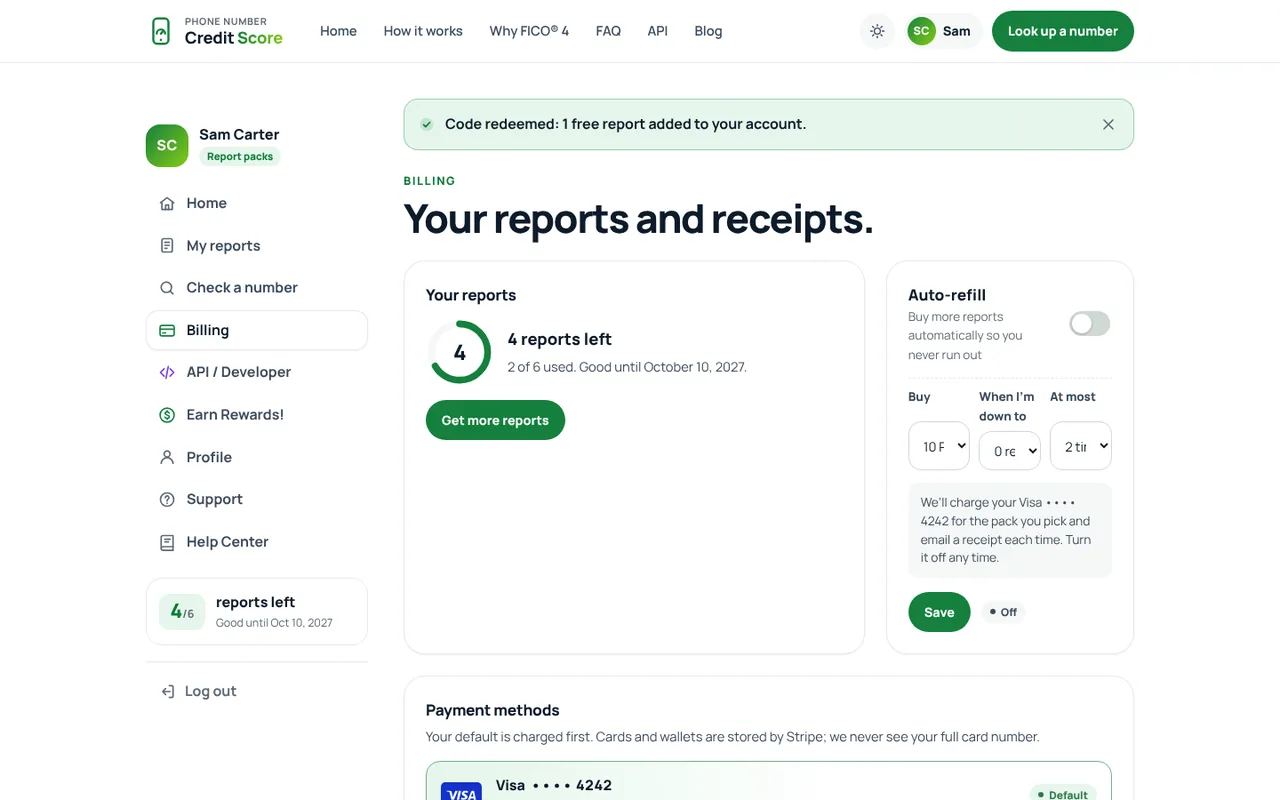
Open Billing from your account menu.
-
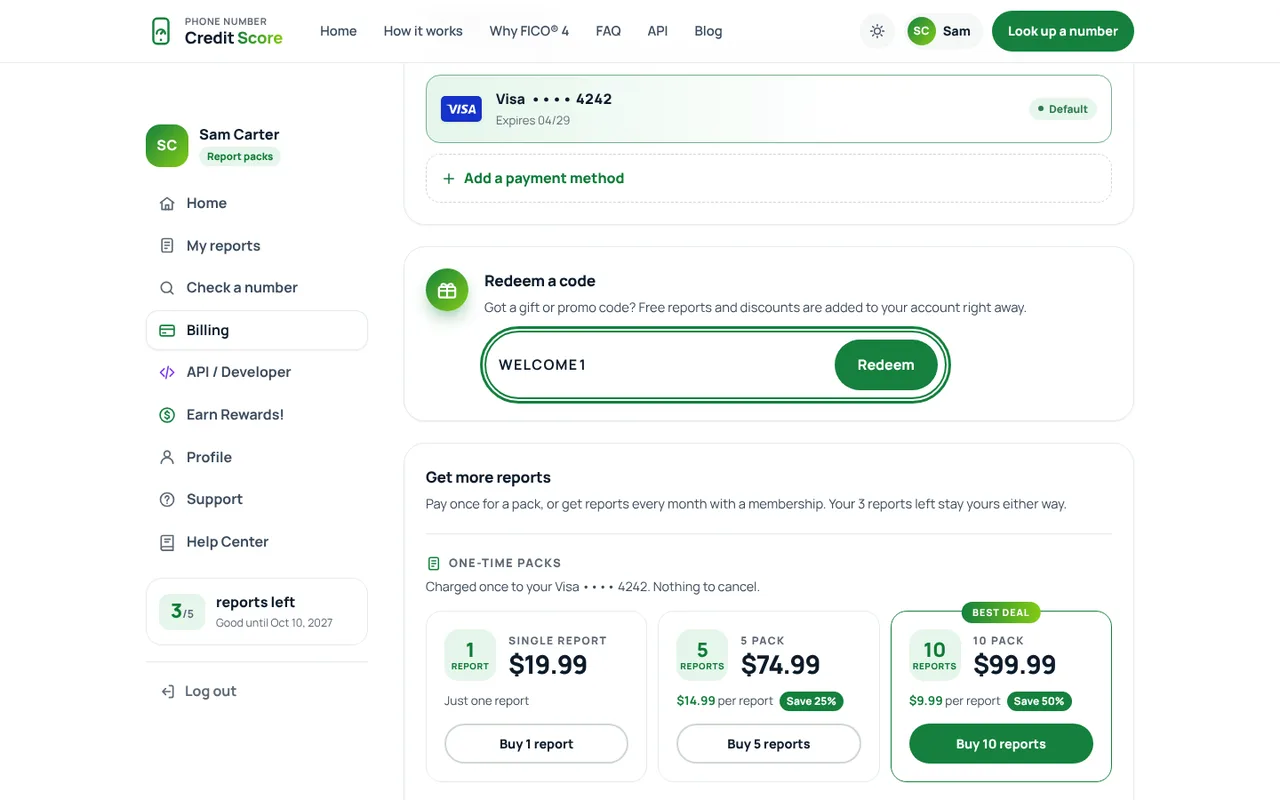
Find Redeem a code and type your code.
-
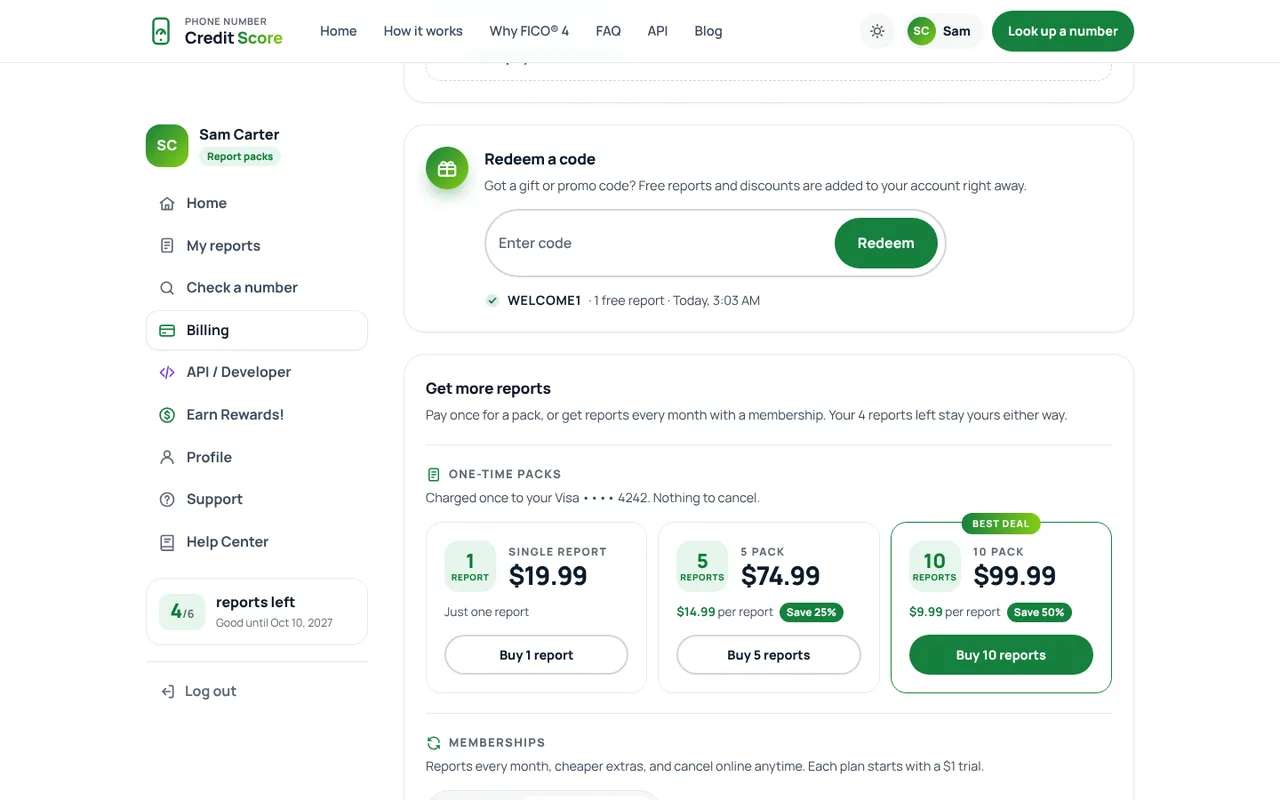
Select Redeem. A gift code adds its reports right away. A promo code’s discount applies to your next purchase.
-
Your reports go up right away. You can see how many you have under Your reports at the top of Billing.
Read the video’s transcript
Here’s how to redeem a promo or gift code.
Got a promo or gift code? Tap Account, at the bottom of the screen, then Billing.
Find Redeem a code, and type your code.
Tap Redeem. A gift code adds its reports right away.
Your reports go up right away. You’ll see the new total at the top of Billing.
Still stuck? Our team is happy to help. Just contact Support.
Step by step on a phone
-
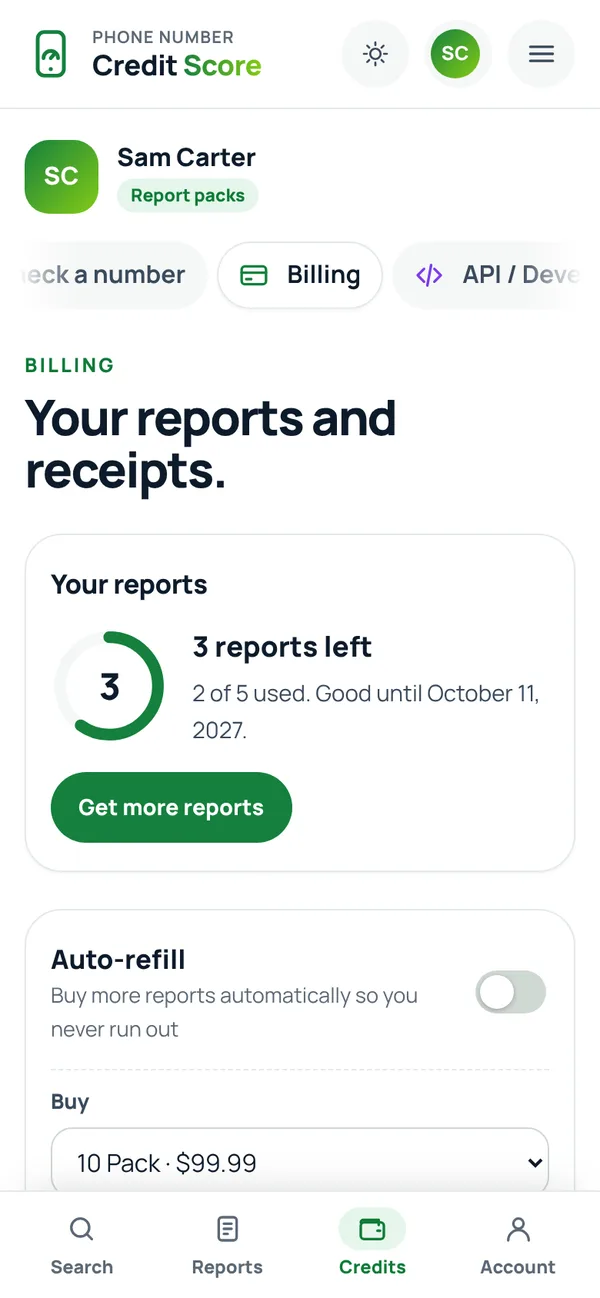
Tap Account in the bar at the bottom, then Billing.
-
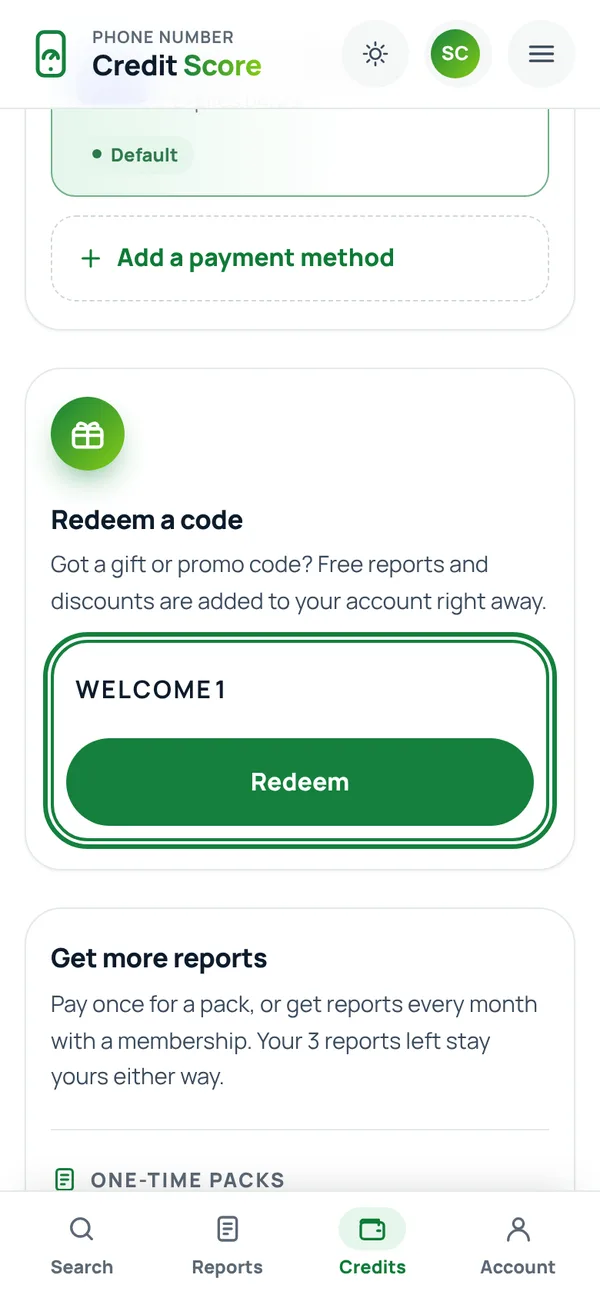
Find Redeem a code and type your code.
-
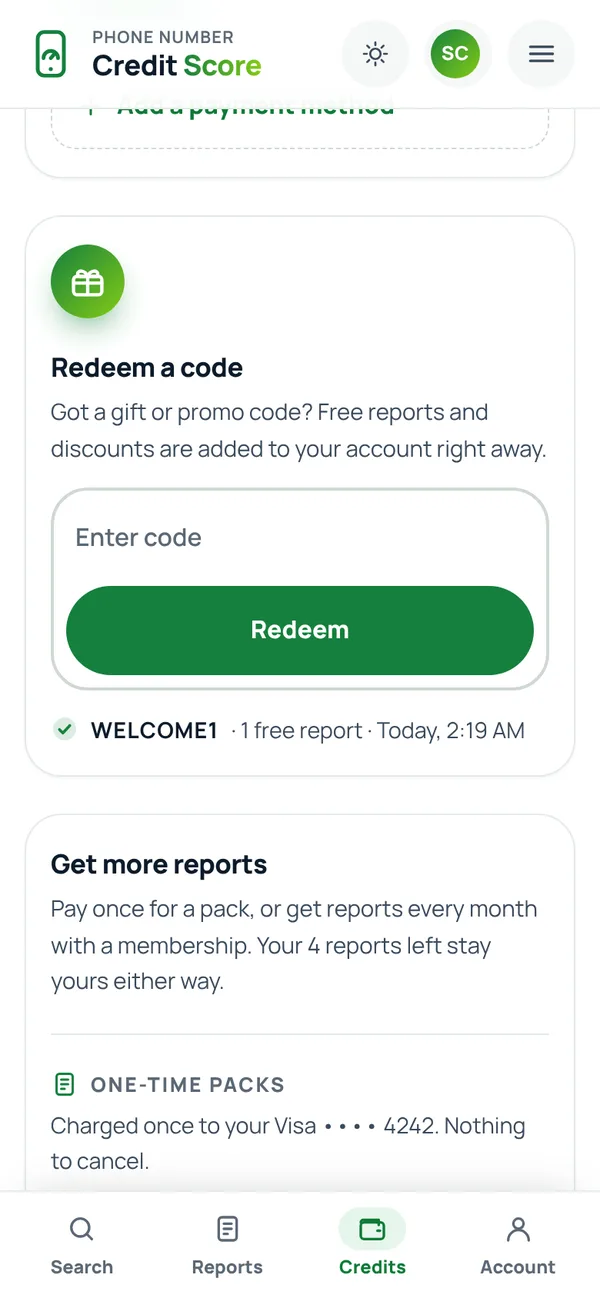
Tap Redeem. A gift code adds its reports right away. A promo code’s discount applies to your next purchase.
-
Your reports go up right away. You’ll see the new total at the top of Billing, and under Account.