Read your report
What each part of a report means: the FICO® Score 4, what’s holding it back, the credit profile and debt by type.
Read the video’s transcript
Here’s how to read your report.
Open My reports, and pick the report you want to read.
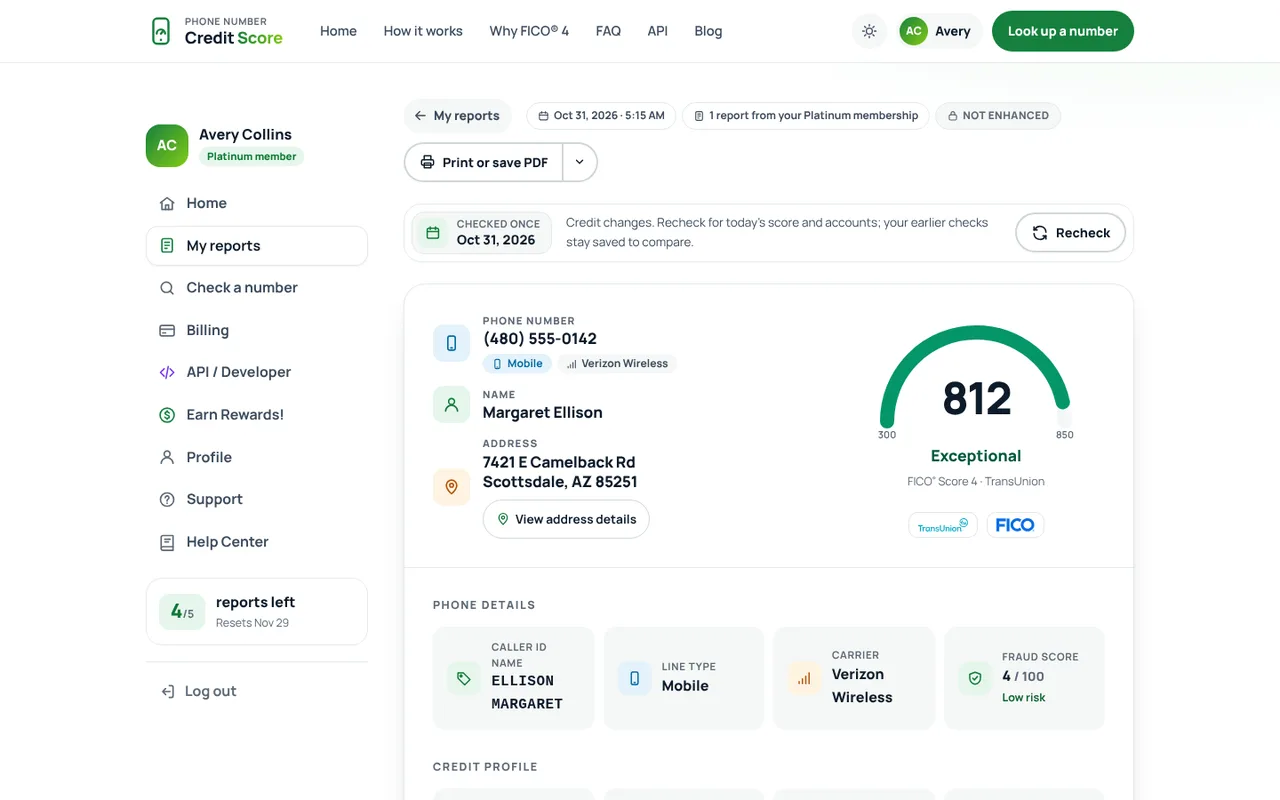
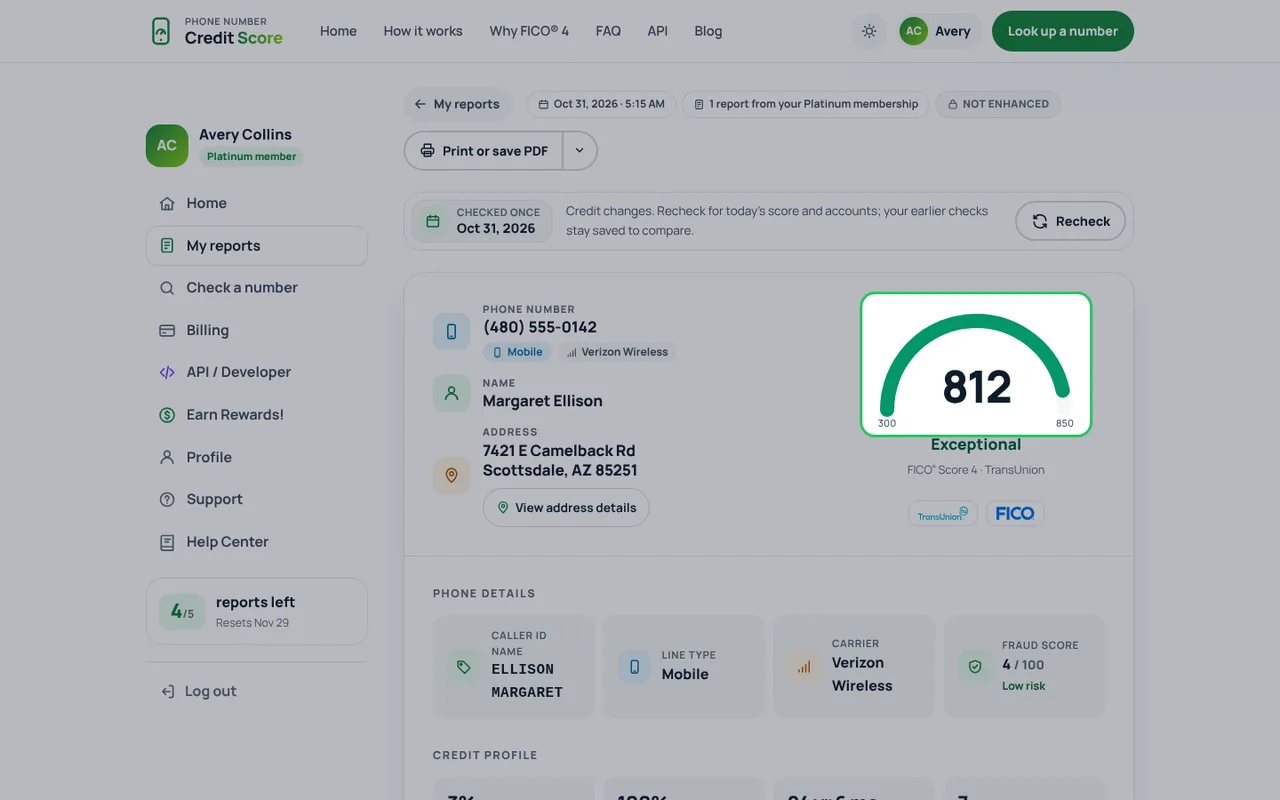
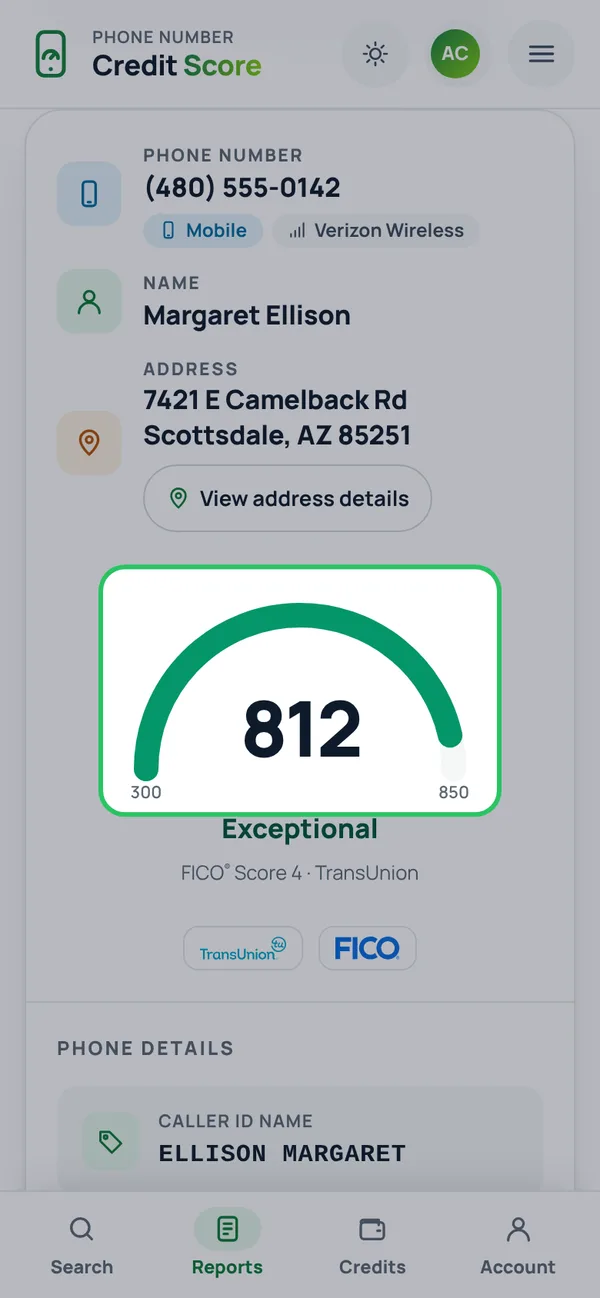
At the top, you’ll see who the number belongs to, and their FICO Score 4, from 300 to 850.
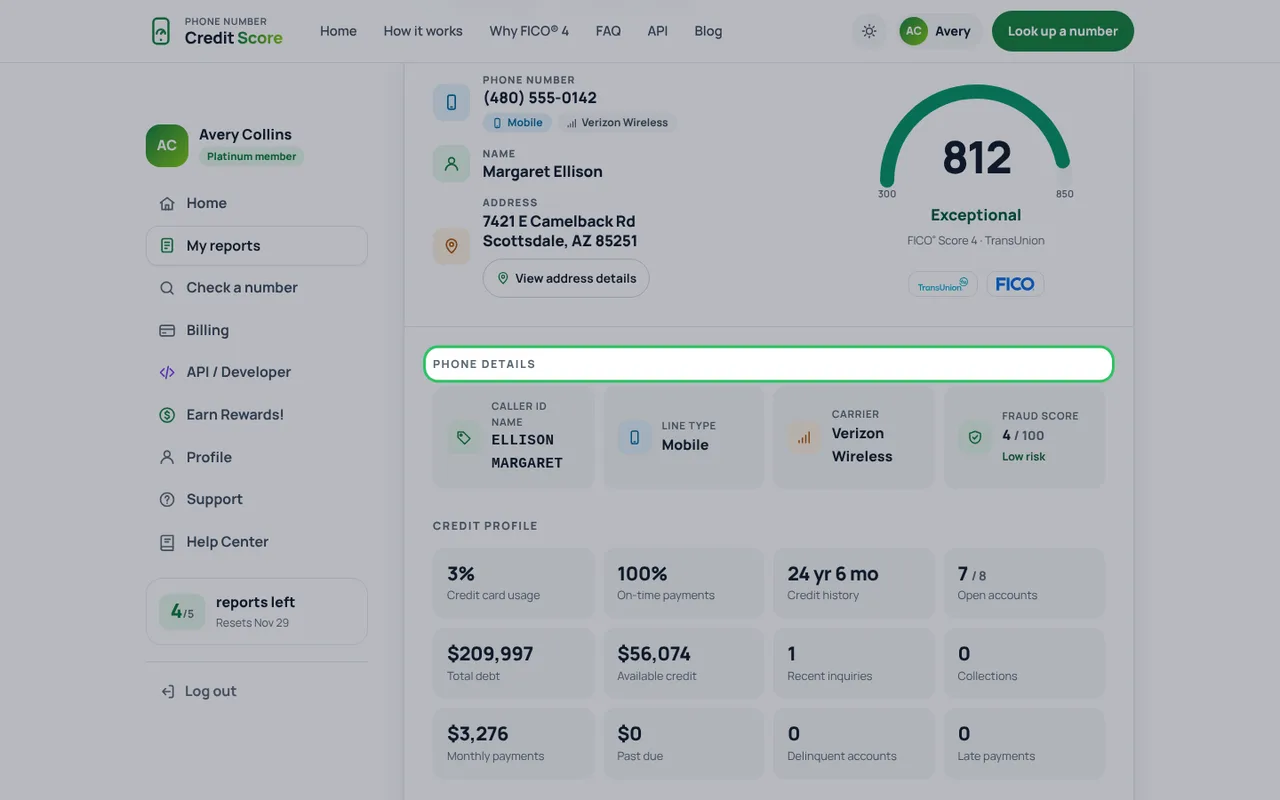
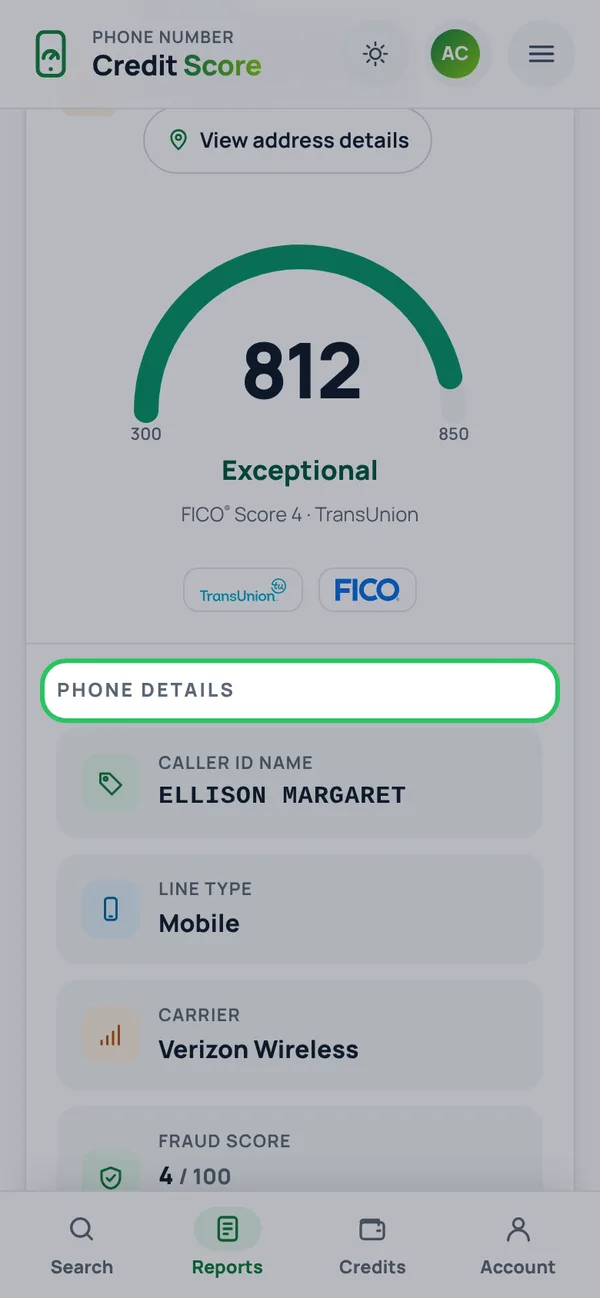
Phone details show the line type and the carrier.
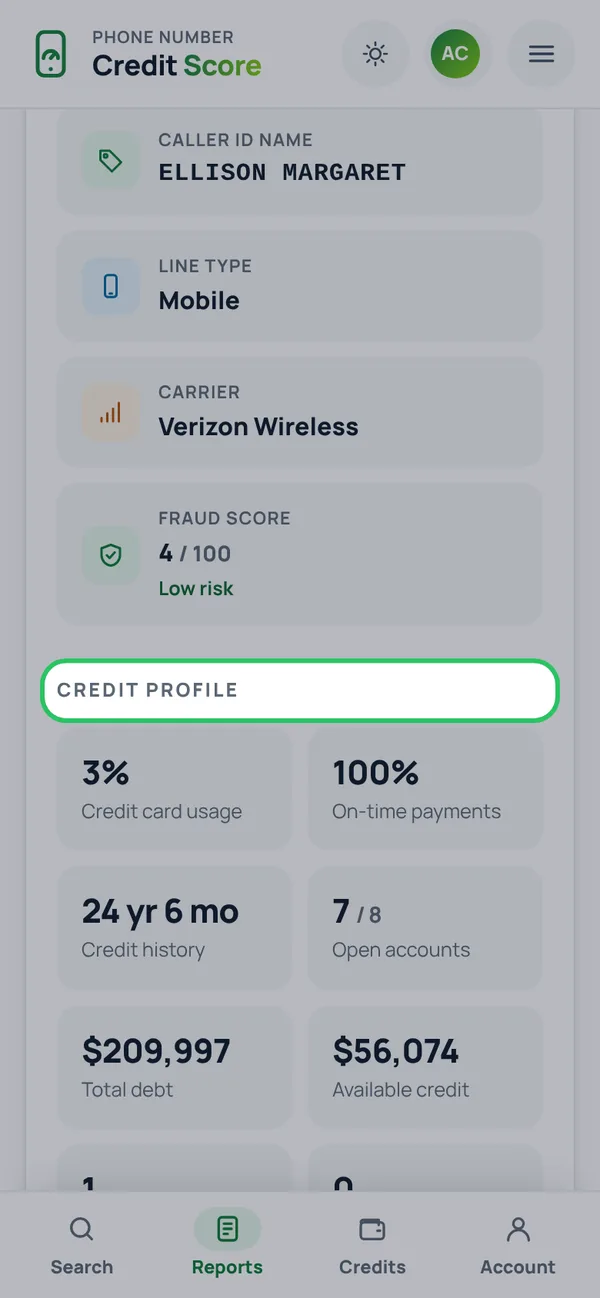
The credit profile sums up their accounts, card usage and payment history.
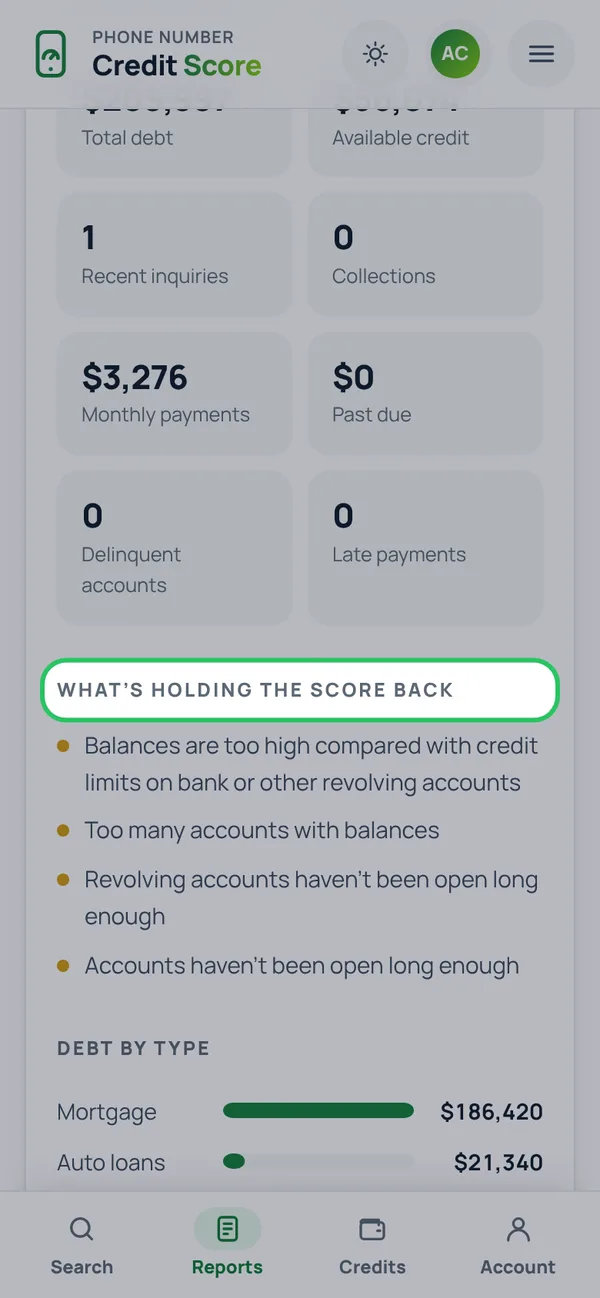
And What’s holding the score back lists the main reasons the score isn’t higher.
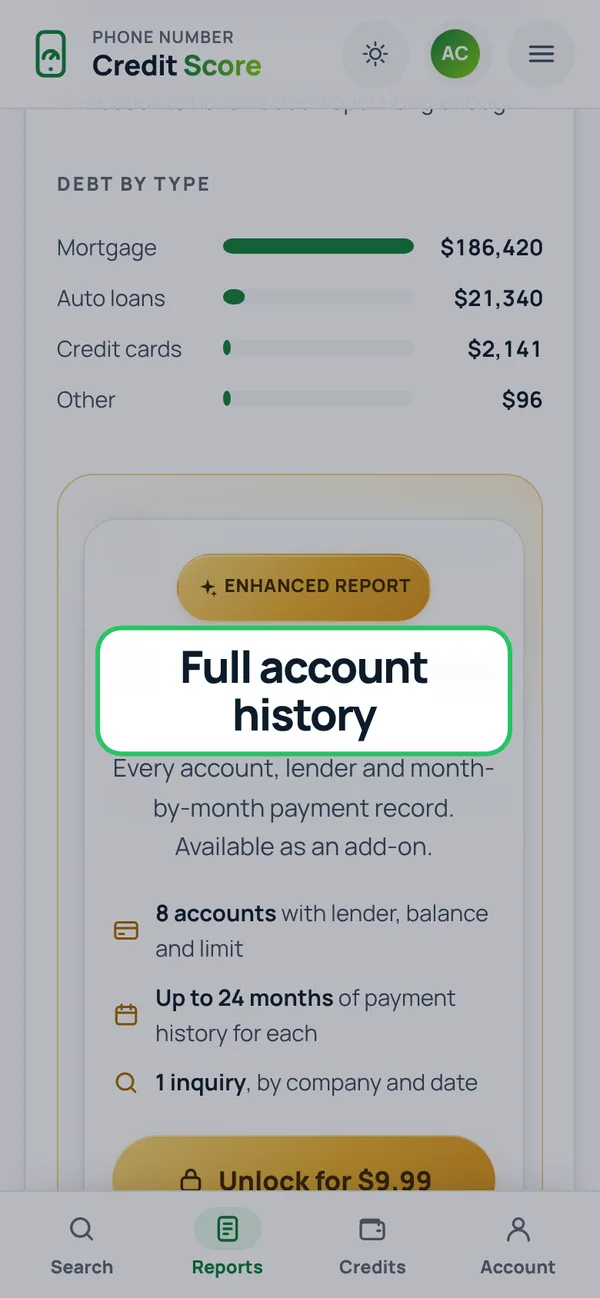
Debt by type breaks down what they owe. For every account, unlock the full account history.
Still stuck? Our team is happy to help. Just contact Support.
Step by step on a computer
-
Open My reports and pick a report.
-
At the top: who the number belongs to, their address and their FICO® Score 4, from 300 to 850. Higher is better.
-
Phone details show the line type and carrier.
-
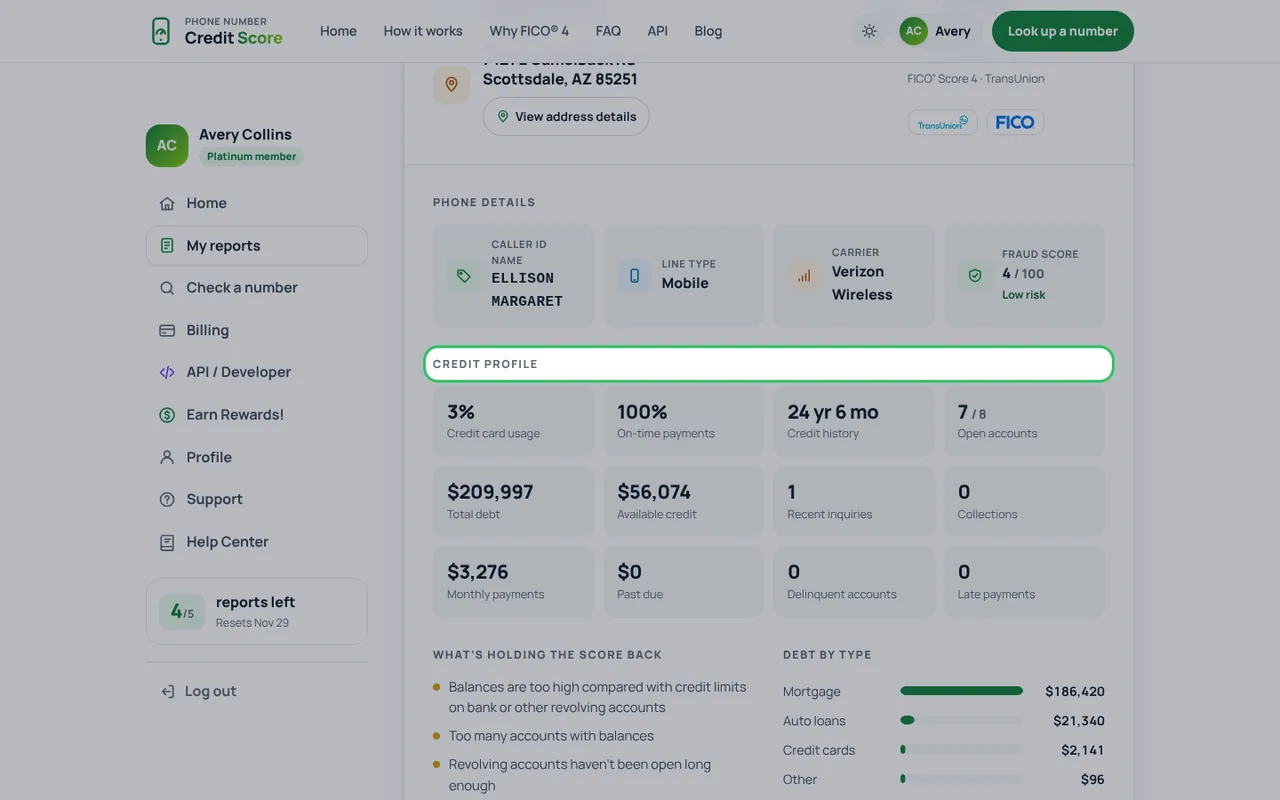
The Credit profile sums up their accounts, card usage, payment history and debt.
-
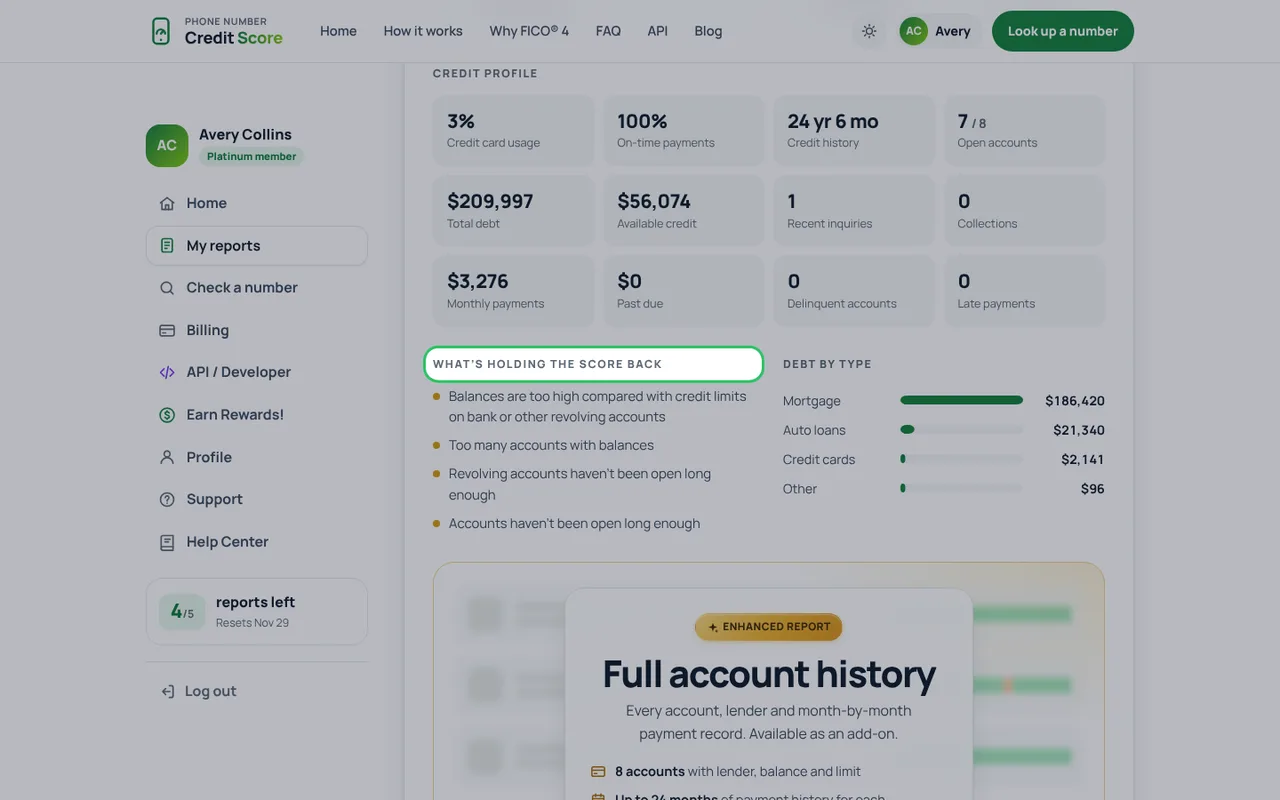
What’s holding the score back lists the main reasons the score isn’t higher.
-
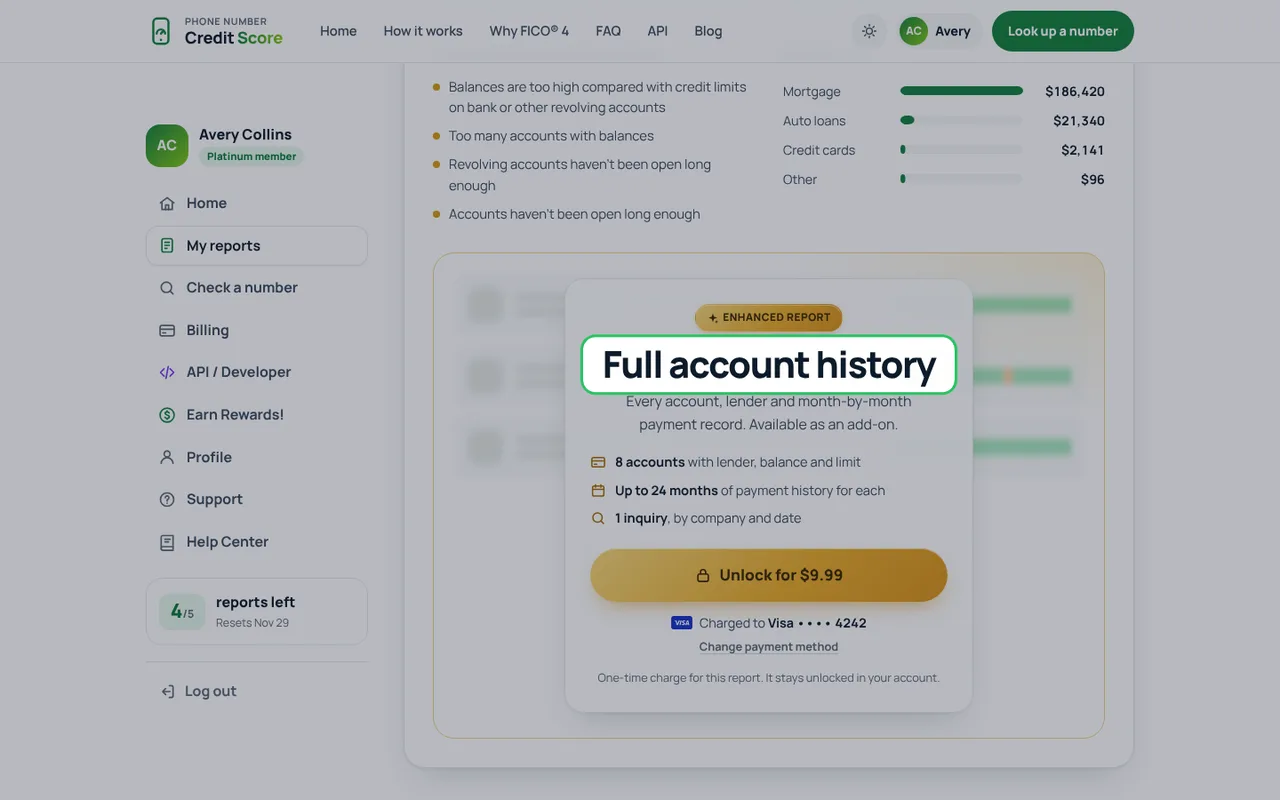
Debt by type breaks down what they owe. For every account and payment, unlock the Full account history.
Read the video’s transcript
Here’s how to read your report.
Tap Reports, at the bottom of the screen, and pick the report you want to read.
At the top, you’ll see who the number belongs to, and their FICO Score 4, from 300 to 850.
Phone details show the line type and the carrier.
The credit profile sums up their accounts, card usage and payment history.
And What’s holding the score back lists the main reasons the score isn’t higher.
Debt by type breaks down what they owe. For every account, unlock the full account history.
Still stuck? Our team is happy to help. Just contact Support.
Step by step on a phone
-
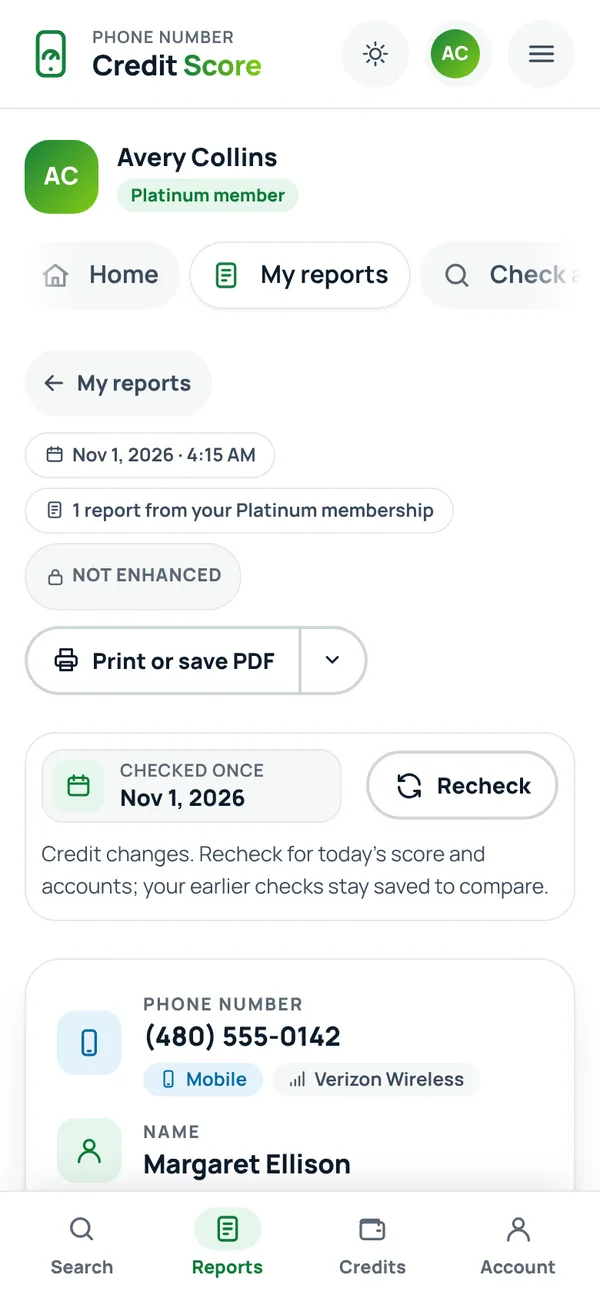
Tap Reports in the bar at the bottom, and pick a report.
-
At the top: who the number belongs to, their address and their FICO® Score 4, from 300 to 850. Higher is better.
-
Phone details show the line type and carrier.
-
The Credit profile sums up their accounts, card usage, payment history and debt.
-
What’s holding the score back lists the main reasons the score isn’t higher.
-
Debt by type breaks down what they owe. For every account and payment, unlock the Full account history.