Unlock the full account history
Add every account, payment and inquiry to a report you already have, for a one-time price.
Read the video’s transcript
Here’s how to unlock the full account history.
Open the report you want from My reports.
Scroll to Full account history. Once it’s unlocked, you’ll see every account and payment.
Check which card it will be charged to, then select Unlock.
The full history shows on the report, and it stays unlocked in your account.
Still stuck? Our team is happy to help. Just contact Support.
Step by step on a computer
-
Open the report from My reports.
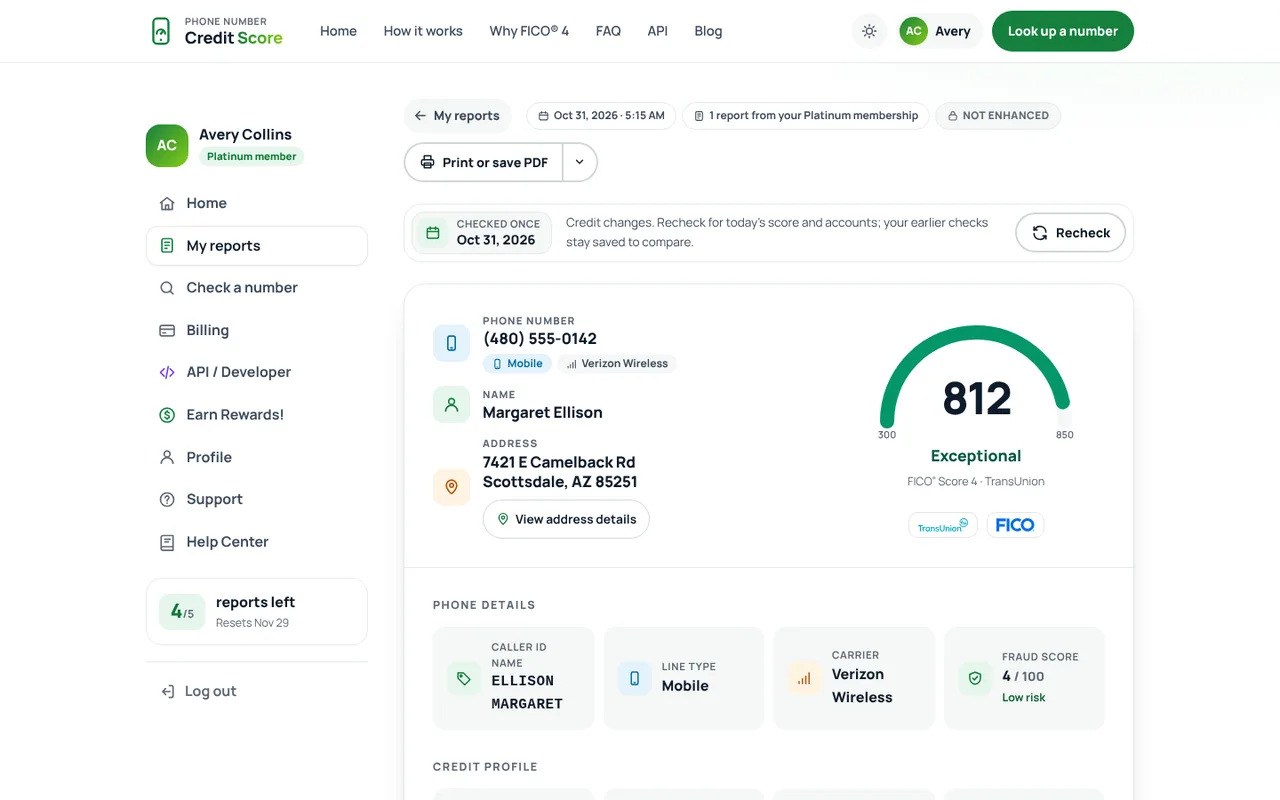
-
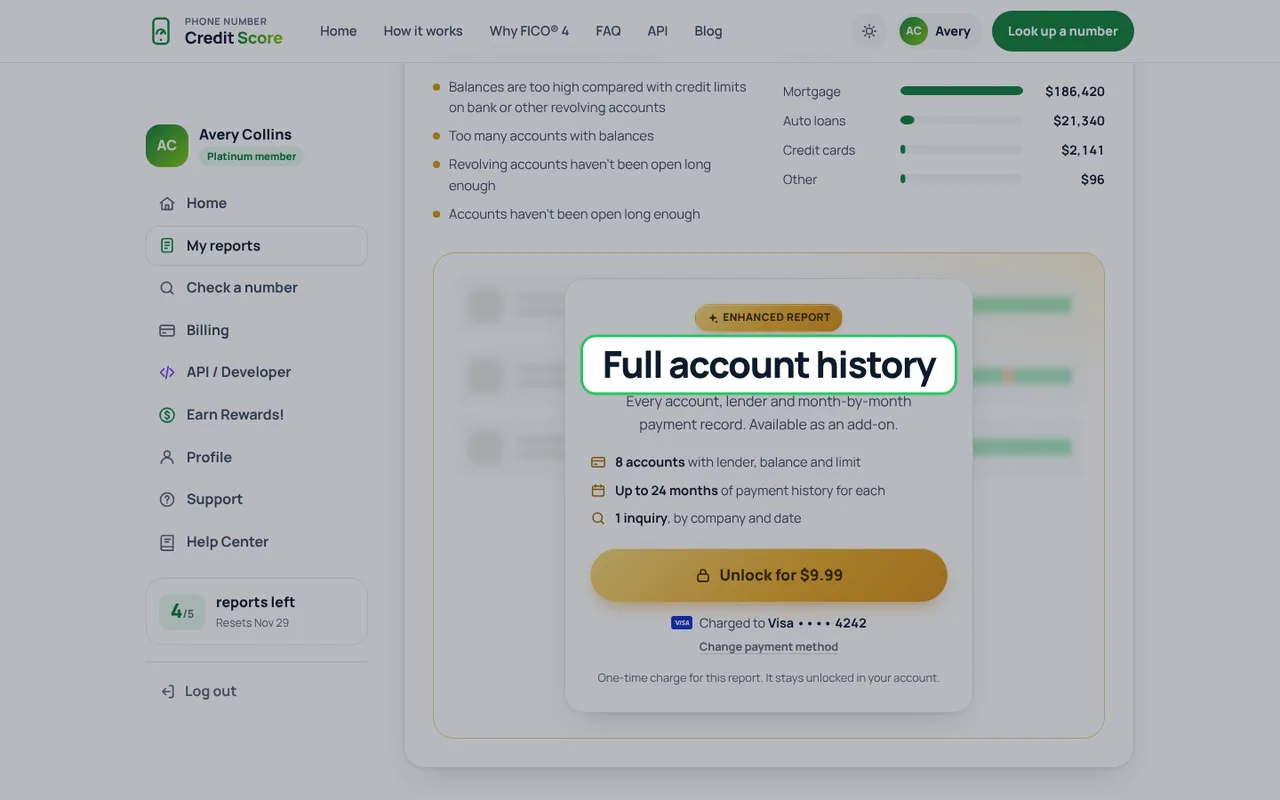
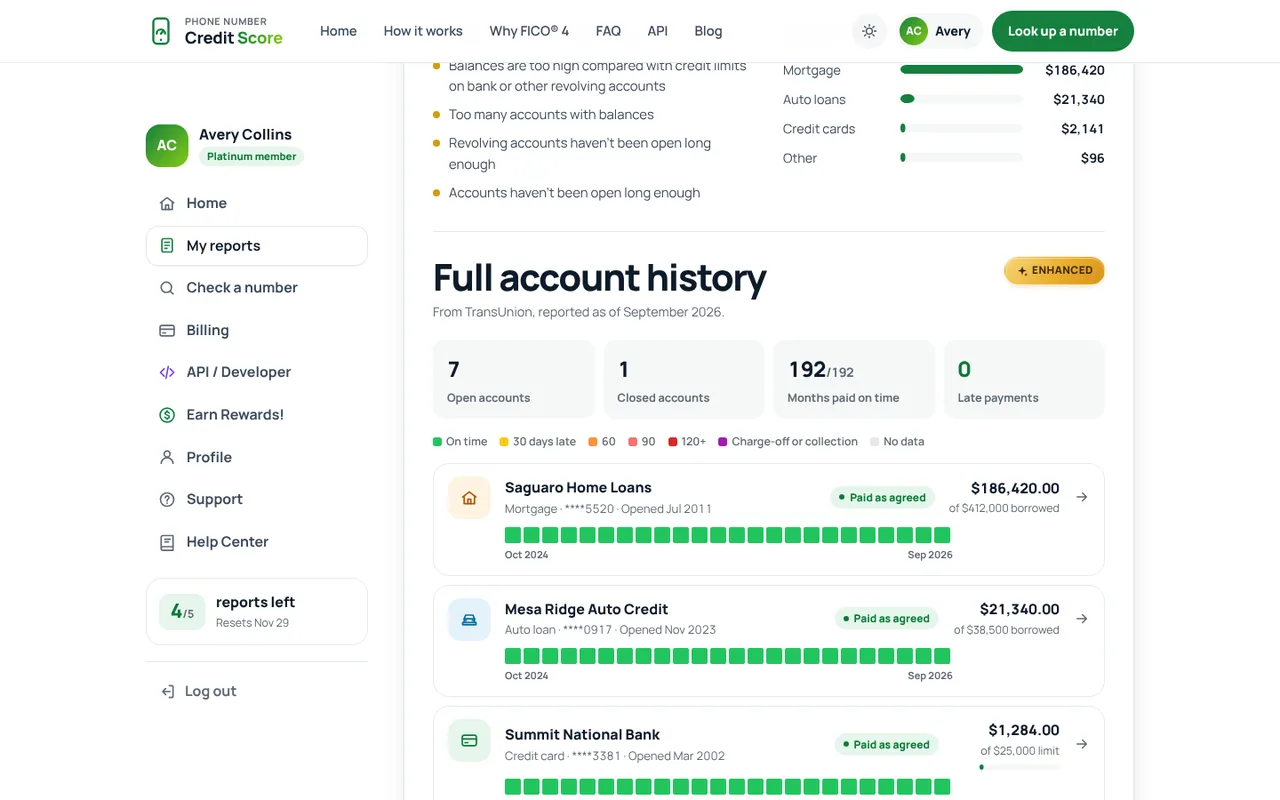
Scroll to Full account history. It lists every account, its payments, and every inquiry once unlocked.
-
Check the card it will be charged to, then select Unlock.
-
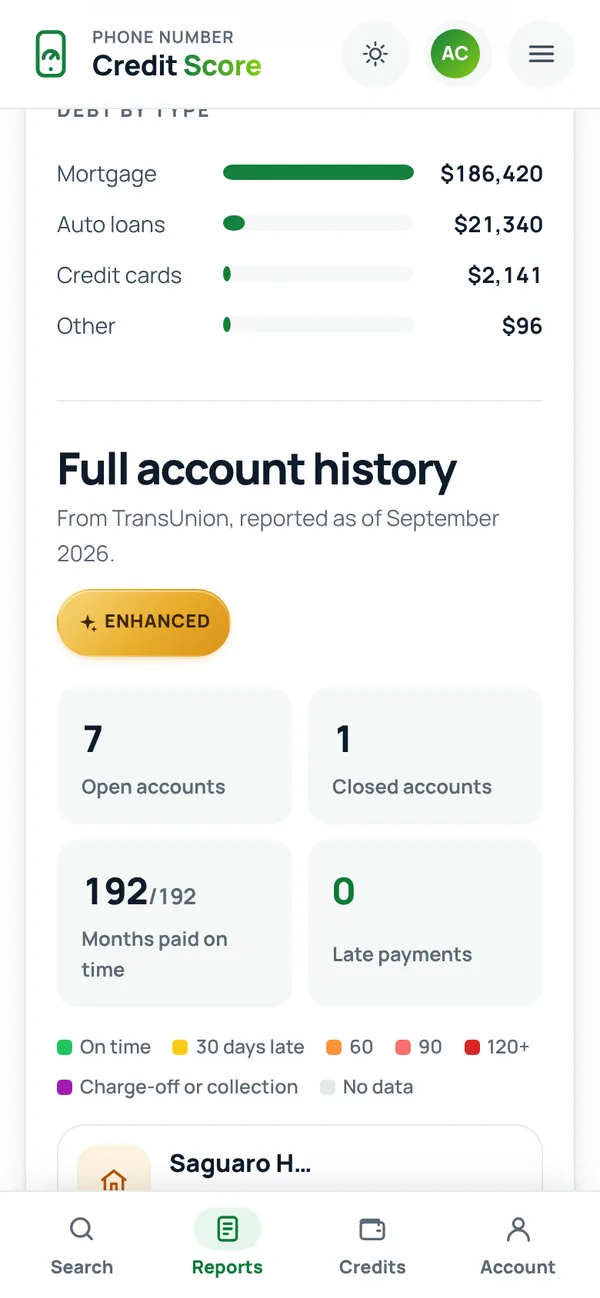
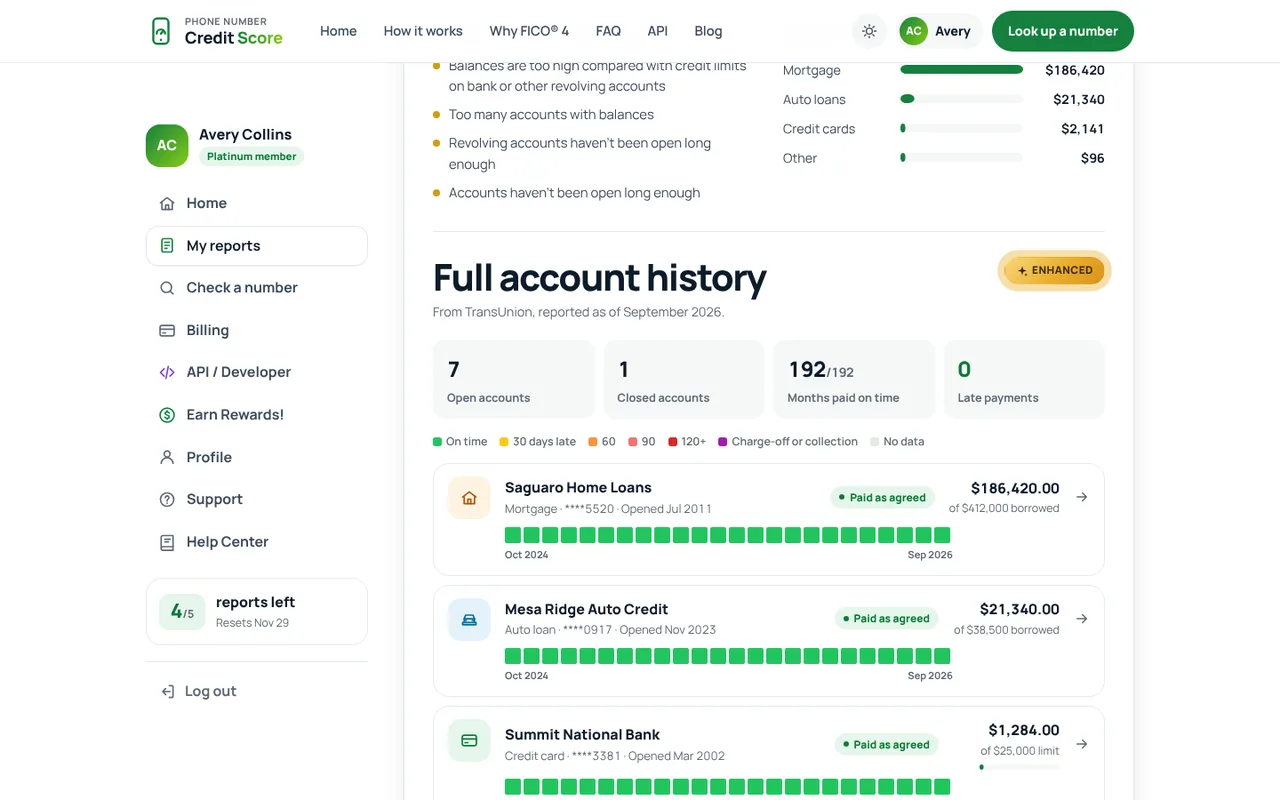
The full history appears on the report, and stays unlocked in your account.
Read the video’s transcript
Here’s how to unlock the full account history.
Tap Reports, at the bottom of the screen, and open the report you want.
Scroll to Full account history. Once it’s unlocked, you’ll see every account and payment.
Check which card it will be charged to, then tap Unlock.
The full history shows on the report, and it stays unlocked in your account.
Still stuck? Our team is happy to help. Just contact Support.
Step by step on a phone
-
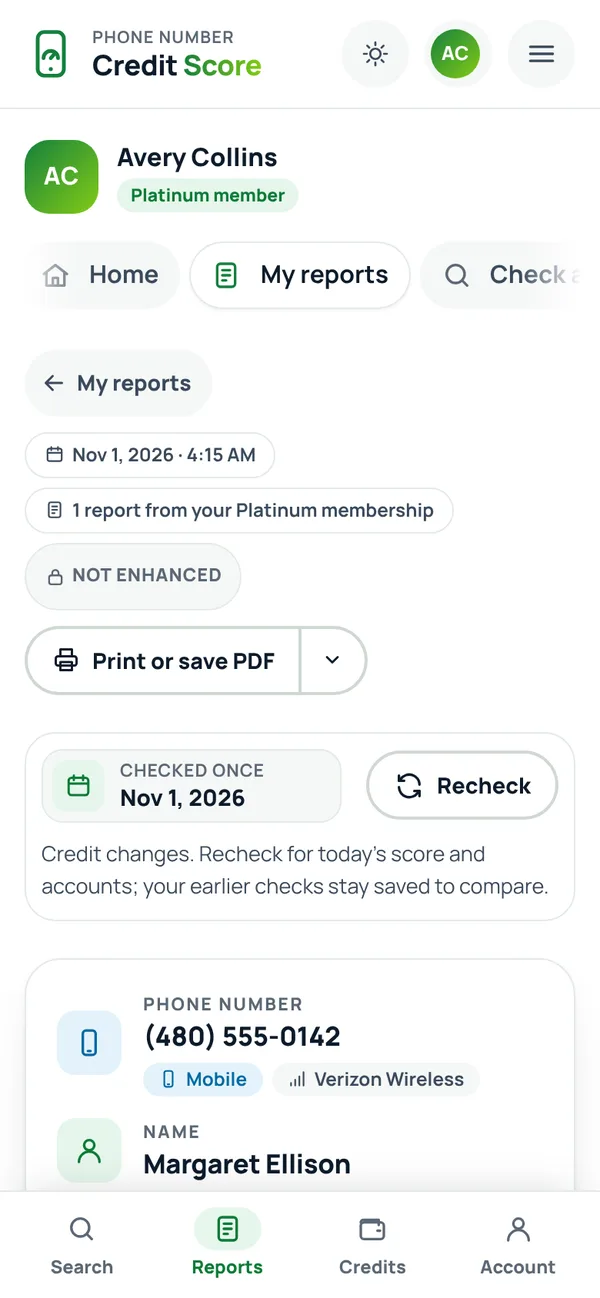
Tap Reports in the bar at the bottom, and open the report.
-
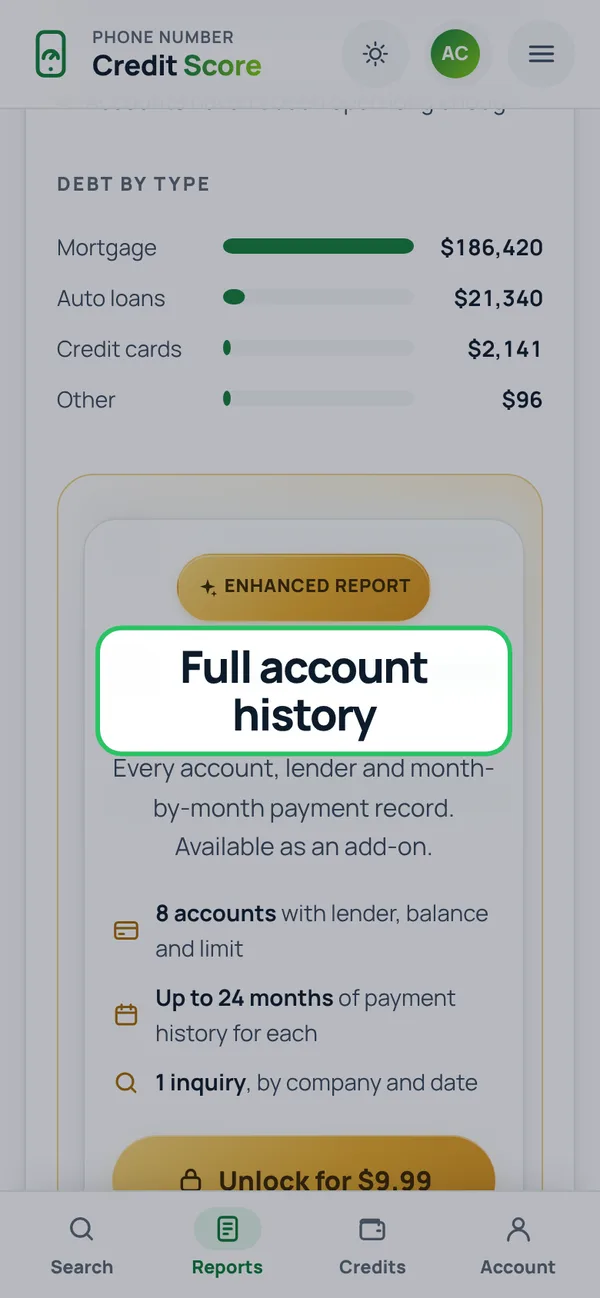
Scroll to Full account history. It lists every account, its payments, and every inquiry once unlocked.
-
Check the card it will be charged to, then tap Unlock.
-
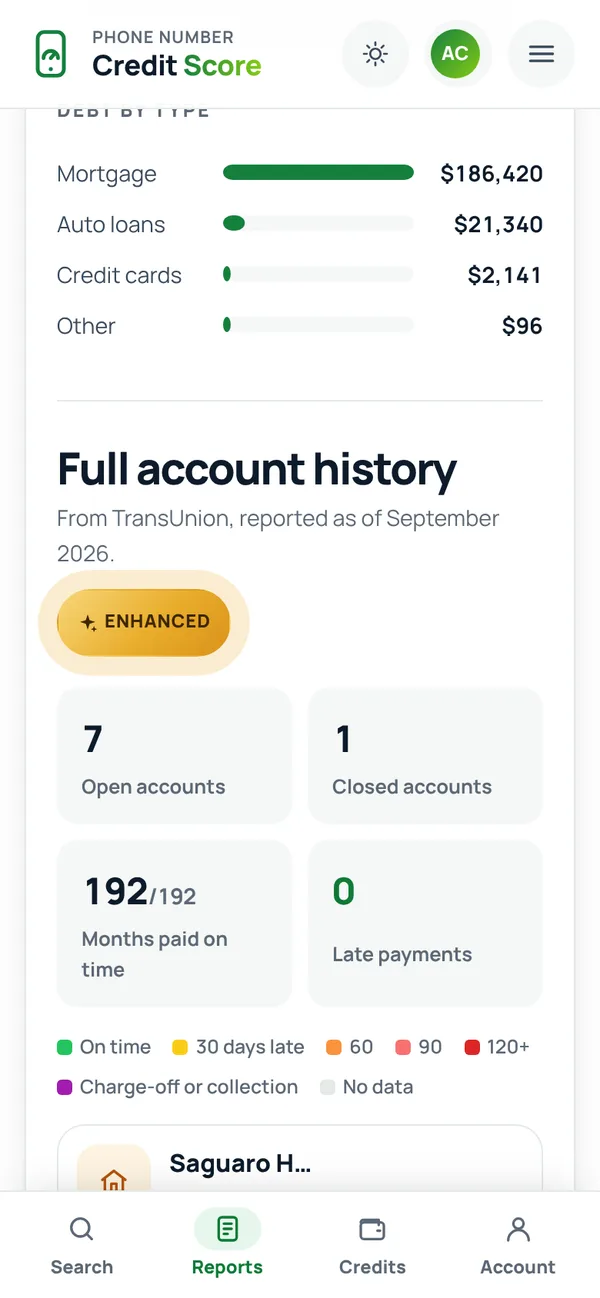
The full history appears on the report, and stays unlocked in your account.