Sign in to your account
Sign in with your phone number and a one-time code, with Google, or with a passkey. No password to remember.
Read the video’s transcript
Here’s how to sign in to your account.
To sign in, select Log in at the top of any page.
Type the phone number you used when you saved your report, then select Continue. You can also use your email, or continue with Google.
We text you a six digit code. Type it in, and you’re signed in.
You’re in. Next time, you can also continue with Google, or use a passkey on this device.
Still stuck? Our team is happy to help. Just contact Support.
Step by step on a computer
-
Select Log in at the top of any page.
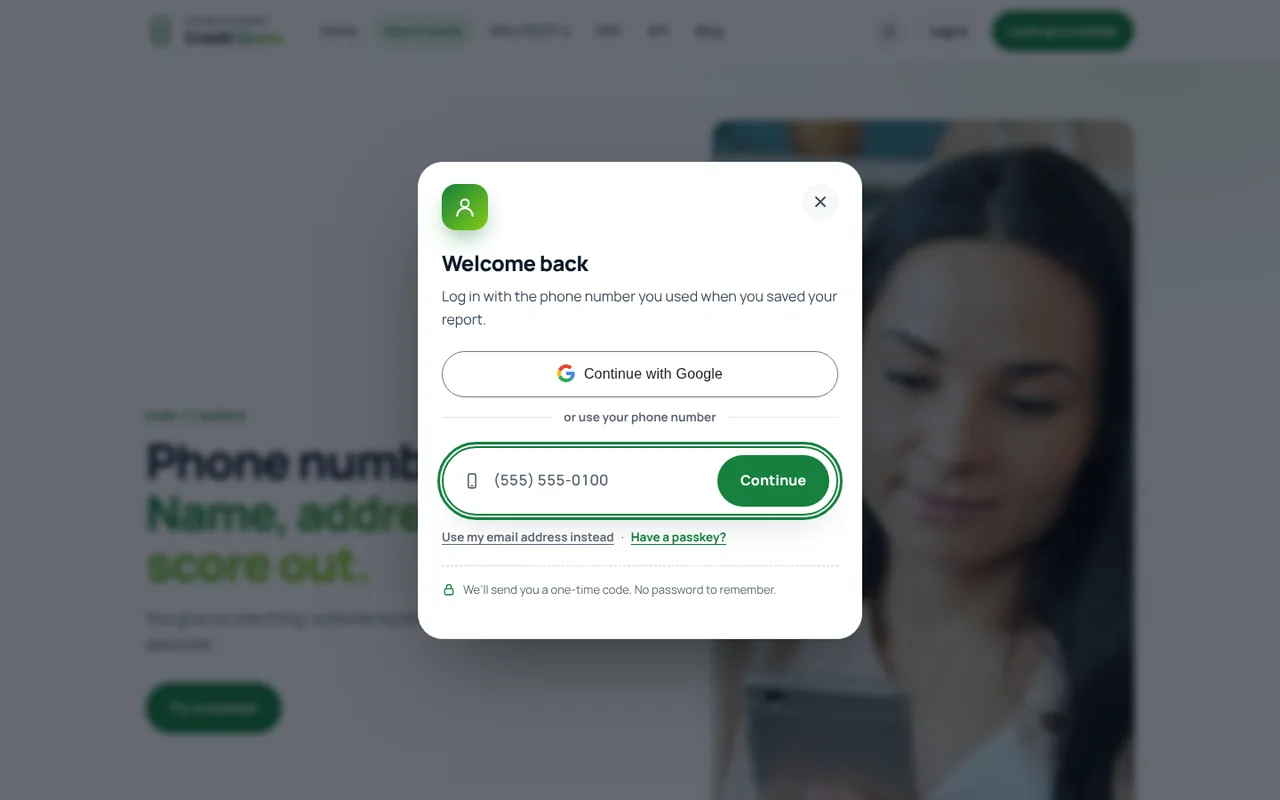
-
Enter the phone number you used when you saved your report, then select Continue. Prefer email? Choose Use my email address instead. You can also select Continue with Google.
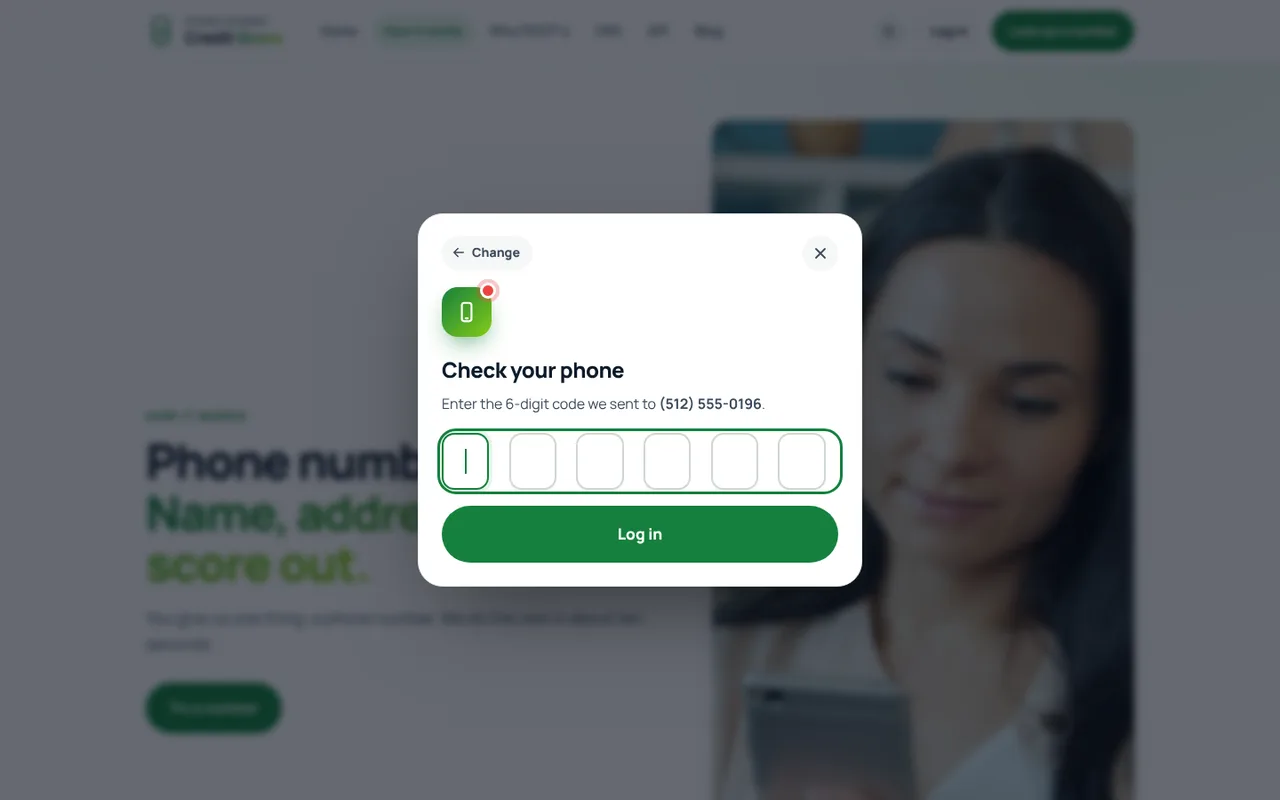
-
We text you a six-digit code. Type it in to finish signing in.
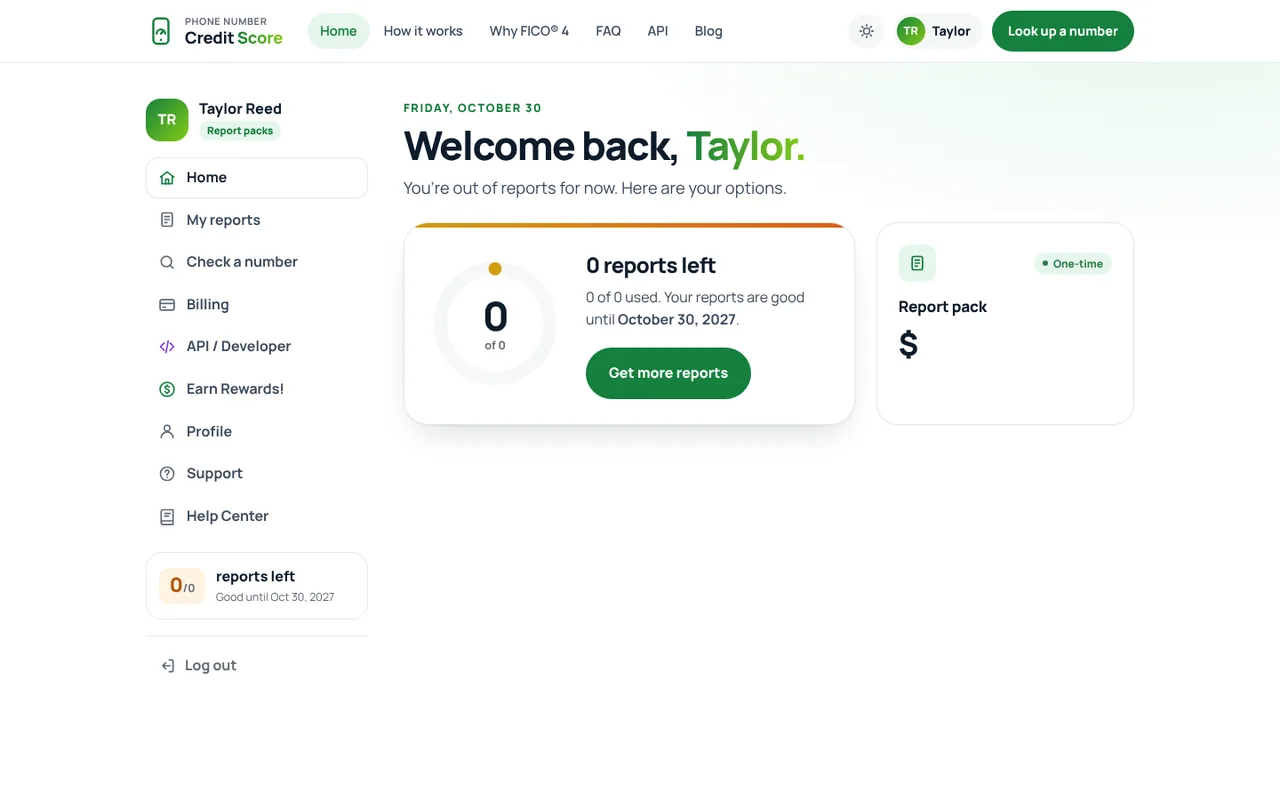
-
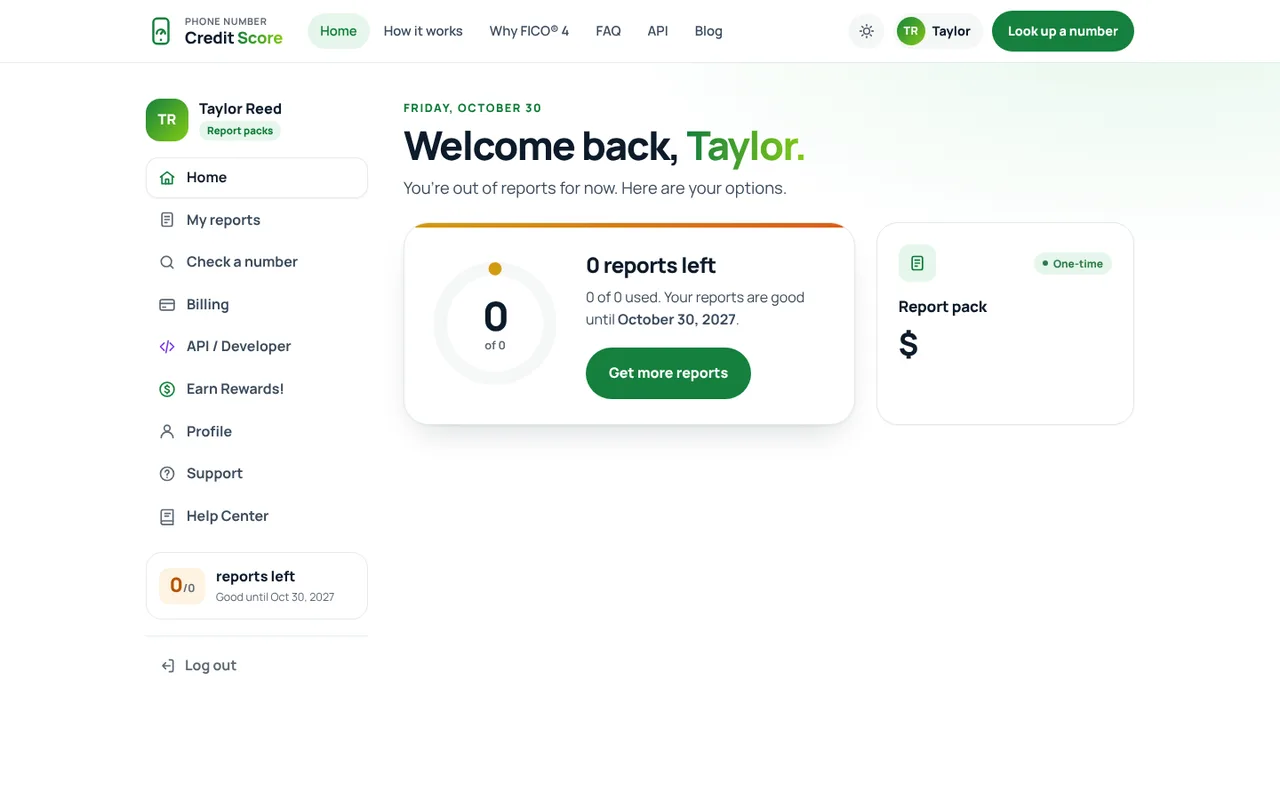
You land on your account’s home page. Next time, you can use Continue with Google or a passkey instead of a code.
Read the video’s transcript
Here’s how to sign in to your account.
To sign in, tap Log in at the top of any page.
Type the phone number you used when you saved your report, then tap Continue. You can also use your email, or continue with Google.
We text you a six digit code. Type it in, and you’re signed in.
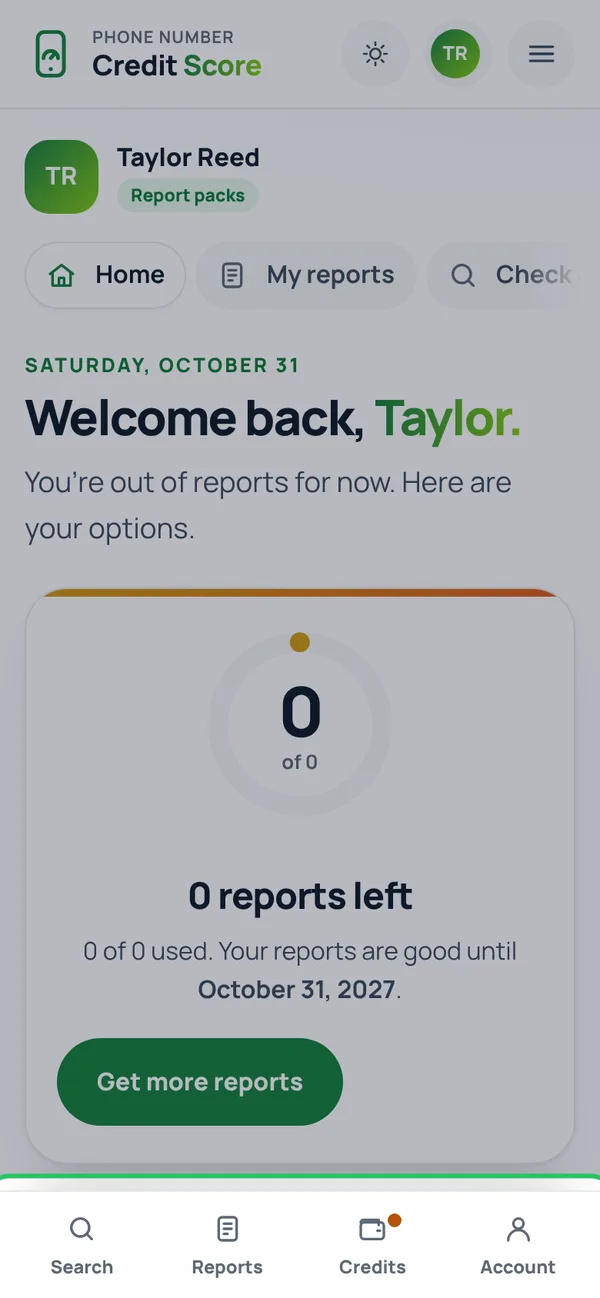
You’re in. Search, Reports, Credits and your Account are in the bar at the bottom. Next time, you can also continue with Google, or use a passkey.
Still stuck? Our team is happy to help. Just contact Support.
Step by step on a phone
-
Tap Log in at the top of any page.
-
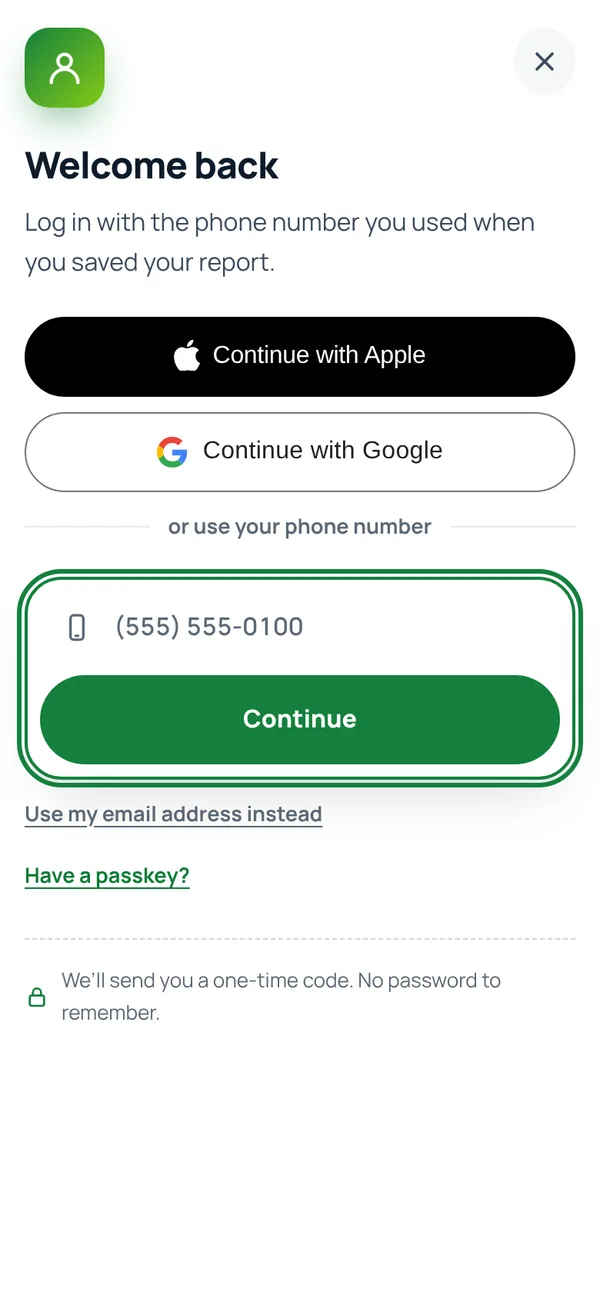
Enter the phone number you used when you saved your report, then tap Continue. Prefer email? Choose Use my email address instead. You can also tap Continue with Google.
-
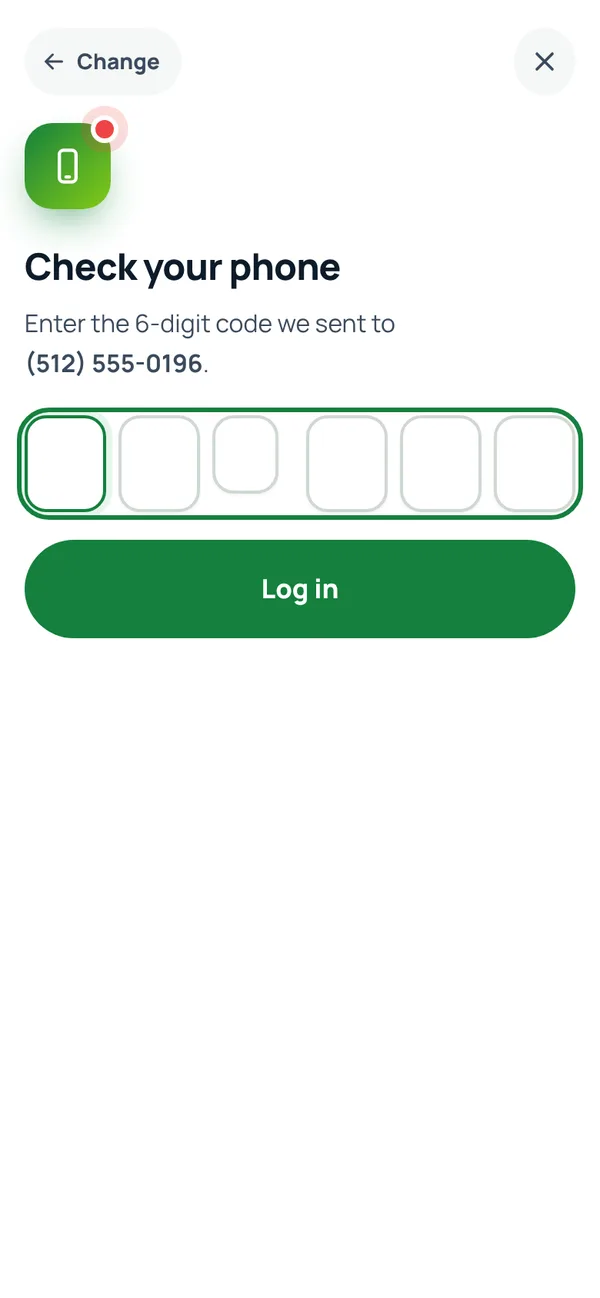
We text you a six-digit code. Type it in to finish signing in.
-
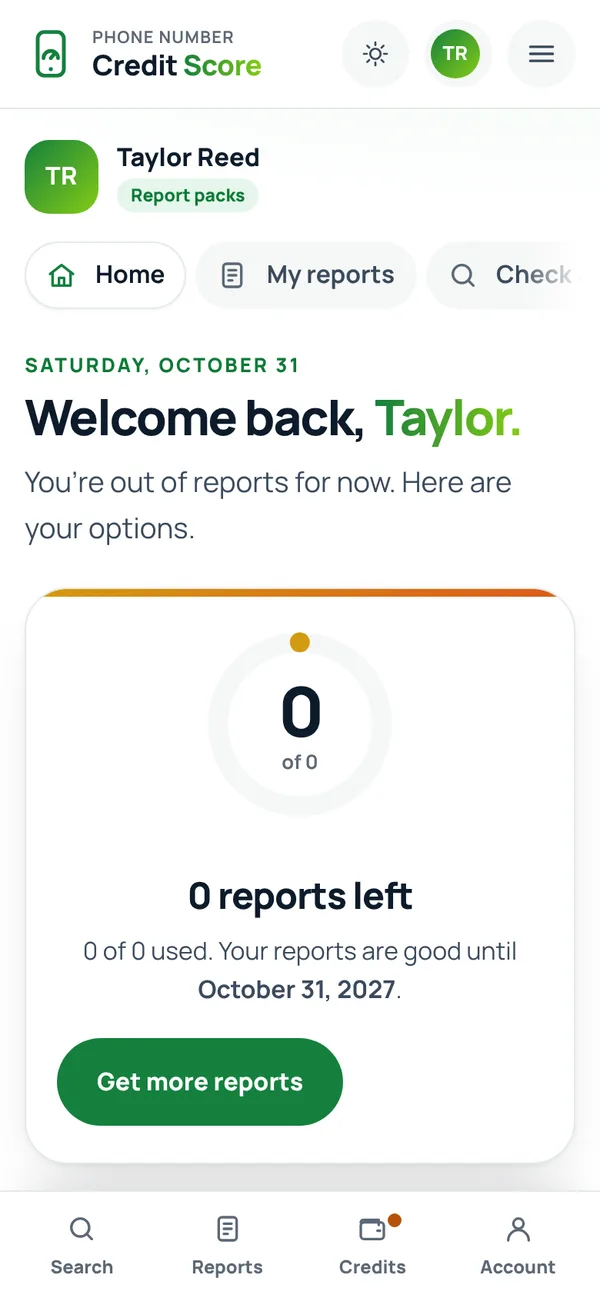
You land on your account’s home page. Search, Reports, Credits and Account are in the bar at the bottom of the screen. Next time, you can use Continue with Google or a passkey instead of a code.