Look up a phone number
Check a number from your account and get the person’s name, address, phone details and FICO® Score 4.
Read the video’s transcript
Here’s how to look up a phone number.
From your account, open Check a number.
Type the phone number you want to look up. It formats itself as you type.
Select Check number. A report is used only when we find a match.
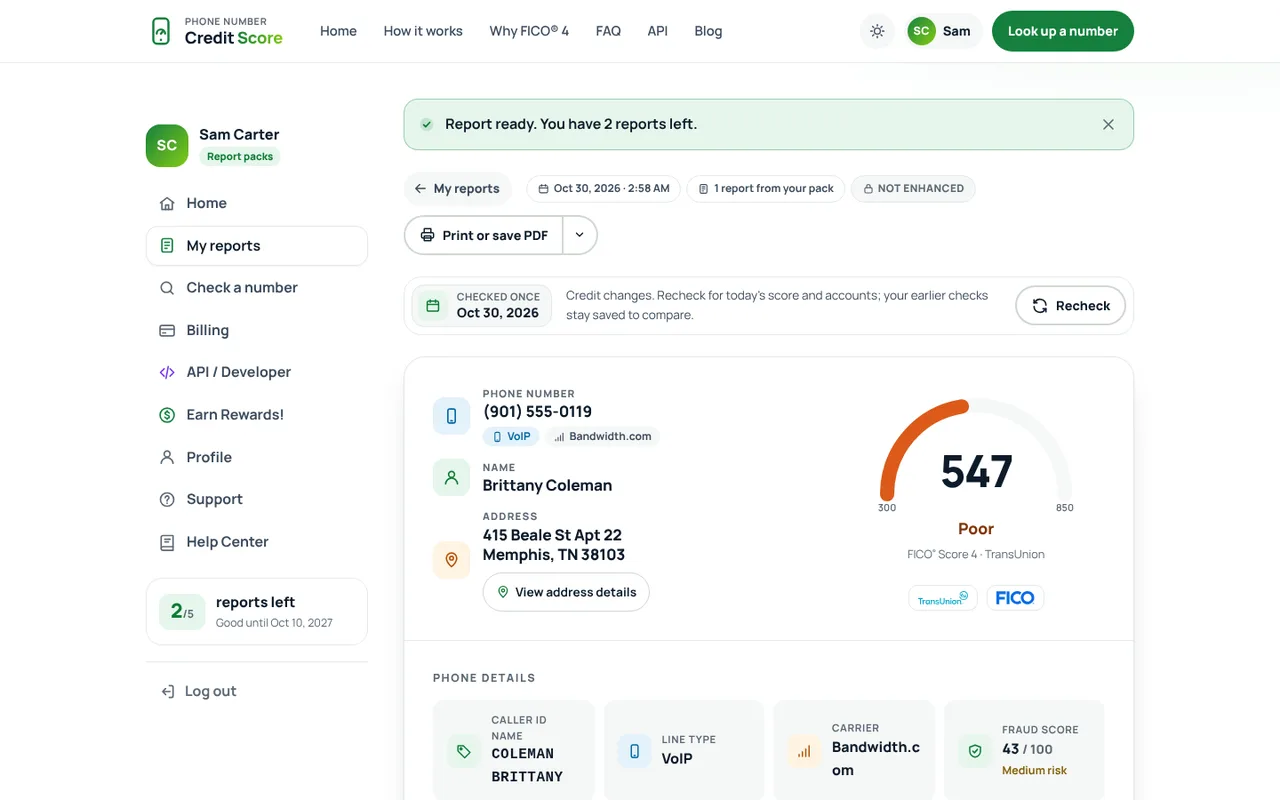
Your report opens right away, and it’s saved in My reports for later.
Still stuck? Our team is happy to help. Just contact Support.
Step by step on a computer
-
Open Check a number from your account menu.
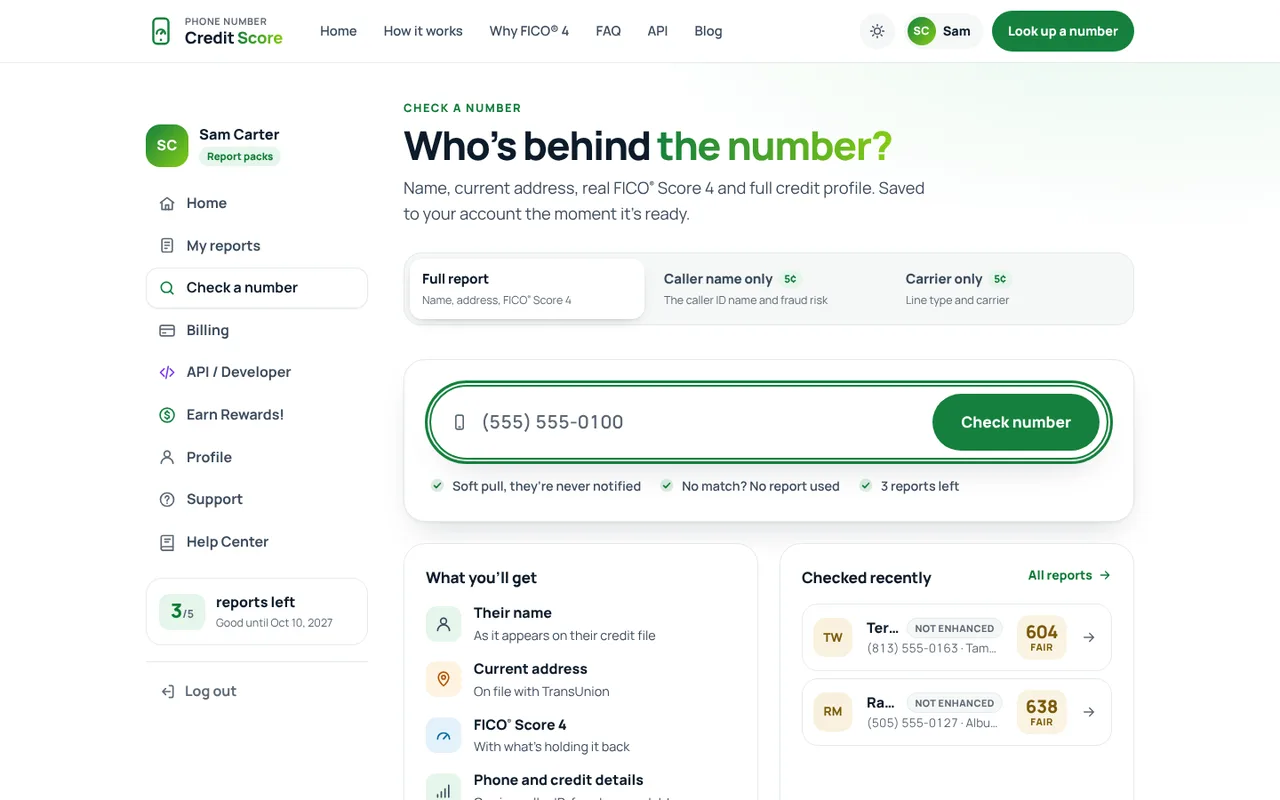
-
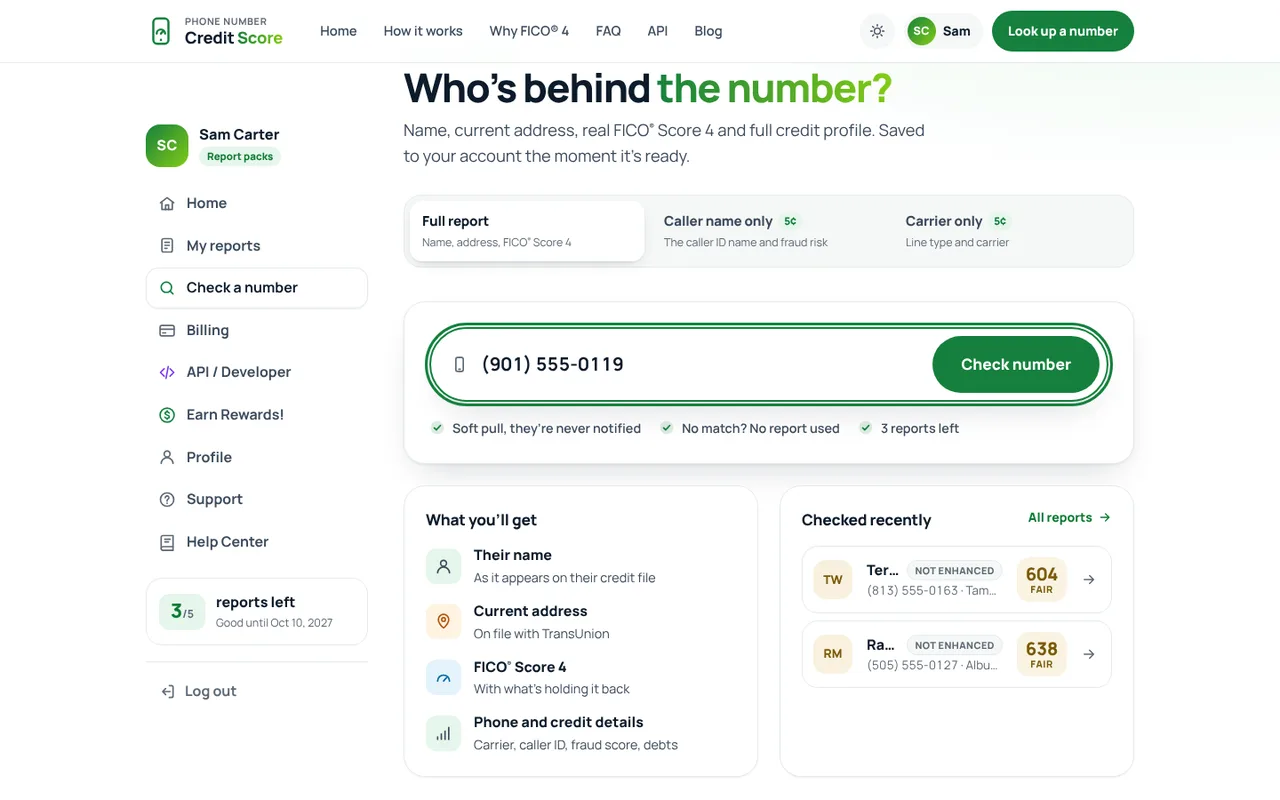
Type the 10-digit phone number. It formats as you type.
-
Select Check number. One report is used only when we find a match. A number with no match doesn’t use a report.
-
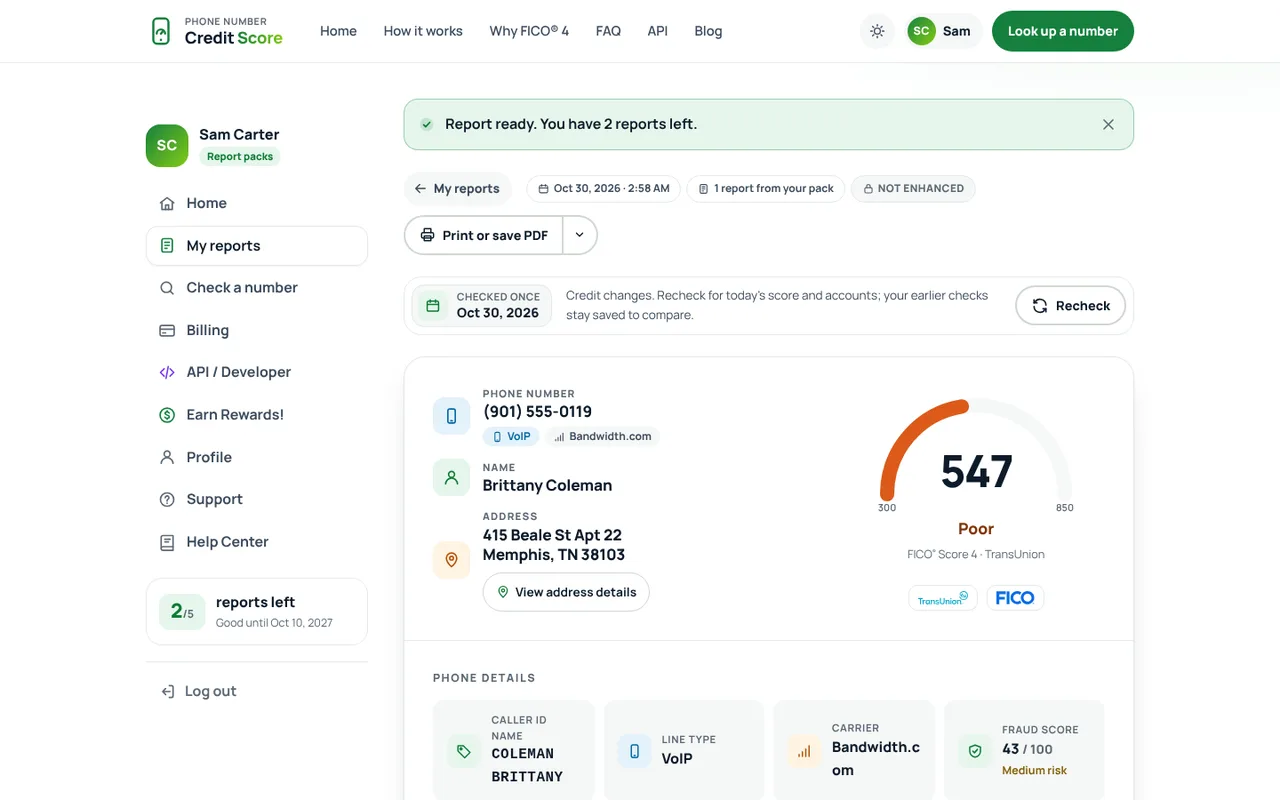
Your report opens, and it’s saved in My reports so you can come back to it any time.
Read the video’s transcript
Here’s how to look up a phone number.
On your phone, tap Search, in the bar at the bottom of the screen.
Type the phone number you want to look up. It formats itself as you type.
Tap Check number. A report is used only when we find a match.
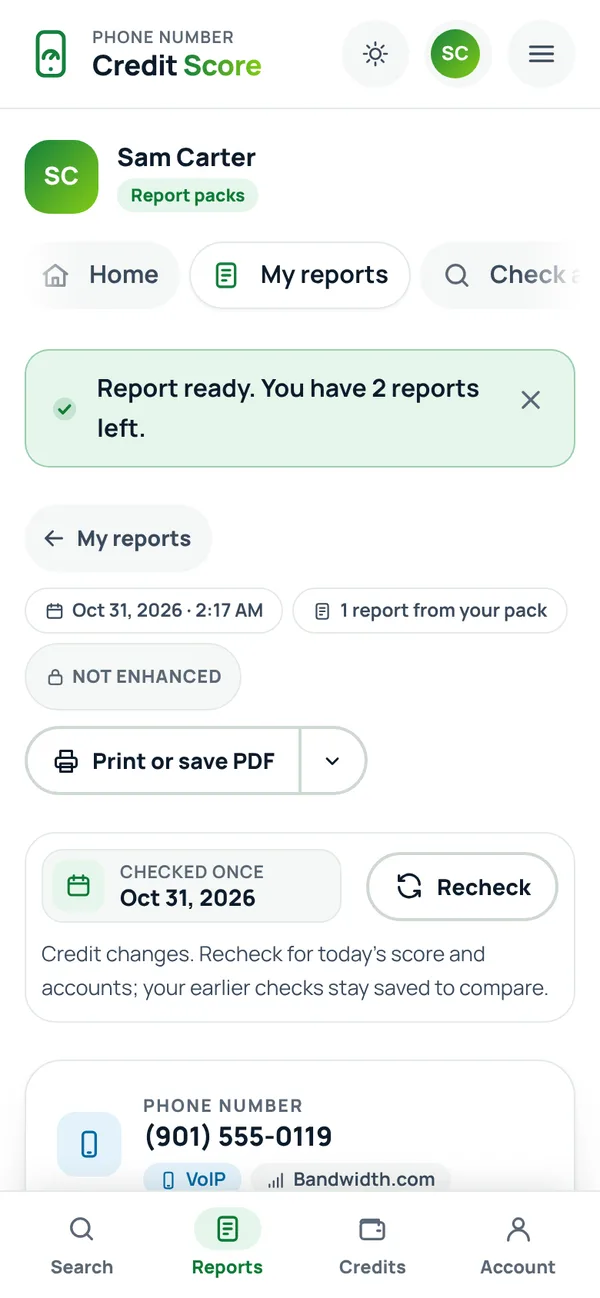
Your report opens right away, and it’s saved under Reports, at the bottom of the screen.
Still stuck? Our team is happy to help. Just contact Support.
Step by step on a phone
-
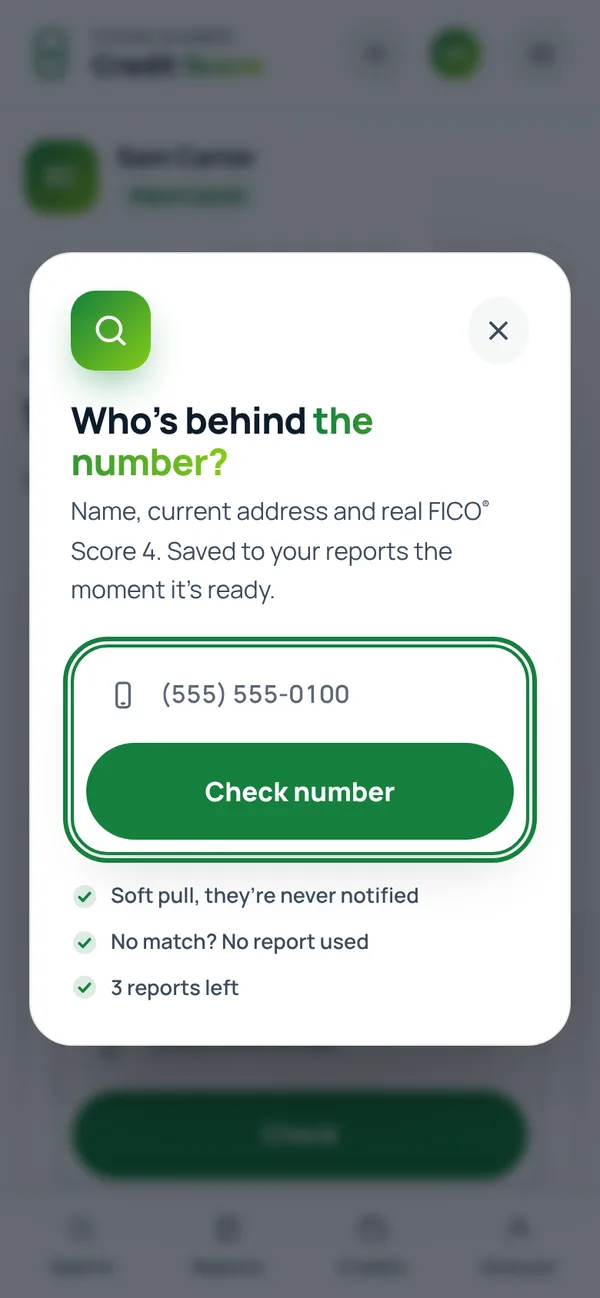
Tap Search in the bar at the bottom of the screen.
-
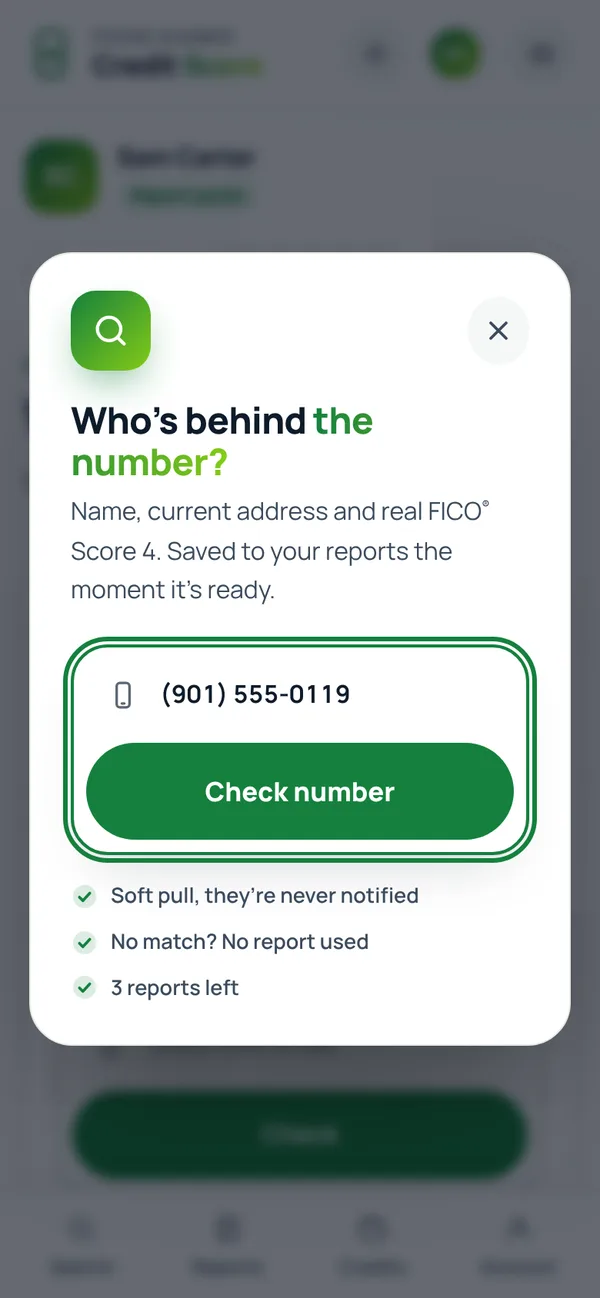
Type the 10-digit phone number. It formats as you type.
-
Tap Check number. One report is used only when we find a match. A number with no match doesn’t use a report.
-
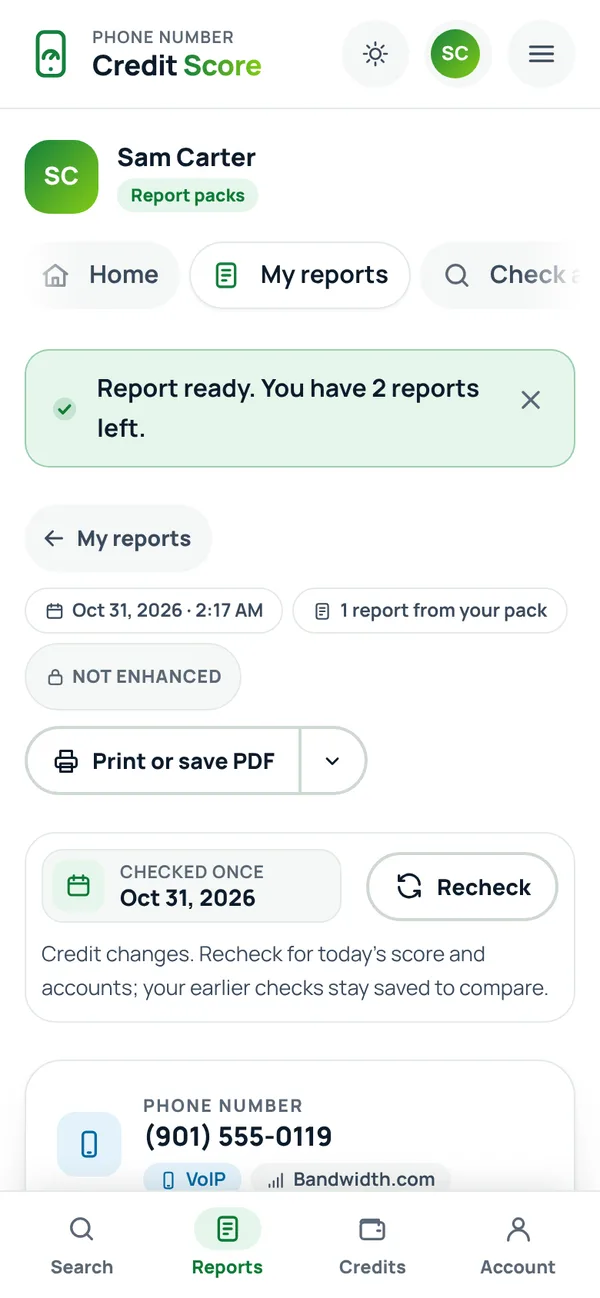
Your report opens, and it’s saved under Reports, in the bar at the bottom, so you can come back to it any time.